ronaldr40816002
Participant
February 12, 2020
Answered

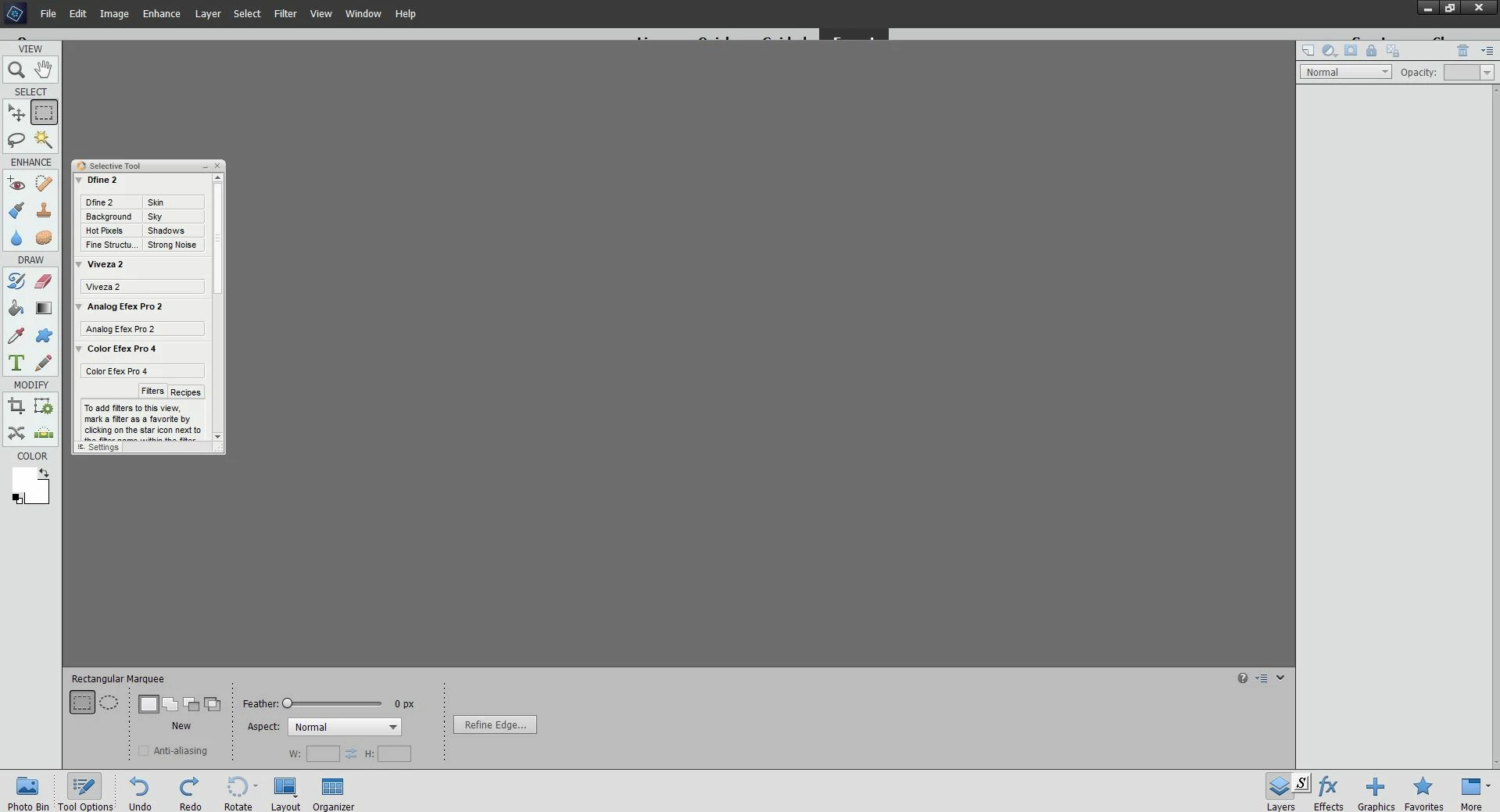
Expert, Quick, Guided menu is partially displayed in PSE 14 Edit screen

  • February 12, 2020
  • 2 replies
  • 361 views

The menu for Expert, Quick, Guided is partially displayed in PSE 14 Edit screen.  How can I correct this?  (On Windows 10) Thanks.  Photo below:
This topic has been closed for replies.
Correct answer Peru Bob

Try uninstalling and reinstalling using an administrator account.

2 replies

Peru Bob
Community Expert
Peru BobCommunity ExpertCorrect answer
Community Expert
February 13, 2020

Try uninstalling and reinstalling using an administrator account.

ronaldr40816002
Participant
February 13, 2020

Peru Bob, thanks. Uninstalling then reinstalling worked.  I had resinstalled it previously, but had not uninstalled it first. Uninstalling the previous software was important. Thanks again!

Peru Bob
Community Expert
Community Expert
February 14, 2020

You're welcome. 

Peru Bob
Community Expert
Community Expert
February 13, 2020

Change your screen resolution in the Windows display settings.

ronaldr40816002
Participant
February 13, 2020

Peru, thanks.  Changing the Windows display screen resolution did not work to fully reveal the Expert, Quick, Guided menu on the edit screen.  The problem appears to be related to the PSE14 application itself.  The problem came about suddenly and I haven't found a way to correct it.
