Participating Frequently
January 14, 2026
Question

Export from Photoshop Elements (18.0)

  • January 14, 2026
  • 4 replies
  • 168 views

I use to write a comment under my photos and wonder how I can export the photos  with the connected text from my windows-PC
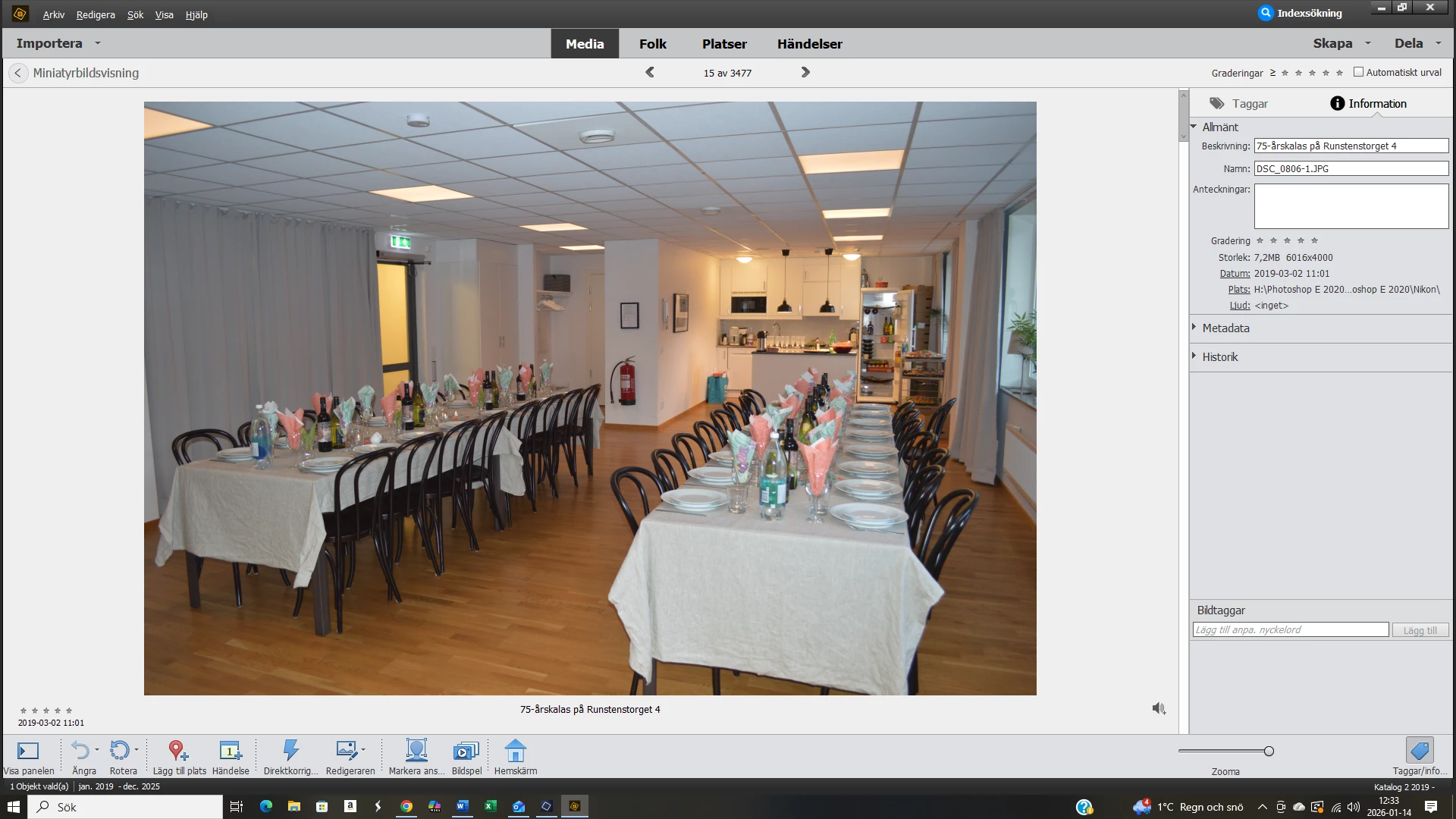
Skärmbild (40).png

.

4 replies

Rolf5C84Author
Participating Frequently
January 24, 2026

How can I  start in Organizer by embedding captions into the file?

99jon
Legend
January 24, 2026

Select thumbnails and press Ctrl+W (Cmd+W on Mac)

Rolf5C84Author
Participating Frequently
January 25, 2026

I do that but I don't get to specify if I want File name, Description or Date modified.

99jon
Legend
January 15, 2026

Select thumbnail in Organizer

Go to the menu: File > Print

In the Print dialog choose More Options

Add a checkmark to the box "Show Caption"

Rolf5C84Author
Participating Frequently
January 16, 2026

Is it also possible to include the text when exporting to jpg-files?

99jon
Legend
January 16, 2026

6873.jpg

You can show captions as part of a jpeg file using a batch process.

Start from the Editor menu File > Process Multiple Files

Use the browse buttons to choose a separate folder or new folder that is different to the source folder; to avoid overwriting originals. The entire contents of the source folder will be exported. Or you can choose images already open in the Editor photo bin, as your source.


It can help if you start in Organizer by embedding captions into the file.

Select thumbnails and choose File > Save Metadata to File (s) or Ctrl+W

You may need to experiment with the choice of font, font color and font size as results will vary depending on the resolution (pixel dimensions) of the photos being processed.


PMF.jpg


creative explorer
Community Expert
Community Expert
January 14, 2026

@Rolf5C84 You can add it in the comments. The person receiving it would right-click the file to 'Get Info' and look at the Details tab to see your comment. You don’t need to do anything special. If you copy that photo to a USB drive or email it, the text goes with it. 

m
Rolf5C84Author
Participating Frequently
January 15, 2026

OK - thank you!

Is there a way to make the text visible in the printed pictures as well?

Ged_Traynor
Community Expert
Community Expert
January 14, 2026

@Rolf5C84 you'd be better off posting your query on the Photoshop Elements forum

jane-e
Community Expert
Community Expert
January 14, 2026

@Rolf5C84 

Moved to Photoshop Elements.


See also your similar post from October 2023:

https://community.adobe.com/t5/photoshop-elements-discussions/export/td-p/14162093


Jane
