
Participating Frequently
February 15, 2020
Question

Falscher Laufwerkname

  • February 15, 2020
  • 2 replies
  • 269 views

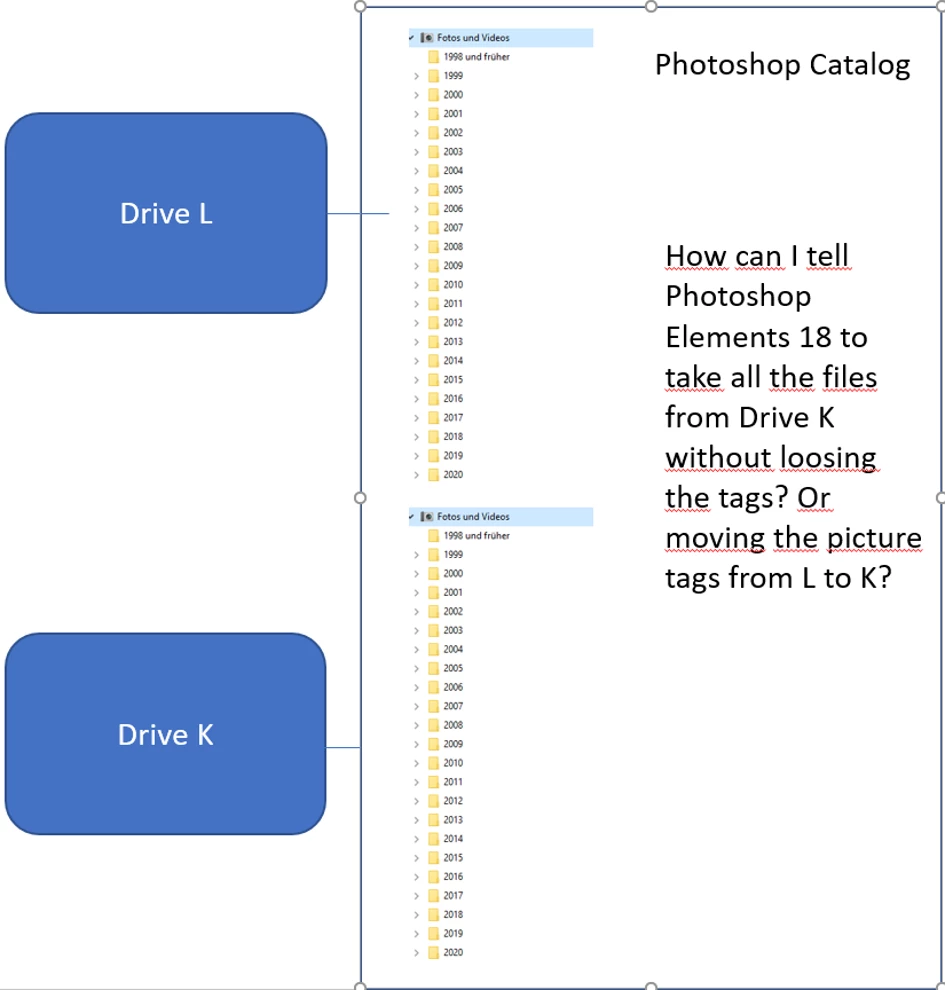
Ich benutze Photoshop Elements 18 auf einem Windows 10 Computer und habe ein Problem. Ich habe ein externes Laufwerk, welches offenbar mal seinen Laufwerkbuchstaben gewechselt hat, von L auf K sodass die älternen Dateien nicht mehr verbunden sind, weil der Laufwerkbuchstabe nicht mehr stimmt. Ic kriege dich weder manuell noch sonst wie verbunden, Kann ich nun von den verbundenen Dateien ein Backup machen und dann das Laufwerk umbenennen, also von K auf L und dann das Backup einspielen? 

LG Karin
 

This topic has been closed for replies.

2 replies

MichelBParis
Legend
February 16, 2020

"If I try to drag and drop, Photoshop complains because on both drives are the same folders with the same Pictures. I just want to move the tags from L to K, not the Pictures, because the pictures allready exist there."

What do you expect from the drag and drop? 

Drag and drop has the effect of moving the folders from one drive/partition/master folder to another.

The original files are deleted after they have been copied to the new destination and the links in the current catalog have been updated to point to the new destination. You should always drag to a master folder without a similar set of subfolders and files as the original to avoid duplications and conflicts within the organizer but also within Windows explorer.

Is your purpose to affect the same metadata/tags properties to a similar folder tree? That can't work.

Is it to 'sync' your data from one drive to a similar tree copy on another drive? Is so, please explain in more details.

MichelBParis
Legend
February 16, 2020

The first thing to do to avoid external drives to change their drive letter is to set Windows to assign a letter in the last part of the alphabet (S, T, U, V....Y, Z). This prevents Windows for assigning the first available letter if other devices have been plugged in before.


Second, in the organizer, be sure to display the folders panel in "tree" mode instead of alphabetical sort order. This way, you are seeing the folders tree just like in the Windows explorer. You can drag and drop a folder (with its own subfolders) from one drive to another. If all your photo files are under a master folder in K you can drag and drop the master folder to L. Just be aware that such a move takes time, be patient.


Now, it depends on your purpose. Moving folders by drag and drop is not the usual way to move all your photo files and catalog to a new computer, drive or new master folder. There, doing a full backup and restore is the safest solution.

https://helpx.adobe.com/photoshop-elements/kb/backup-restore-move-catalog-photoshop.html