
Answered
Markus22669268y3z2Correct answer
Participant
January 19, 2022
Leider besteht der Fehler weiterhin auch im "neuen" Katalog. Es scheint an der Datei catalog.pse13db zu liegen.
Die Fehlermeldung bei der Konvertierung deutet auch auf einen Fehler innerhalb der DB im Feld db_change_timestamp_table.change_id
hin, oder?
By @Markus22669268y3z2

Indeed there must be an error in that field. Here is a screenshot of the database structure:
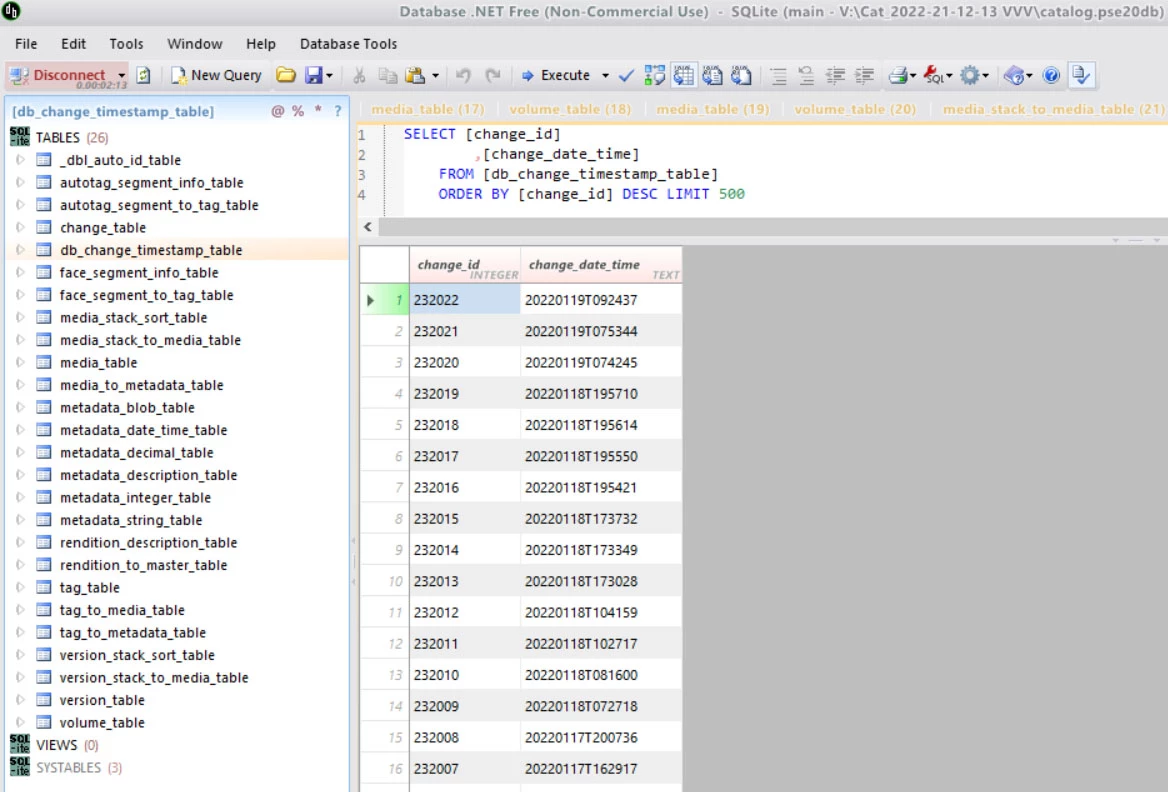
That table looks like an history of your editing session. The date should be unique in that table, and for some reason, there must be several instances of the date there. I don't know how to solve that error and where it may come from. If repairing the catalog does not work, it may be dangerous to try fiddle in the database.
Dein screenshot hat mich sehr geholfen und auf die mögliche Lösung gebracht. Ich habe mir auch das Programm Database runtergeladen und einfach den letzten Eintrag in der Tabelle hart im catalog.pse13db gelöscht. Und nun funktioniert es wieder und ich konnte auch erfolgreich in PSE2022 konvertieren. Bisher scheint noch alles zu funktionieren. Vielen Dank für deine Hilfe.


 AdChoices