


c_Shane
Known Participant
Jun 23, 2023 3:08 AM UTC
Question

File Type Appears Over Thumbnail

I'm having a problem where the word GIF is appearing on top of images:
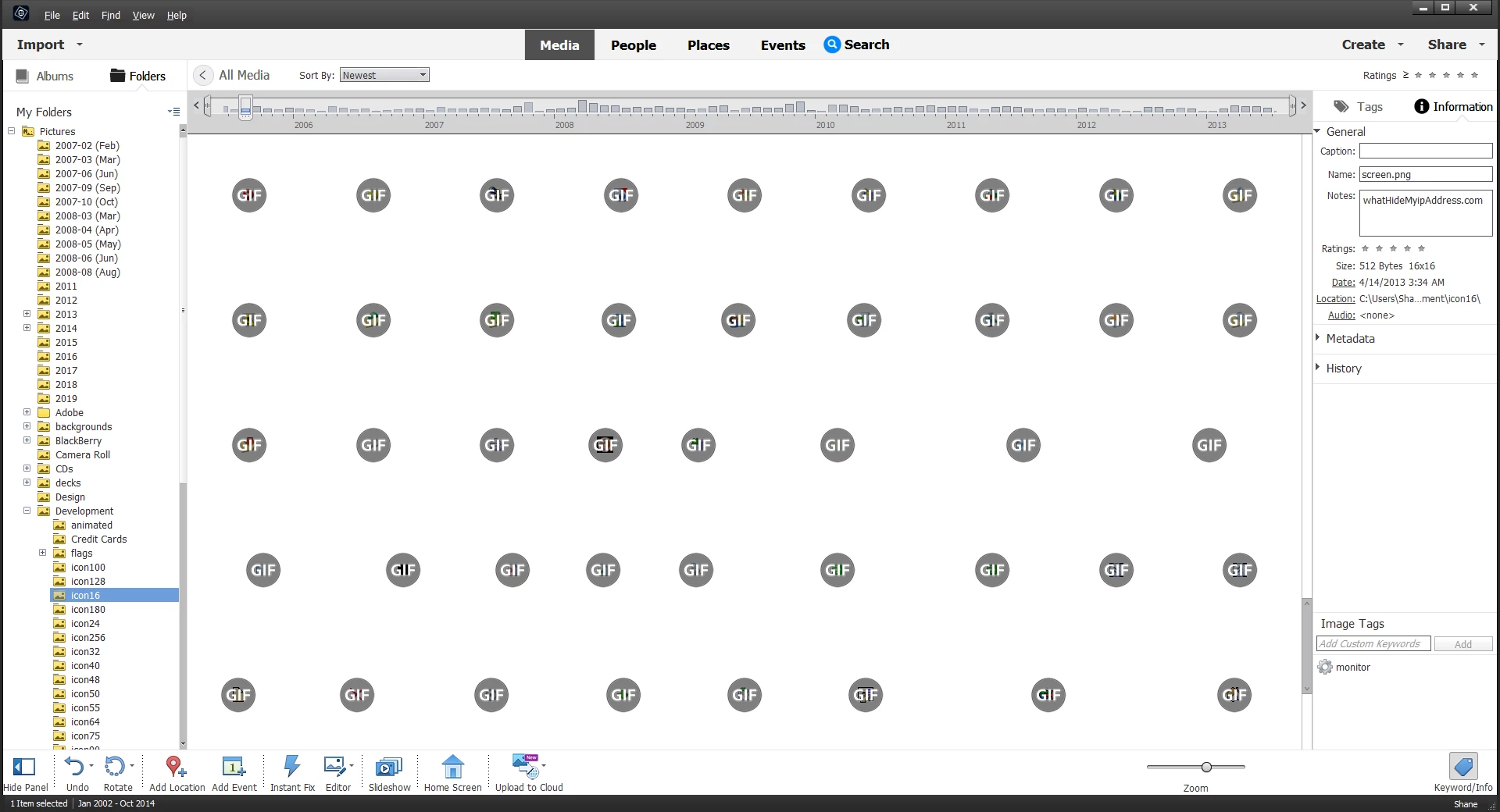
 

How can I stop this?

I have PSE 2023.

This topic is closed to new replies. Start a new post to keep the conversation going.

4 replies

Greg_S.
Community Expert
Community Expert
Jun 27, 2023 1:10 AM UTC

OK.  I've never noticed that before.  Instead of double-clicking on the image to resize it, how about increasing the zoom with the slider.


Translate
c_Shane
c_ShaneAuthor
Known Participant
Jul 2, 2023 3:53 AM UTC

The slider controls how many images appear in the display area. Images can grow up to 100%, but not larger than that. So if an image is only about 32 x 32, it stays blocked by the file type.


Thanks for the suggestion.

Translate
Greg_S.
Community Expert
Community Expert
Jun 23, 2023 6:04 AM UTC

You can't stop this behavior. I assume these are animated gifs and that the contents are small and covered by the GIF text.  What happens if you increase the zoom level of the grid and/or double-click on a gif file?  Does the text still cover the thumbnail's visible pixels?

Translate
c_Shane
c_ShaneAuthor
Known Participant
Jun 27, 2023 12:05 AM UTC

The contents are small and covered. When I double-click on the GIF, it opens a player, which is weird because none of he GIFs are animated.

Translate