


Inspiring
July 30, 2018
Question

Files import to top left of Editor in thumbnail size

  • July 30, 2018
  • 1 reply
  • 491 views

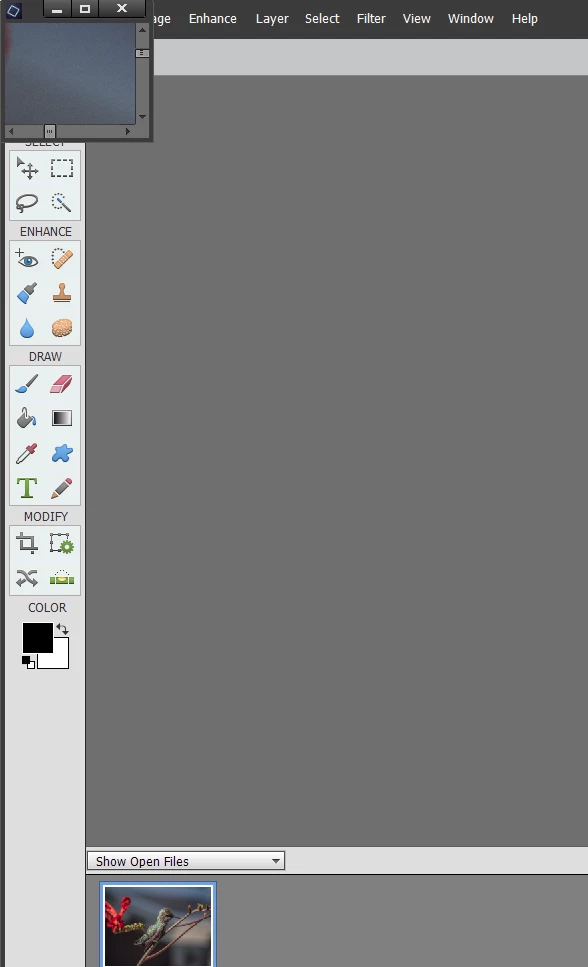
Lately, when I click on a file(s) in the organizer and hit the Editor button, the files come into PS 2018 Editor, but they are squished one on top of the other in thumbnail size in the top left hand corner of the organizer.  I have tried resetting the preferences for both the Organizer and the Editor, but nothing changes.

My files used to come in and load to the Editor in a working size, not a thumbnail size.  How can I fix this?
    This topic has been closed for replies.

    1 reply

    MichelBParis
    Legend
    July 30, 2018

    See this other discussion:  

    Elements 15: floating images open extremely small in the editor

    That's a result of the latest Windows 10 update.

    PS Elements 2018-Photos open postage stamp size after Windows 10 update

    This has been reported in the feedback forum.

    Elements 15: Floating all windows not working | Photoshop Family Customer Community

    Add your vote to this complaint.

    MichelBParis
    Legend
    August 12, 2018

    I just found yesterday that you can keep the floating window functionality.

    You have to keep the Ctrl key pressed while opening the image or several images.

    That also works when dragging files or using the organizer.