
Participant
July 20, 2025
Answered

Fixing a mistake

  • July 20, 2025
  • 2 replies
  • 311 views

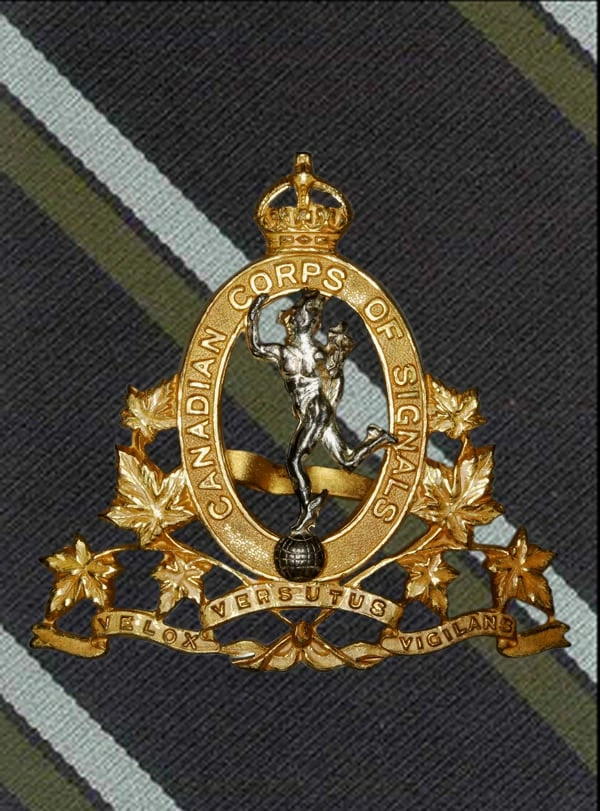
I am hoping someone can help. I flattened an image by saving it to jpeg and not saving a PSD file. How do I separate the images? It is a background image and a single top layer. I nolonger have the orginal photos to work with.
Correct answer Jeff Arola

In Photoshop Elements 2025 i made a selection around the badge using the Lasso Tool, then used Edit>Fil Selectionl>Content Aware.

Fixed the remaining areas by copy. paste, transform and clone stamping of the white and light green stripes.

2 replies

Jeff Arola
Community Expert
Community Expert
July 22, 2025

Here's the background:


Participant
July 25, 2025

Amazing!! Thank you so much Jeff. May I ask you how you managed to do that?


Chris


Jeff Arola
Community Expert
Jeff ArolaCommunity ExpertCorrect answer
Community Expert
July 28, 2025

In Photoshop Elements 2025 i made a selection around the badge using the Lasso Tool, then used Edit>Fil Selectionl>Content Aware.

Fixed the remaining areas by copy. paste, transform and clone stamping of the white and light green stripes.

Glenn 8675309
Legend
July 20, 2025

Photoshop>remove background. 

Participant
July 20, 2025

Thank you Glenn, 

Is there a way to grab the background?

Glenn 8675309
Legend
July 20, 2025


The background is blank. yo ucan put whater you want on that layer.