
Participant
September 20, 2020
Question

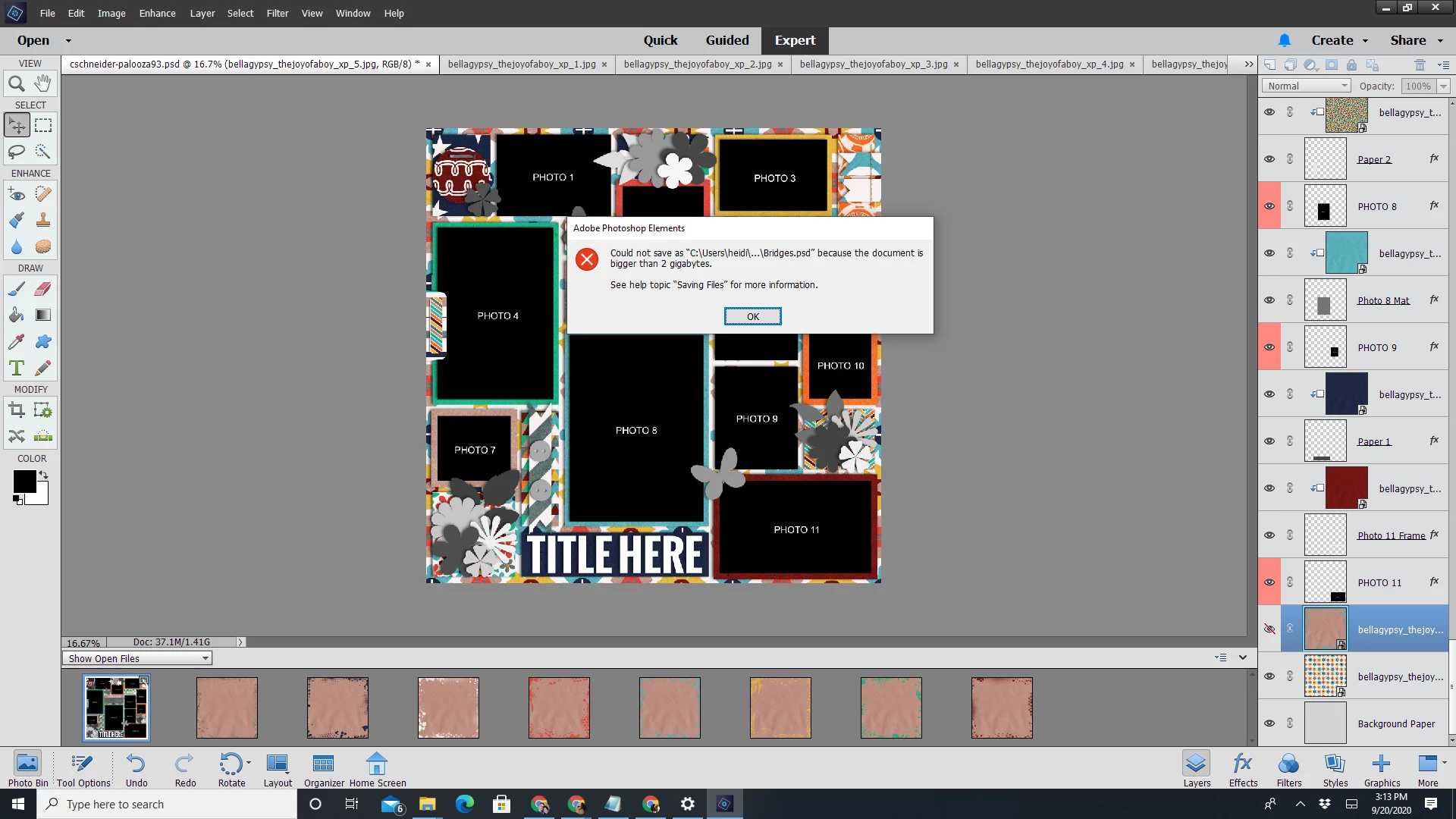
Getting "File over 2 GB" even though the file is nowhere near 2 GB.

  • September 20, 2020
  • 2 replies
  • 201 views

I started getting this error a few years ago when I was using PSE 14. I thought maybe my computer and software were too old, so I bought a new computer and PSE 2018. Still got the error. Gave up on scrapbooking for a couple years, then thought maybe it was a glitch and tried 2020. STILL getting the error. The thing is--there's no way this file is even close to 2 GB. There's just not that much stuff in it. It's a basic template with some layers in it. And if I know how to read PSE (maybe I don't), the size in the bottom left-hand corner clearly states that this file is 37.1 MB--nowhere near 2 gigs! 

I'm utterly baffled about what could be causing this. I just want to be able to scrapbook like I used to for years and years! 
This topic has been closed for replies.

2 replies

Jeff Arola
Community Expert
Community Expert
September 20, 2020

Try saving as a Tiff file, which has a 4 gb limit.

Greg_S.
Community Expert
Community Expert
September 20, 2020

You have a very complex document with many pixel-rich layers.  It is therefore quite possible that when it is being saved to a psd file, it exceeds the 2GB limit (and the document size shown in the status bar is not showing the saved sized).  I just did a quick test and a file containing only 2 simple layers was saved with a size 1.5x the document size shown in Elements. 

Here is a link to an article suggesting ways to reduce the size of a multi-layered .psd file.  In Photoshop CC, the file can be saved as a PSB file, but that option is not available in Elements.