
glitch-problem
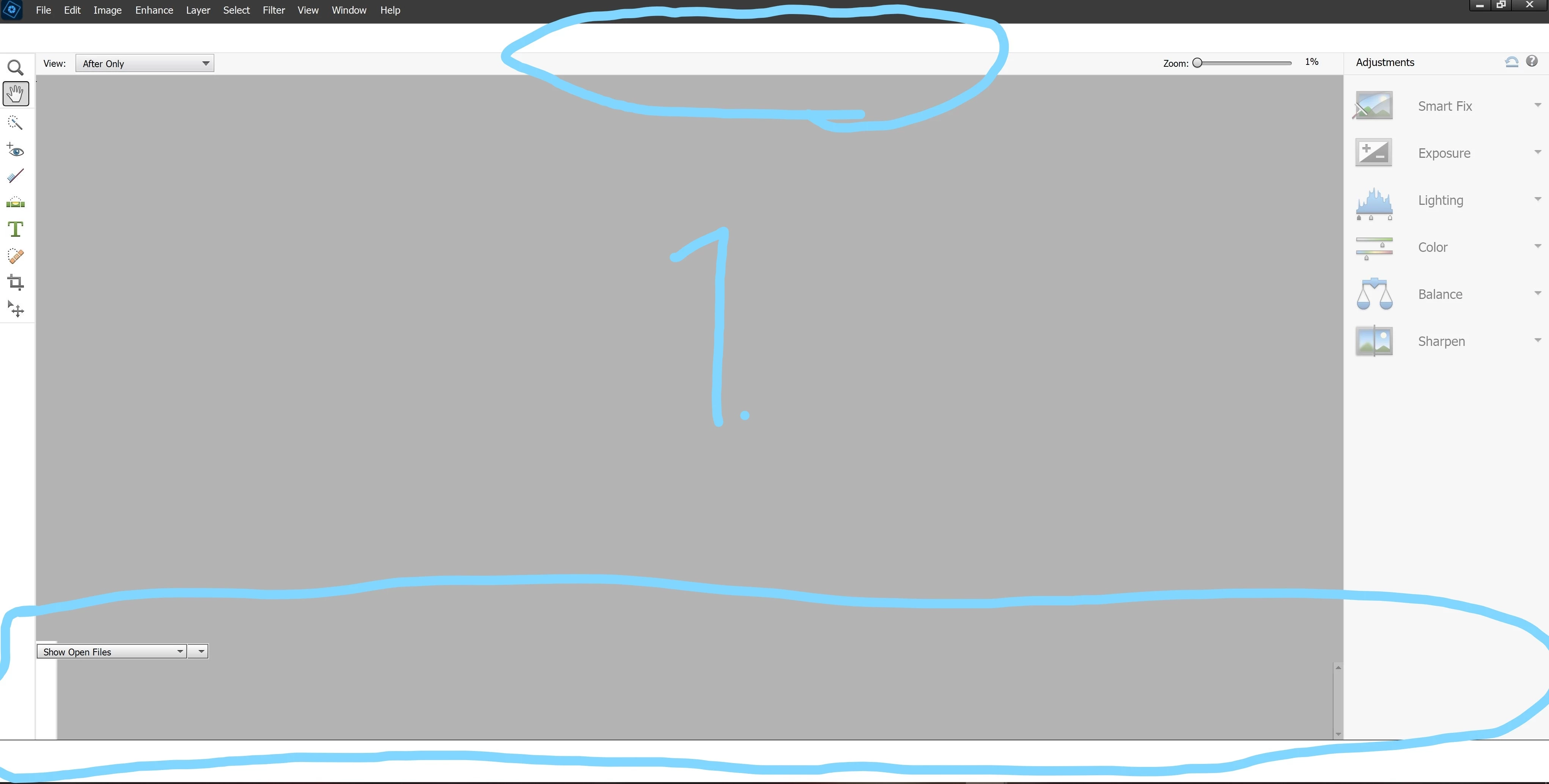
I recently installed Photoshop Elements 2022. (windows, bought from microsoft store) no problems with the installation itself, but when I opened the program I'm missing menus. The buttons for "quick" - "guided" - "expert" seem not to be there (picture 1), but if I click where they should be, I can switch between them. i'm also missing the menu/tools at the bottom of the program, but i have a small part of the menu/tools, so it seems like it's there just not visible/usable.
I have experienced the same/similar problem with the 2019 version and I never found out what the problem was. I gave up trying to fix it since I could still use the program enough for my use at the time.
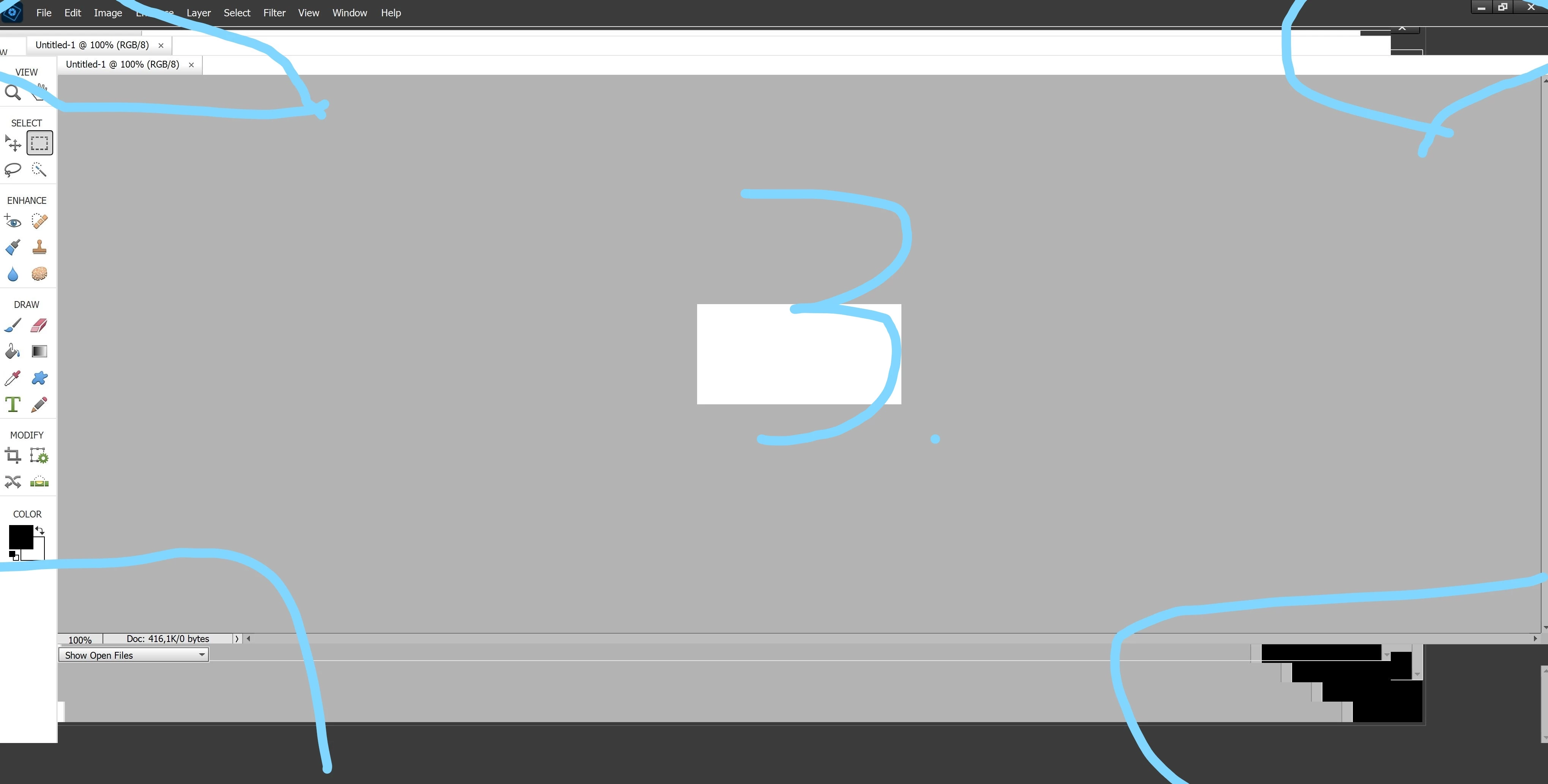
No problems with the menu/tool at the bottom of the program on the 2019 edition, but still the same glitch when switching between maximize and window
On the 2019 edition, the buttons for "quick" - "guided" - "expert" became visible when I moved the mouse over them, and they remained visible until I restarted the program. It does not do that on the 2022 version, they are not visible at all. (tried on 2 different computers, with 2019 version same problem)
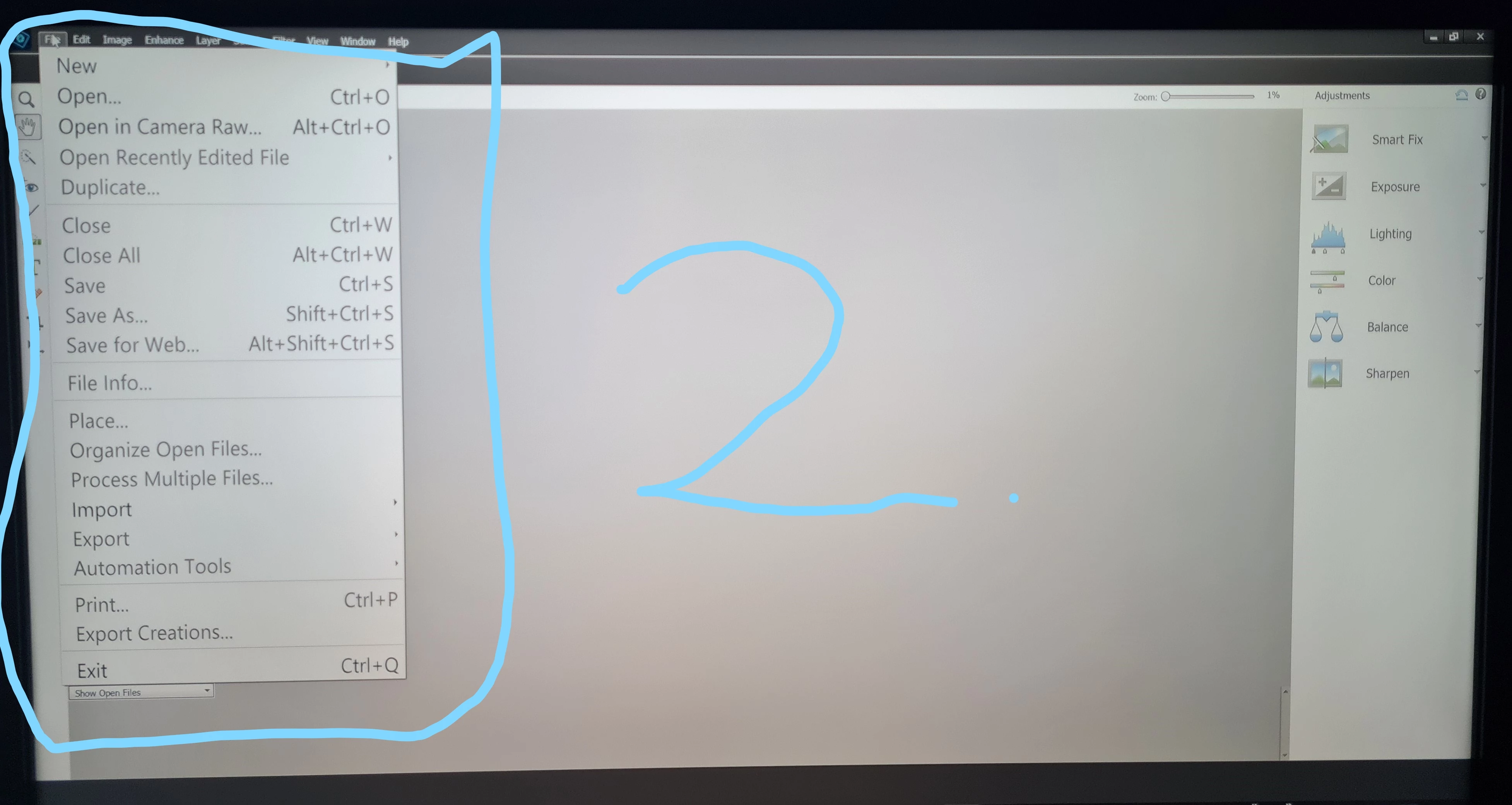
I also have unusually large text on the dropdown menus (picture 2).
I have adobe premiere elements 2020 which does not have this problem, i have not experienced this problem with any other program.
Does anyone have an idea how to fix this?


 AdChoices