davef88116621
Participant
March 24, 2020
Answered

Graphics, Frames, change default size.

  • March 24, 2020
  • 3 replies
  • 603 views

Task: Apply simple 5 x 5 basic frame layer to a 5 x 5 photo. Frame shows as 4 x 6, photo size adjustable, but unable to determine how to fit frame to photo.


thx, DF

This topic has been closed for replies.
Correct answer Jeff Arola

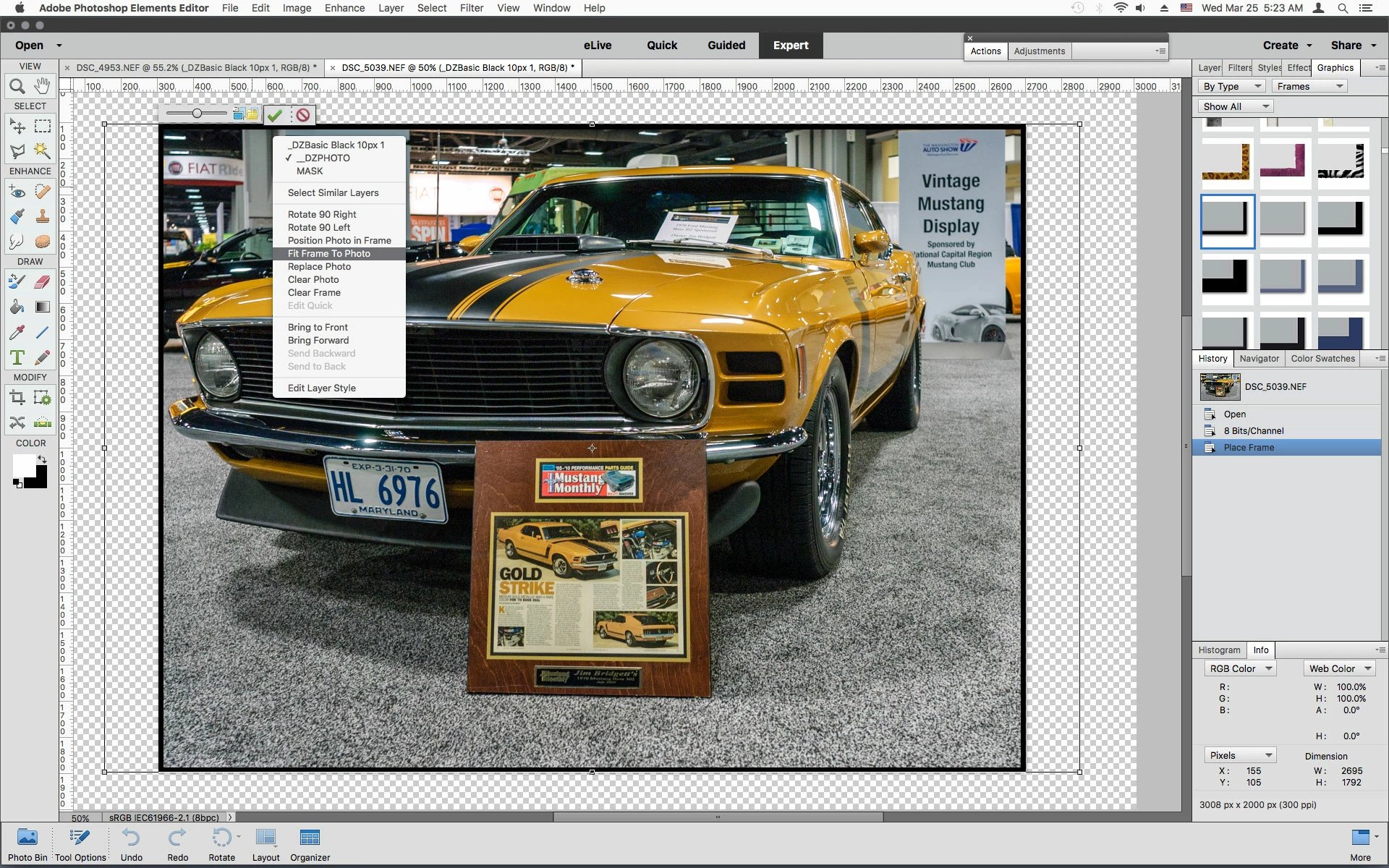
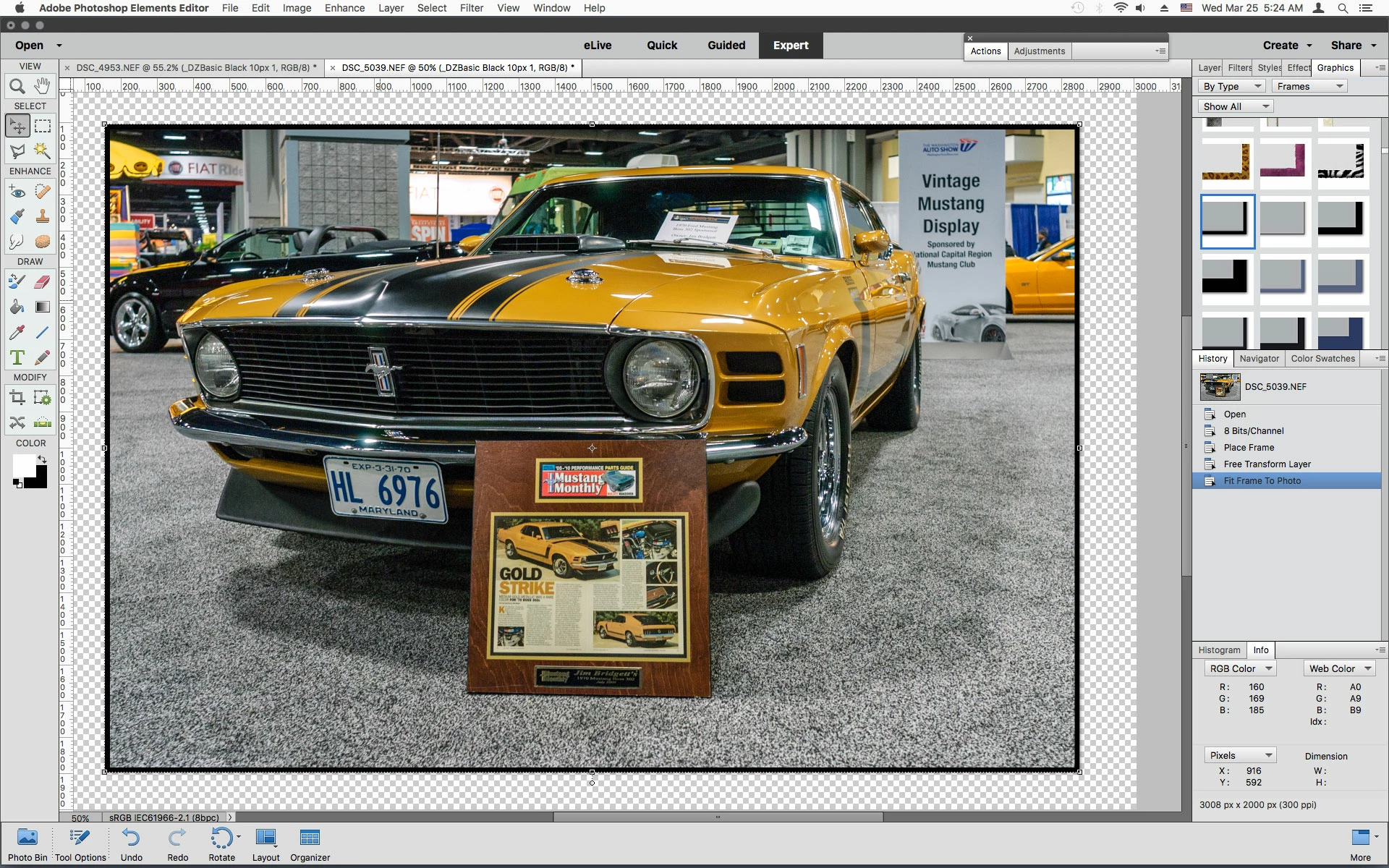
With the Move Tool selected you can right click on the image and click Fit Frame To Photo


3 replies

Jeff Arola
Community Expert
Jeff ArolaCommunity ExpertCorrect answer
Community Expert
March 25, 2020

With the Move Tool selected you can right click on the image and click Fit Frame To Photo


Greg_S.
Community Expert
Community Expert
March 24, 2020

OK.  I see what you want.  There are several ways do this, but try the following:

  1. Create a new document from the File menu and set the size to 5x5 inches
  2. Add the frame to the document
  3. Stretch the frame by its handles to fill the document
  4. Double-click on the place holder and navigate to the 5x5 image you want to fill it.


However, if all you want is a simple black frame around your photo, you can open the image and select the entire picture by clicking Ctrl+A.  Then go to Edit>Stroke (outline) Selection and add a frame size in pixels and the color of your frame.  Here, I placed a black frame around the white "image". 


davef88116621
Participant
March 24, 2020

The latter method was easier than the former. But I thank you very much for your assistance. 

Greg_S.
Community Expert
Community Expert
March 24, 2020

What OS and version of Elements are you using?  Didn't the frame automatically wrap around your photo when you applied it?  If the frame layer contains a smart object, use the context menu to simplify the layer.  Select the frame layer, then Cmd/Ctrl+T to Free Transform the layer.  You should then be able to use the frame layer handles to fit it to the size of your image.  If this doesn't work, please give us a screenshot of what you are seeing and include the layers panel.


Edited:  There is no need to simplify the frame layer.

davef88116621
Participant
March 24, 2020

Thanks for the quick reply, much appreciated. 

Windows 10 & PSE 19. 

I'm trying to fit the 4x6 frame to the 5x5 photo