Answered
Grey Screen
How do I change my light grey screen color to a darker grey?

How do I change my light grey screen color to a darker grey?
What version of Elements are you using?
In Elements 2024 and 2025, you can change between a light and dark mode in Preferences.
In earlier versions (of Elements for Windows), you can only change the color of the canvas in the Editor by right-clicking on it with an image open:
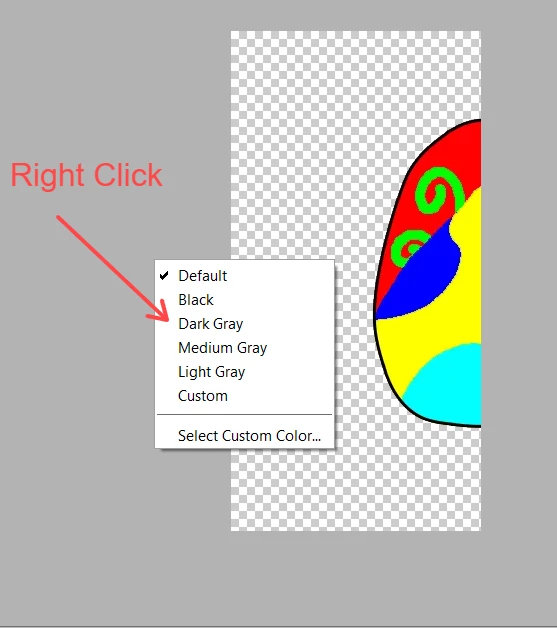
In Macs, there are certain elements of the UI that I believe can be changed via the OS (but I know nothing about Macs).
Already have an account? Login
Enter your E-mail address. We'll send you an e-mail with instructions to reset your password.


 AdChoices