Participant
September 14, 2017
Answered

Group function / Clipping mask not working

  • September 14, 2017
  • 1 reply
  • 1616 views

Photoshop Elements 15.  Mac OS X El Capitan Version10.11.6

I've watched numerous instruction videos and Googled for help but I cannot resolve the issue I have with the Group function.  As far as I know, I'm doing everything correctly.

For example, I have a sunset scene and want to lighten the foreground without effecting the sky and clouds.  I select the foreground and create a new layer.  Then I create an adjustment layer and group it with the foreground layer.  Any adjustment I do to the adjustment layer changes all the layers below the group, not just the layers within the groups.  I've also tried creating a clipping mask but still have the same problem.

Any help would be greatly appreciated.  This problem is really reducing the utility of Photoshop for me.

Thanks.
This topic has been closed for replies.
Correct answer Jeff Arola

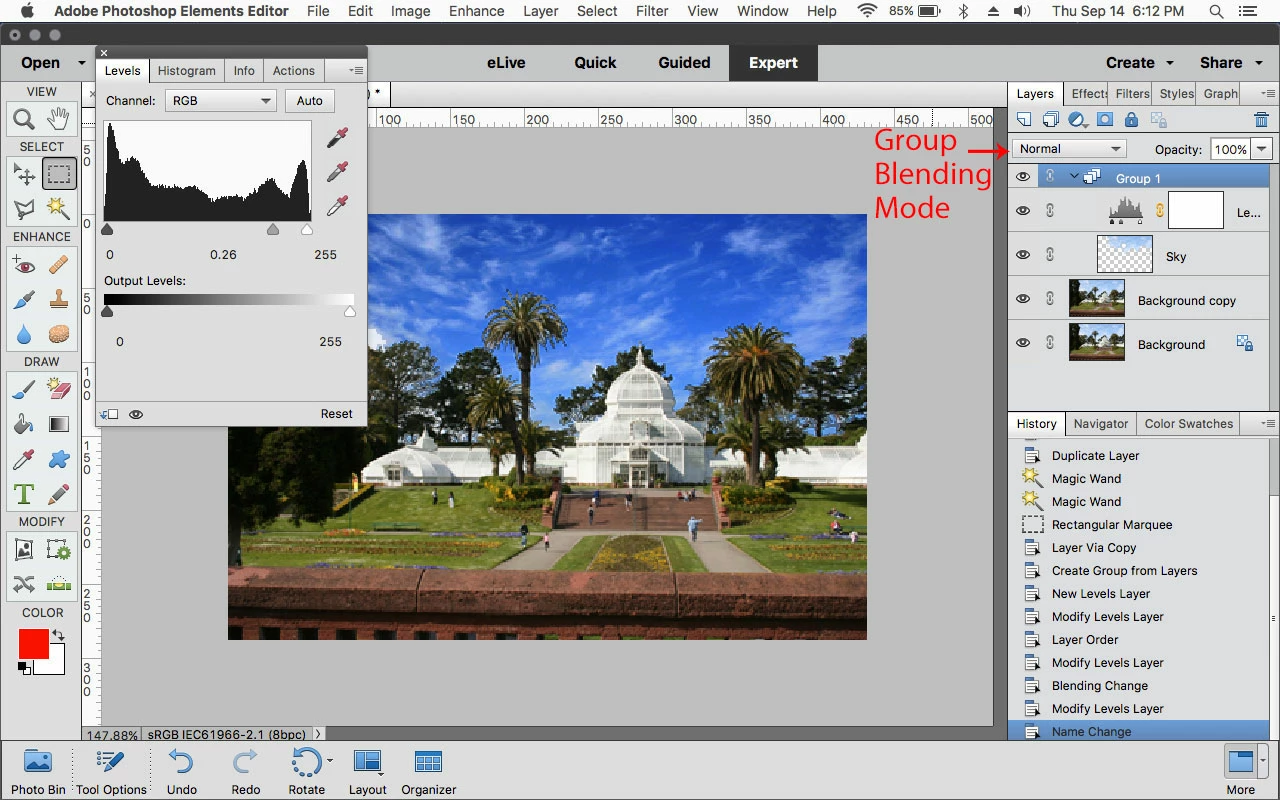
Set the Group blending mode to Normal

http://blogs.adobe.com/jkost/2010/11/the-pass-through-blend-mode.html

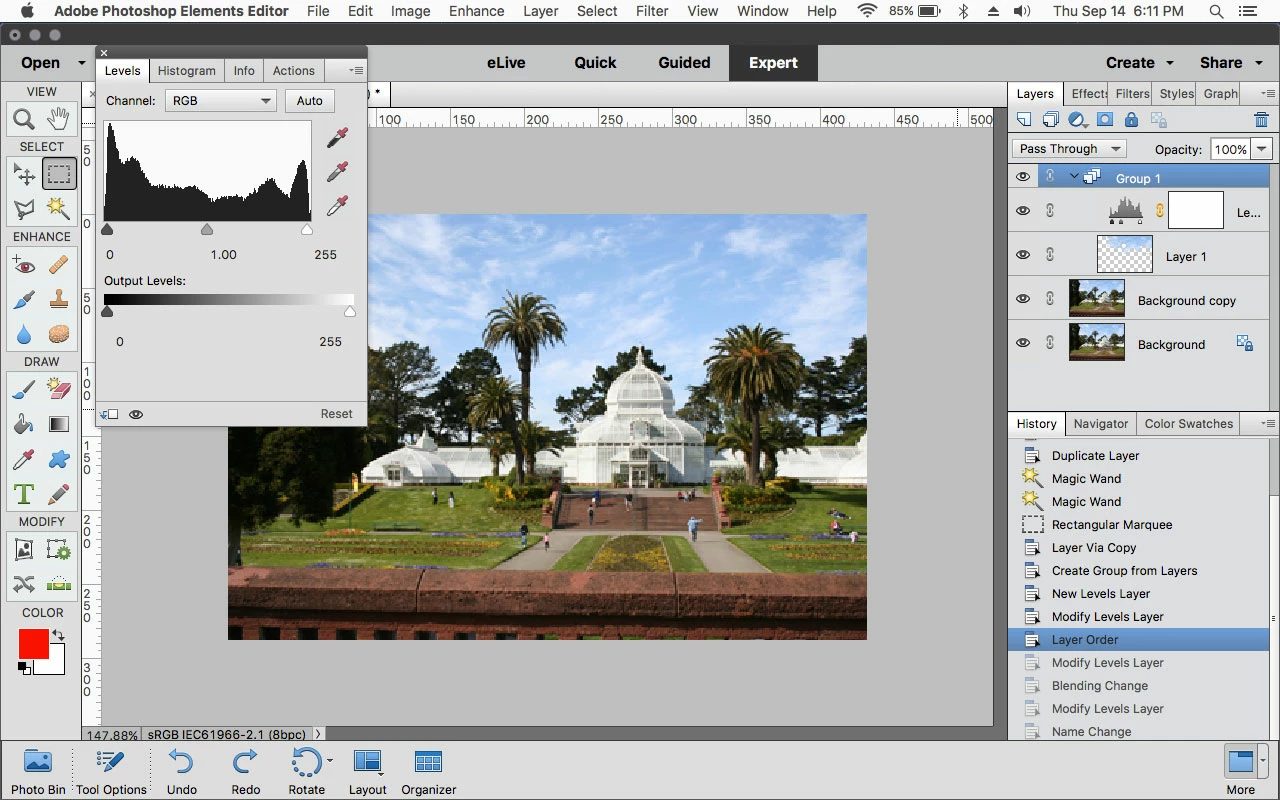
original

after setting the group blend mode to normal and adjusting levels

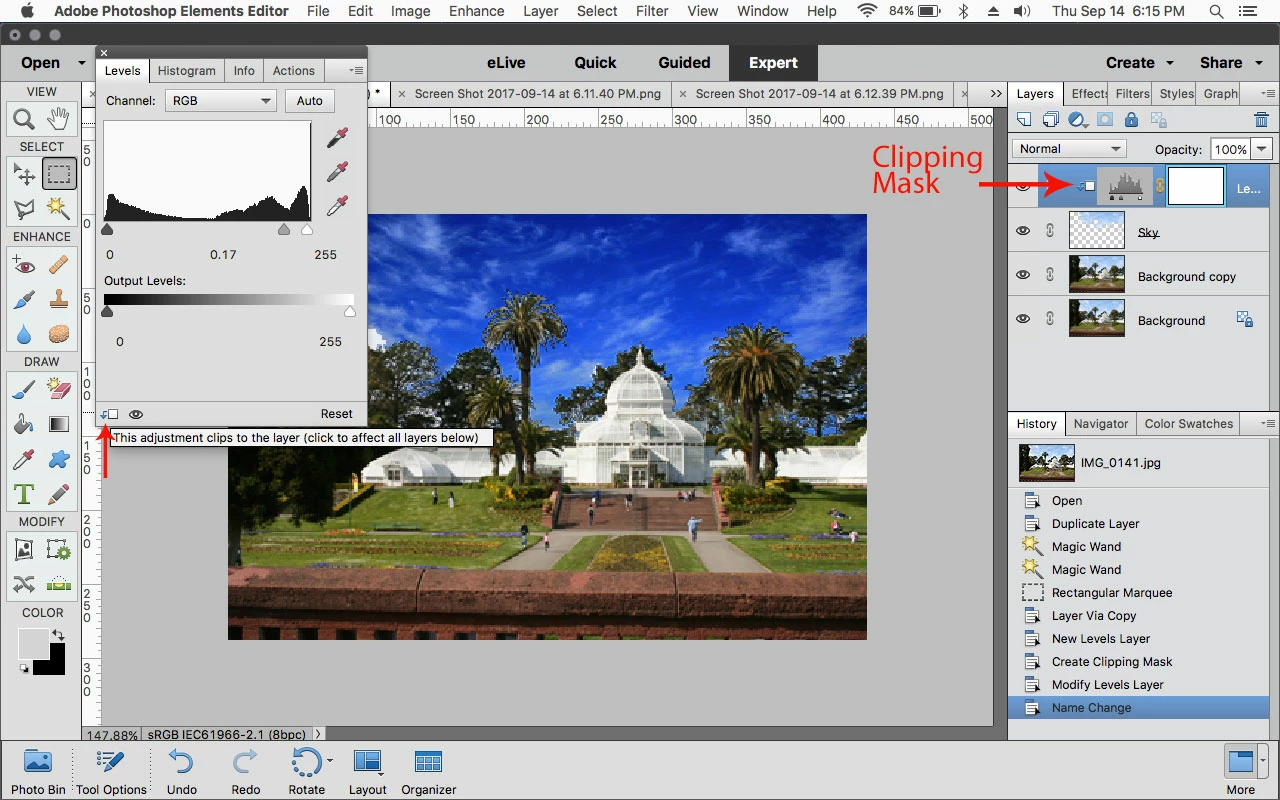
With the clipping mask you can go to Layer>Create Clipping Mask or click at the bottom of the adjustment panel

1 reply

Jeff Arola
Community Expert
Jeff ArolaCommunity ExpertCorrect answer
Community Expert
September 14, 2017

Set the Group blending mode to Normal

http://blogs.adobe.com/jkost/2010/11/the-pass-through-blend-mode.html

original

after setting the group blend mode to normal and adjusting levels

With the clipping mask you can go to Layer>Create Clipping Mask or click at the bottom of the adjustment panel