dianef31111009
Inspiring
August 13, 2021
Answered

Hand Tool Not Working

  • August 13, 2021
  • 4 replies
  • 1577 views

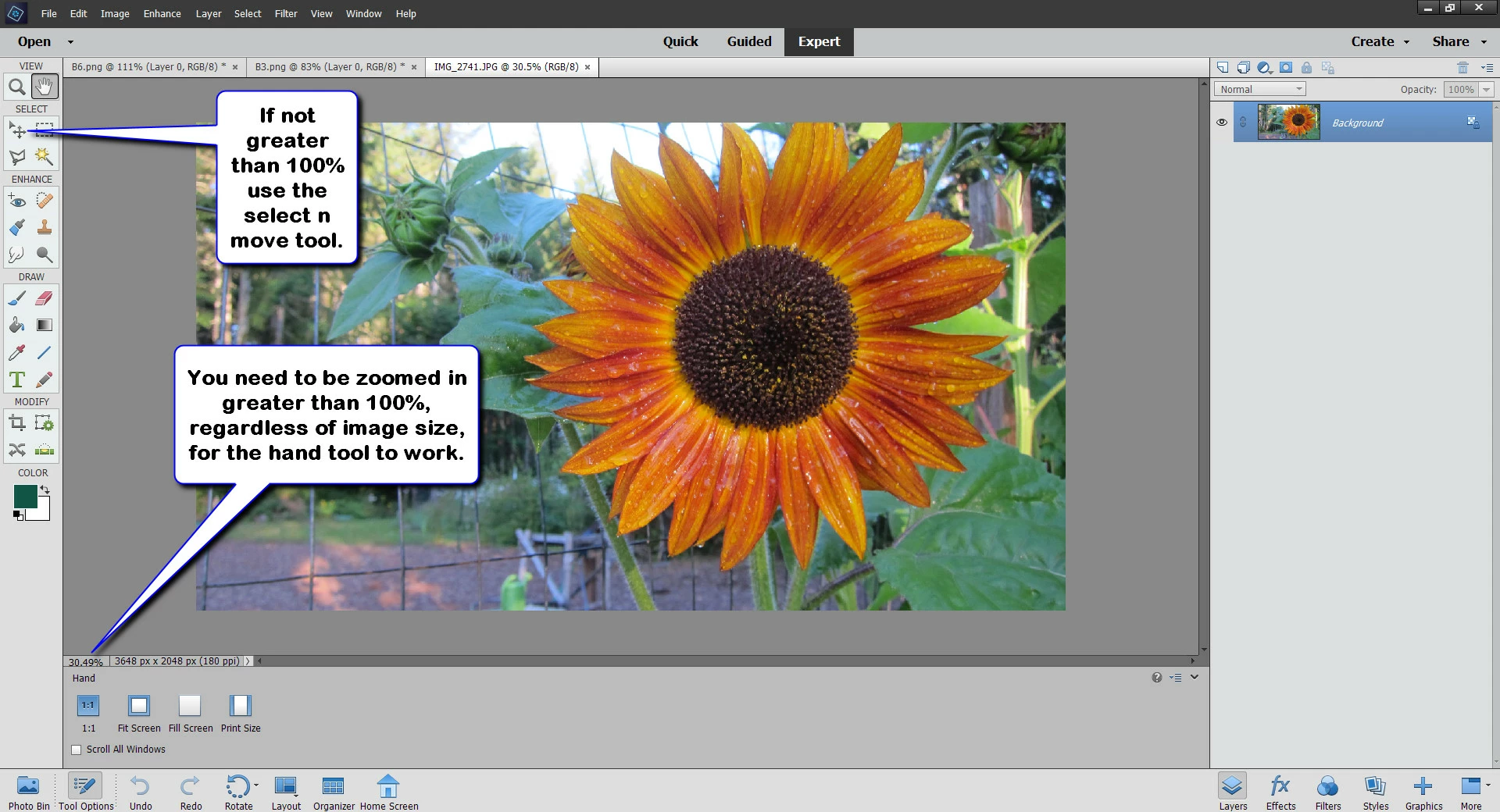
The Hand Tool is not working.  I closed and reopened the Editor.  Any suggestions?  Thanks.

This topic is closed to new replies. Start a new post to keep the conversation going.
Correct answer Glenn 8675309

4 replies

Greg_S.
Community Expert
Community Expert
August 13, 2021

Try resetting the preferences file. Go to Edit>Preferences>General tab and click the Reset Preferences on next launch button.

dianef31111009
Inspiring
August 13, 2021

Greg, I tried that and it still doesn't work.

I  tried restarting my computer.  

The Hand Tool does not work for a new blank image or one of mine

I then tried "allow floating documents in expert mode".  

With than enabled,  I can move a blank image by clicking on its black horizontal top bar. But not my image.

I've seen that Photoshop has had errors with hand tool and there was a fix for that. 

This is frustrating because I decided I would learn the tools one by one, and I am stalled at the most basic one.

Thanks for any suggestions.

Glenn 8675309
Glenn 8675309Correct answer
Legend
August 13, 2021