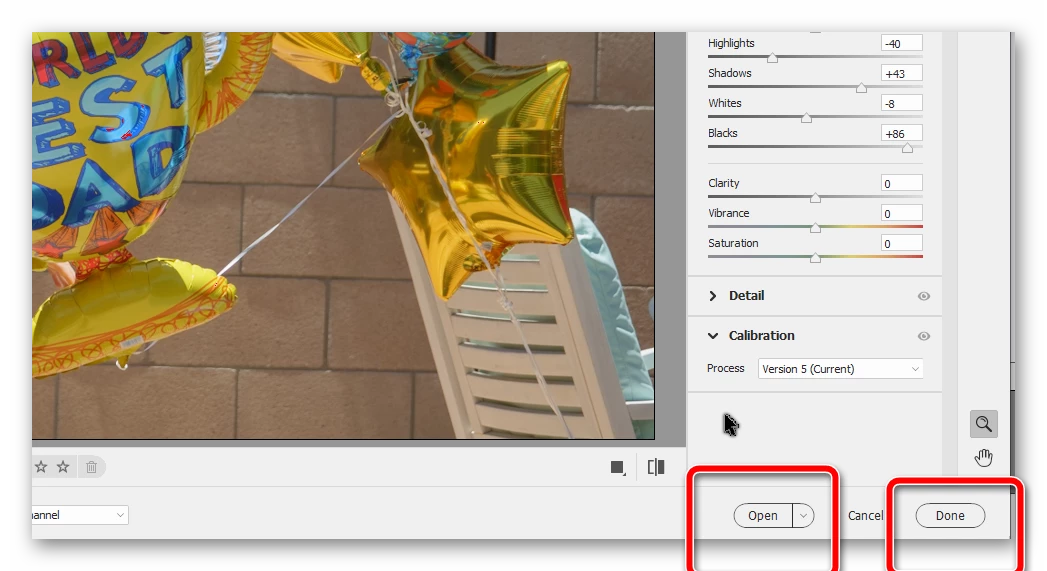
After editing a raw file in the Camera Raw editor, you have several options. If you hit the Open button, the raw file will open in the Elements Editor as a psd file. From there, you can make further edits to the file and have the option to save the file in any of the available formats like psd, jpeg or tif. The edits you made in Camera Raw will be applied to the raw file. (You may need to update the thumbnail [Ctrl+Shift+U] to see the edited version of the raw file.) The edits you made in the Elements Editor will appear in a new file that you have saved in your chosen format.
The original jpeg file will remain untouched unless you save the edited file with the same name as the original jpeg file, in which case the jpeg file will be overwritten. But normally you would give the file a new name. The original will be untouched and you will have a new file which will automatically be given the suffix _edited-1 if you use the option to save the file in a version set with the original. You can choose a different name if you wish.
As glenn has indicated, the original raw file will not be touched either. Any edits you make to it are contained within a sidecar file that is created when you save the edits, either by going to Elements Editor with the Open button or by closing the Camera Raw editor using the Done button. IMO, there is no reason to involve saving the raw files in the DNG format. You have enough on your plate without worrying about them. 😉




 AdChoices