
alicej5277894
Participating Frequently
January 4, 2024
Question

Haze removal missing from Advanced Effects

  • January 4, 2024
  • 1 reply
  • 222 views

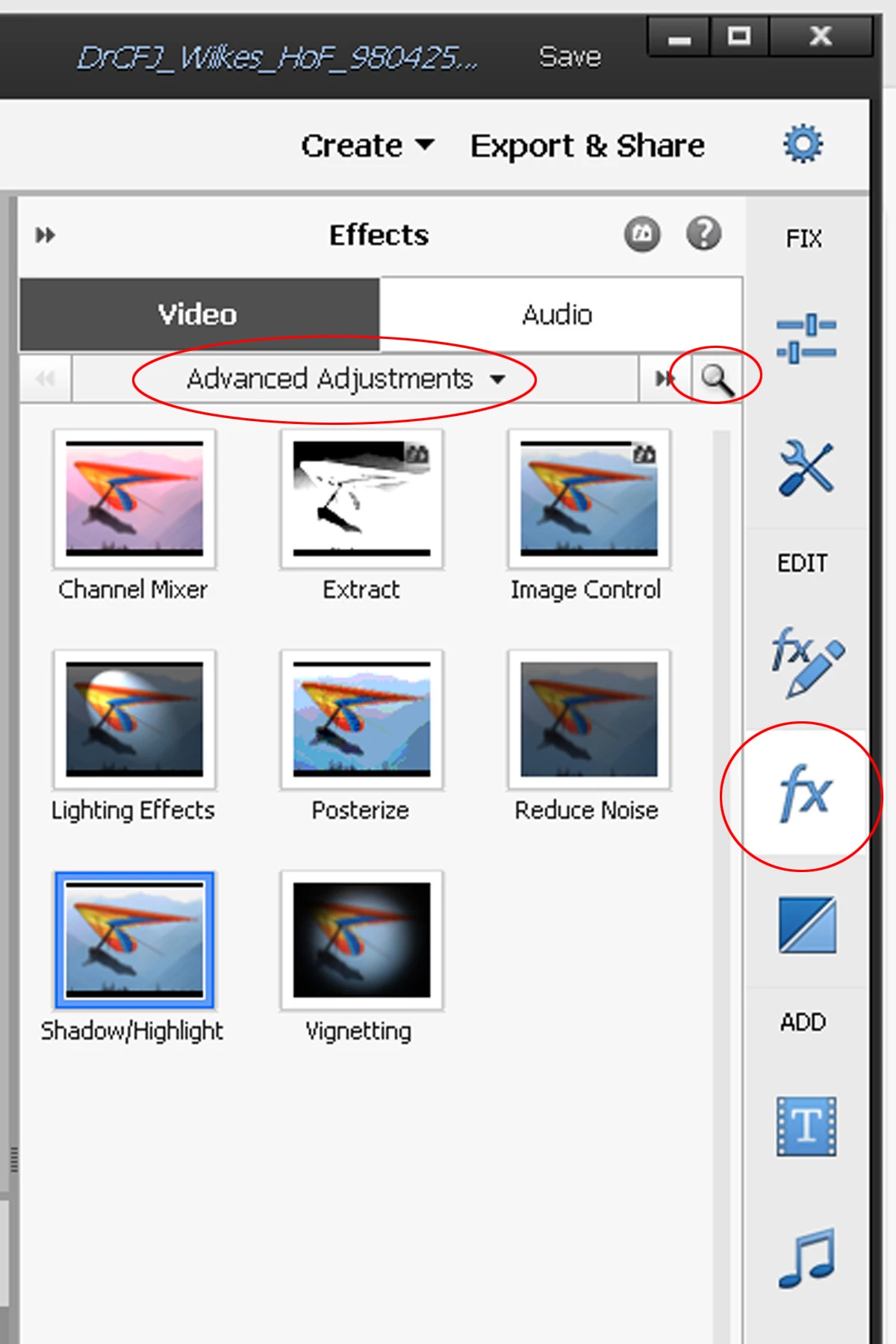
Note below that the  "Haze Removal" icon does not appear under "Advanced Adjustments" in my Photoshop Elements 20 Video Editor, nor does it or anything appear when typing in "Haze" in the optional search bar..  I had actually used it some weeks ago when editing another video, but it seems to have disappeared.  Can anyone explain how this might have happened and/or offer advice to restore the "Haze Removal" feature under editing effects "Advanced  Adjustments"?
 

This topic has been closed for replies.

1 reply

Glenn 8675309
Legend
January 4, 2024

This is the Photoshop elements community.

Change the ADVANCED ELEMENTS to SHOW ALL  and see it it appears anywhere. 
IF NOT:  Just reinstall Elements.  beforeyou do that:  log out of the program first then unistall. 

You should have posted your question here:

https://community.adobe.com/t5/premiere-elements/ct-p/ct-premiere-elements?page=1&sort=latest_replies&filter=all&lang=all&tabid=discussions

alicej5277894
Participating Frequently
January 5, 2024

Thank you for responding with my apologies for submitting my first very question ever to the wrong link, but I'll mark your provided link for future reference.  In the meantime, I had check ed "ShowAll" previously and reconfirmed that "Haze Removal" does NOT appear under "Advanced Adjustments" or anywhere  in my Photoshop Elements 20 Video Editor.  I further uninstalled the application and then re-downloaded/installed it, but "Haze Removal" still does not appear anywhere under Effects.  In as much, I'm asking 1) if you can offer another suggestion and/or 2) if you prefer that I continue to resolve this issue via your other provided link?