
Help with Collage Template and misbehaving clipping mask
Please can someone help me with this issue. I am trying to create a custom Photo Collage template in PSE 2022 (due to the restrictions of 8 photos in included guided templates) by following an online YouTube tutorial. But the photos when added are covering the stroke outline?
What I did:-
1) Created new A4 page with white background
2) Divided up the page with guides (50% for vertical and 20%,40% etc to divide horizontally giving 8 rectangles)
3) Used the selection tool to drag a rectangle around each section of page and created a new layer for each
4) Filled each layer with an adhoc colour
5) Selected the layer and used Edit > Stroke(Outline) Selection and chose 30pix inside on in white
6) Dragged a photo onto template and dragged new photo layer in layer pallette above the rectangle I wanted it displayed
7) Adjusted image size and then right clicked on image layer and selected Create Clipping Mask.
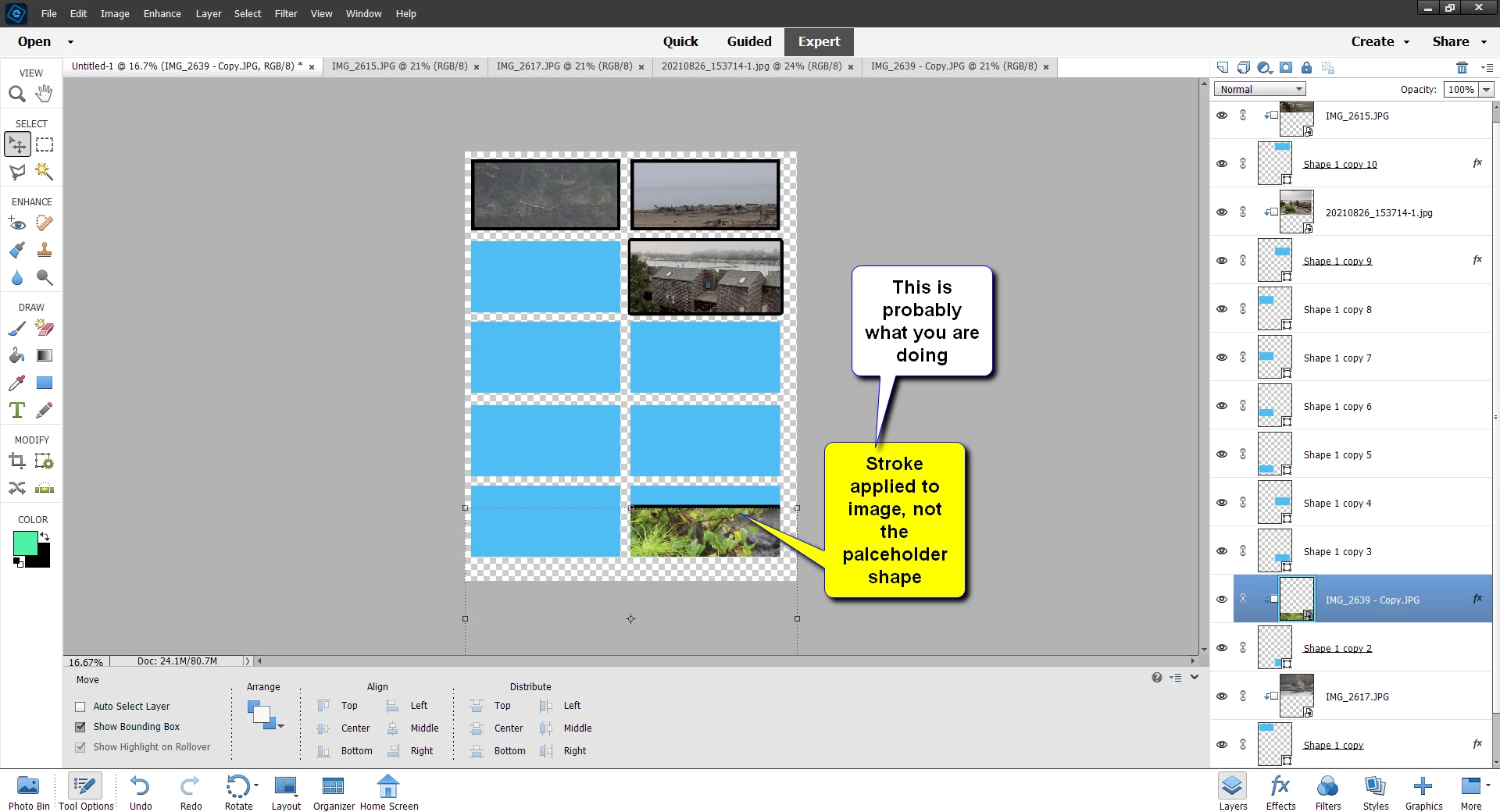
Image duly went behind chosen rectangle but it now it obscures the stroke outline of the template! What am I doing wrong please? See screenshot below
Many thanks
Fozzie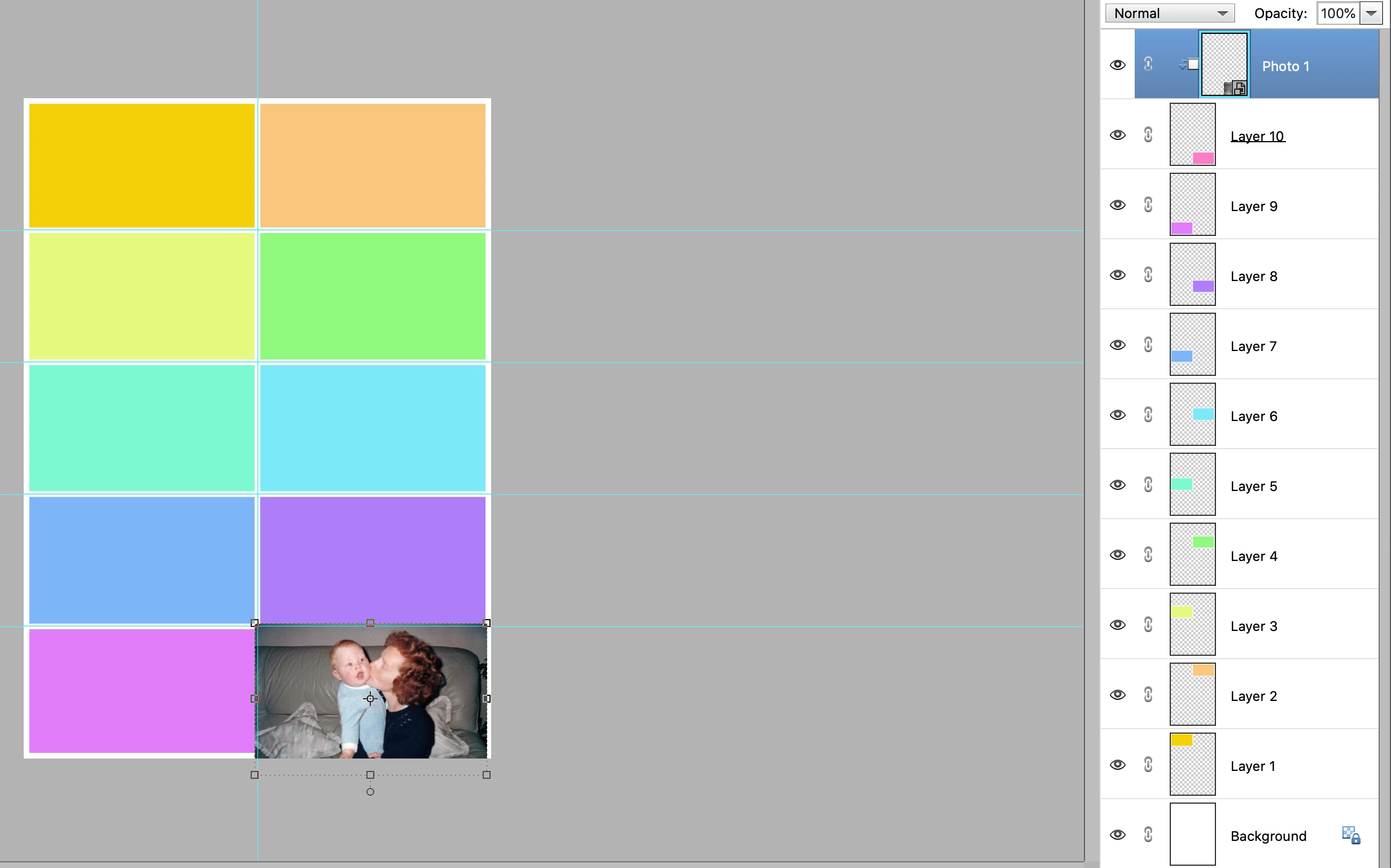
As an side can you download additional guided collage templates for PSE2022 ? I only have two but others with erlier versions of PSE seem to have at least 4 portrait templates



 AdChoices