
Known Participant
October 17, 2021
Question

Help with Outlining Text

  • October 17, 2021
  • 3 replies
  • 2340 views

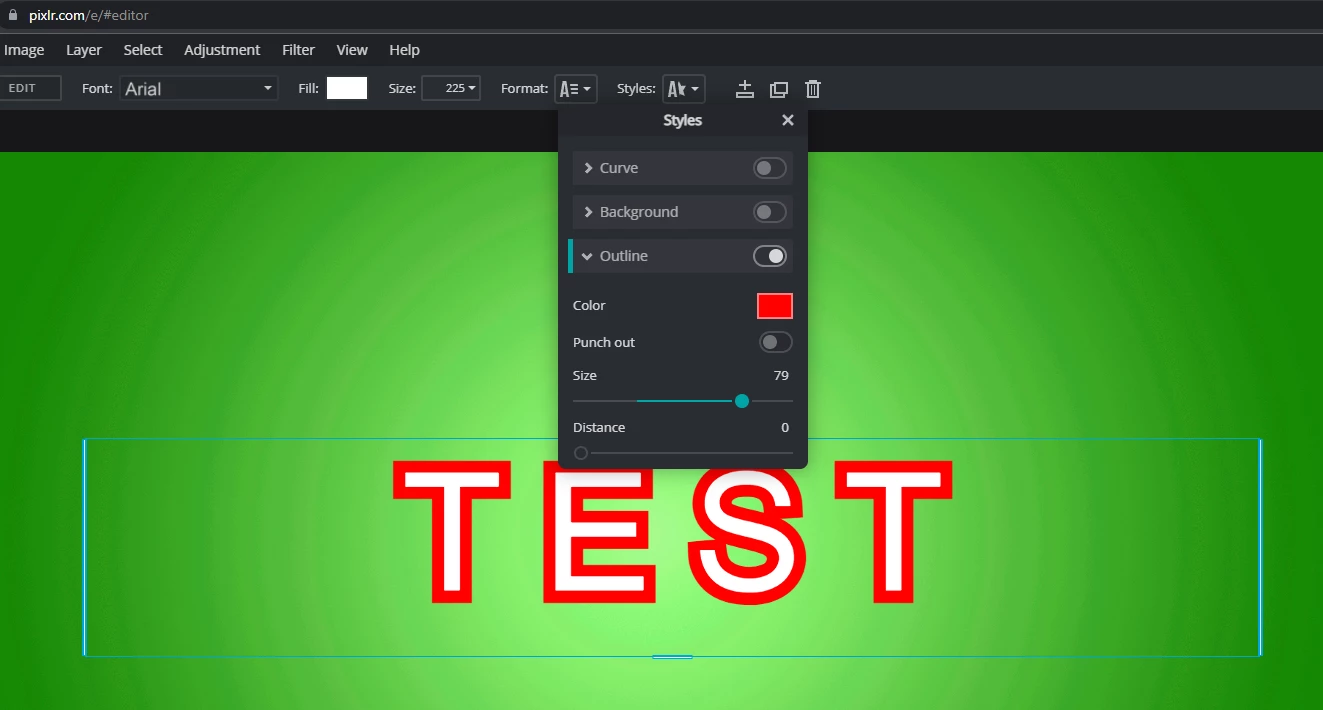
Prior to purchasing Elements I was using a free site called Pixlr. On Pixlr, there is an option to outline text. You can even change the color of the outline. I'm trying to replicate this in Photoshop Elements and can't seem to figure it out. The best solution I've come across so far is to make a copy of the text layer and contract and cut out the center. This works but isn't as clean as the outline option in Pixlr. Is this possible to do in Photoshop or is this simply a Pixlr feature? 


This topic has been closed for replies.

3 replies

Greg_S.
Community Expert
Community Expert
October 17, 2021

See my post here.  You have to apply a style to a layer.

Participating Frequently
April 29, 2024

I had success (almost!) in outlining text by doing the following:

  1. Select a paragraph using the rectangular marquis tool
  2. Select Stoke/Outline from the Edit Drop-Down menu
  3. Set pixels at 20
  4. Select color (yellow)
  5. Set "outside" for location
  6. Blending mode "Normal"
  7. Opacity 100 per cent
  8. Everything works out okay EXCEPT that the border won't take the color.  It remains gray.  What am I doing wrong???
Jeff Arola
Community Expert
Community Expert
April 29, 2024

Pamala346,


What version of Photoshop Elements and operating system are you using?


Can you post a screenshot?

Walter_H
Legend
October 17, 2021

Place Text and click the green check to finish. Then right-click on text and choose Edit Layer Style from the pop-up menu. Then choose Stroke and pick your Size, Position, Opacity, and Color.


--Walter in Davie, FL
Known Participant
October 17, 2021

Is there anyway to make the border less rounded? I like how on Pixlr the border has sharp edges like the text. If not, this will definietly still get the job done. 

Glenn 8675309
Legend
April 29, 2024

No.  Crisp sharp corners are not part / not an option of PSE.

Peru Bob
Community Expert
Community Expert
October 17, 2021

Try Edit > Stroke.

Known Participant
October 17, 2021

It won't let me select stroke. 


Peru Bob
Community Expert
Community Expert
October 17, 2021

Highlight (select) the text first.