
Inspiring
November 1, 2018
Answered

Horizontal Line on Pictures in PSE 2019 Organizer

  • November 1, 2018
  • 2 replies
  • 1008 views

Recently converted my PSE 9 catalog to PSE 2019, using the 30 day trial version.

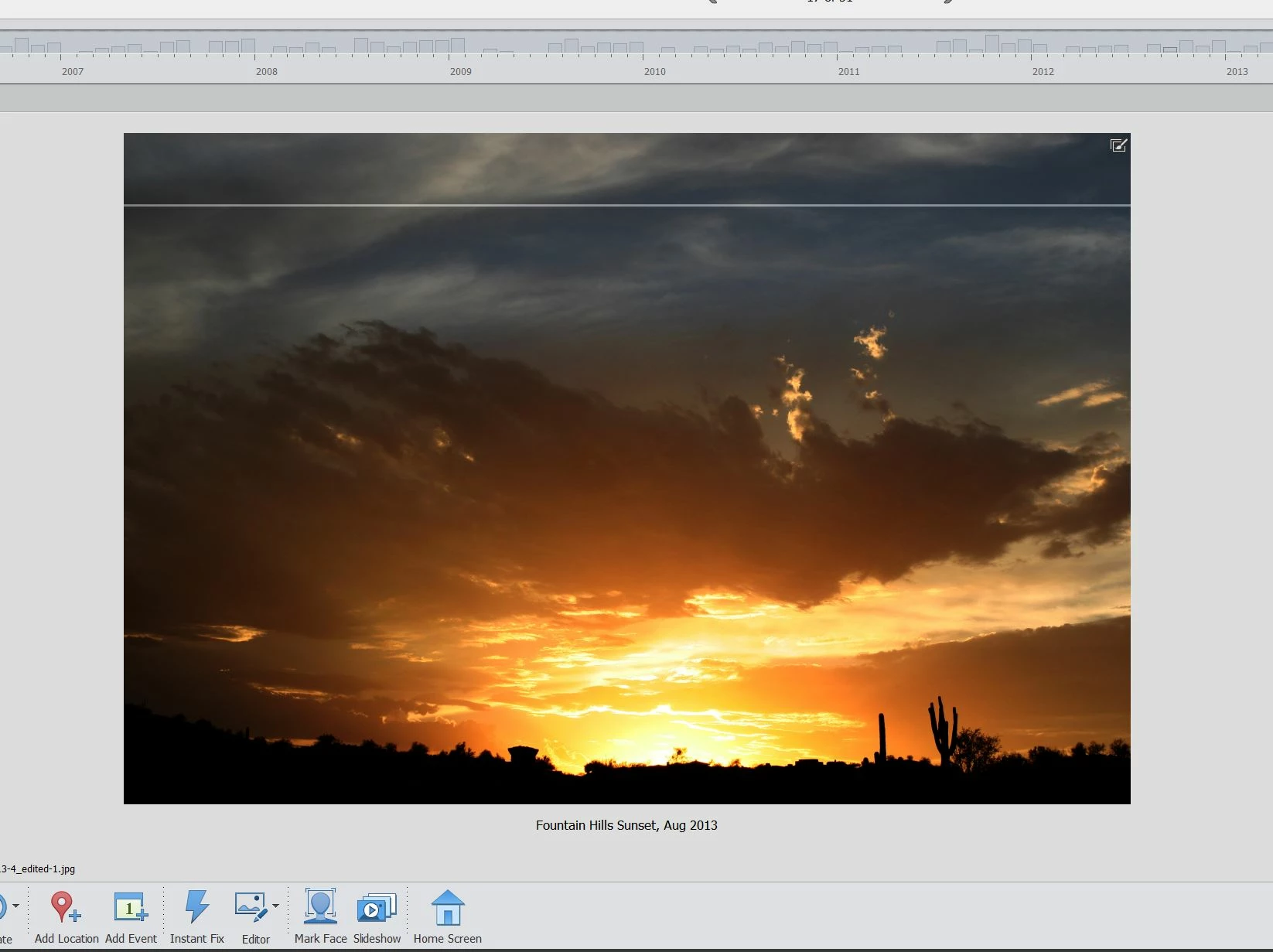
Several pictures in the 2019 Organizer exhibit a horizontal line through the image.  This does not occur in the PSE 9 Organizer.

When these images are opened in the 2019 Editor, the line no longer appears.

Anyone having a similar issue?

A screenshot is attached to show the problem.  The line is near the top of the photo.
    This topic has been closed for replies.
    Correct answer cz35895897

    Very common problem, I posted several solutions under PSE2018 topics. Basically resave it in editor after a trivial edit (or save it in optimzed Jpg format without editing), or ROTATE it in Organizer four times (works 90% of time).

    Also sometimes exhibits itself as a broken picture icon, or a pink/red line thru picture in organizer.

    Broken Thumbnails in PSE Organizer 2018 (16.0.0.0) / Workaround included!

    2 replies

    cz35895897Correct answer
    Inspiring
    November 2, 2018

    Very common problem, I posted several solutions under PSE2018 topics. Basically resave it in editor after a trivial edit (or save it in optimzed Jpg format without editing), or ROTATE it in Organizer four times (works 90% of time).

    Also sometimes exhibits itself as a broken picture icon, or a pink/red line thru picture in organizer.

    Broken Thumbnails in PSE Organizer 2018 (16.0.0.0) / Workaround included!

    Bob WardAuthor
    Inspiring
    November 2, 2018

    Thanks for that tip.  The Rotation in the Organizer pretty much corrected about 90% (same as you noted) of the images that had the horizontal lines through them.  Although on 2 of the images, the Rotation trick removed the original horizontal line and replaced it with a new line at a different position.  In those cases, I loaded the images into the Editor and re-saved them to jpeg and that removed the new horizontal line.  So, between the Rotation trick and a file re-save, all the horizontal lines are now gone.

    When I converted my catalog from PSE 9 to PSE 2019, I also got about 12 broken thumbnails out of around 7600 images that were in my PSE 9 catalog.  The Rotation trick in the Organizer also cured most of those broken thumbnails as well.  The couple broken thumbnails that were not corrected with that trick were fixed by simply doing a re-save in the PSE 2019 Editor.  Although I prefer to not have to do a re-save to a lossy format like jpeg, even though I use the highest quality setting available (12) when I do the re-save.  In a couple cases, I re-saved to a psd format, but that really balloons the file size.

    None of these issues were present in PSE 9.  So, Adobe should go back and see what they have done to the PSE 9 code that is creating these type of problems in newer updates of PSE.

    Thanks again for your help.

    Greg_S.
    Community Expert
    Community Expert
    November 1, 2018

    Is the line always in the same place?

    Does the line disappear if you refresh the thumbnail of the image? (Ctrl/Cmd+Shft+U)

    Bob WardAuthor
    Inspiring
    November 2, 2018

    No, the line is not always in the same place.

    The line does not disappear if I refresh the thumbnail.

    Here is another picture where the line is through the middle of the picture.

    Adobe Employee
    November 2, 2018

    Hi,

    Please try out this solution:

    Troubleshooting image corruption errors on Windows

    Let me know if this doesn't help.

    Thanks

    Arshla Jindal