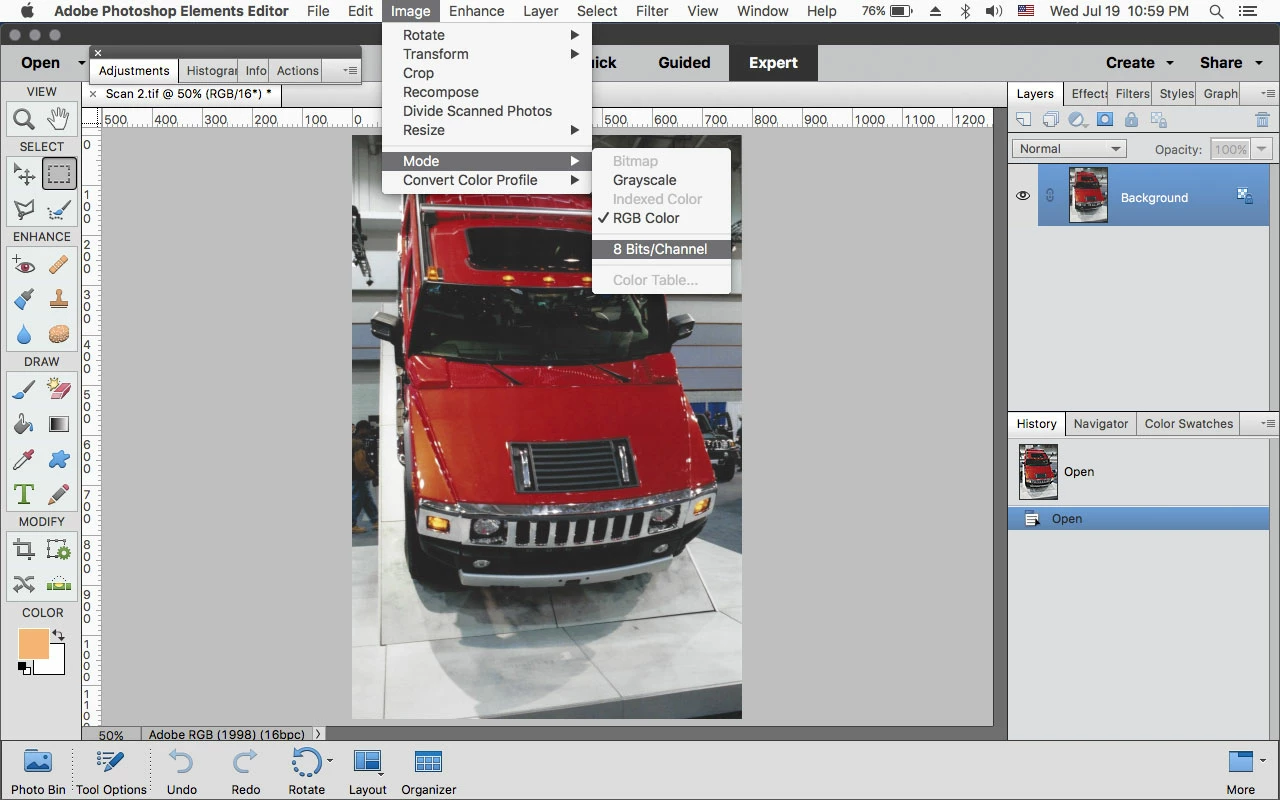
How can I convert photos scaned at 48 bits to 24 bits or lower?
Years ago, I scanned hundreds of old family photos, to preserve what was left before further fading--also so I could eventually restore them. I scanned at a resolution of 2400, mostly with a bit depth of 24; but occasionally I even checked the box that doubled the bit depth to 48. I now understand that was ridiculous, but at the time thought I should scan as high as possible so I'd have plenty to work with later, figuring the photos could always be downsized. (Oh, I forgot to say, these are all tiff files.)
Now I'm finally getting around to them, starting with one by one resizing and cropping hundreds of large-file photos. So the first question is how to convert the 48-bit ones to 24. And the second question is will I be able to work successfully with 24 bits?
I'm using PSE 10 and PSE 14 on two PCs, both running Windows 10, Version 1703, 64 bit (triple-core processor, 8 GB ram). Thanks in advance for any feedback.
 AdChoices