Participant
Nov 12, 2022 9:56 PM UTC
Answered

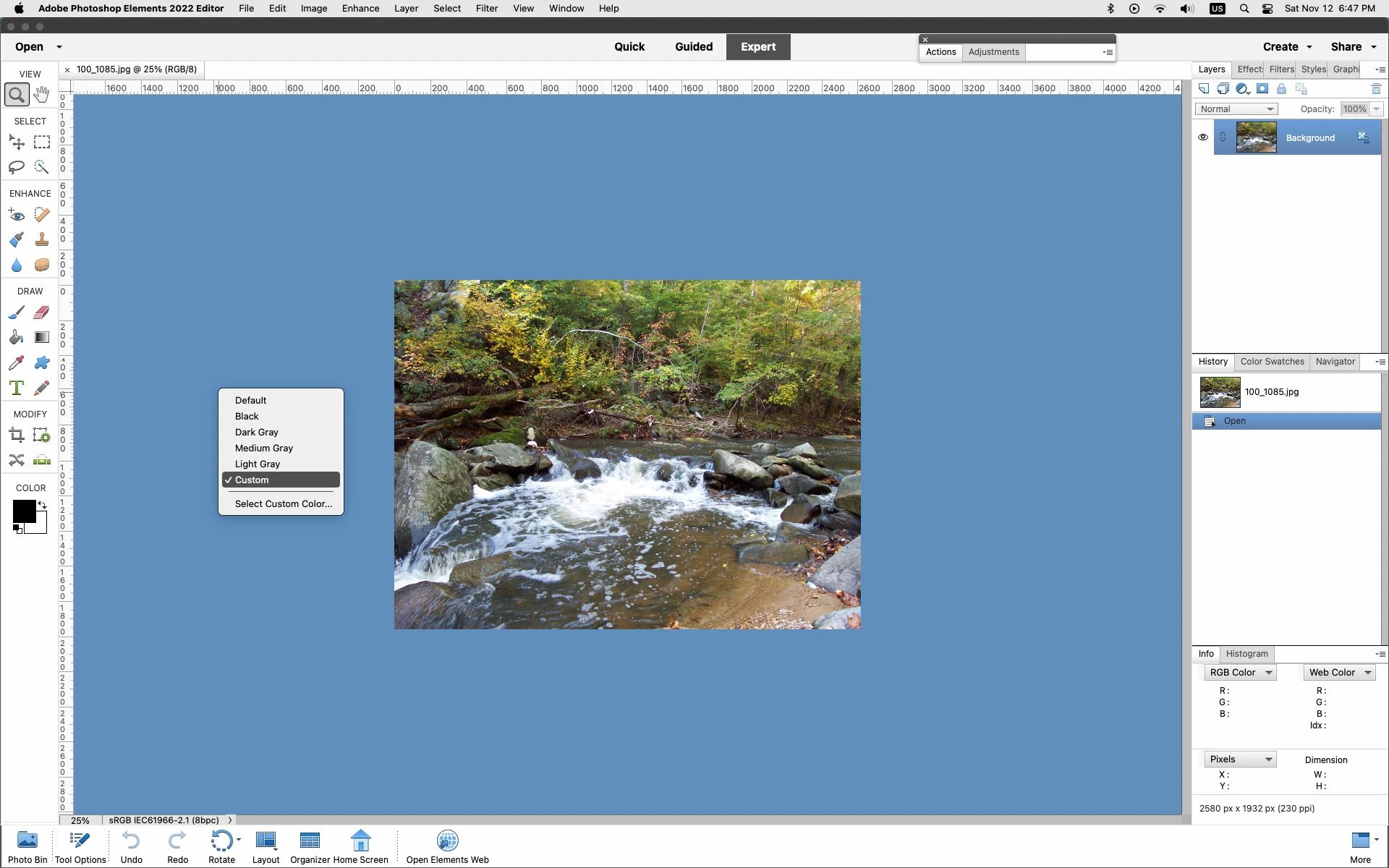
How do I change the colors of the top outside frame (edge) of Photoshop Elements Editor?

I wish to change the black color to something lighter. Is it possible?


I am working on Mac Monterey 12.6


f134kilmil@hotmail.com

This topic is closed to new replies. Start a new post to keep the conversation going.
Jeff Arola
Jeff ArolaCorrect answer
Community Expert
Nov 12, 2022 11:48 PM UTC

Unfortunately, it is not possible to change the color of the photoshop elements interface.

The only change one can make is the color of area just outside the document bounds by right clicking outside the canvas area.


3 replies

Participant
Nov 23, 2022 1:21 PM UTC

Thanks.

Translate
Jeff Arola
Community Expert
Community Expert
Nov 12, 2022 11:53 PM UTC

If you change the macOS Appearance to Dark then the Menu Bar and Menus change color.


Translate
Jeff Arola
Community Expert
Jeff ArolaCommunity ExpertCorrect answer
Community Expert
Nov 12, 2022 11:48 PM UTC

Unfortunately, it is not possible to change the color of the photoshop elements interface.

The only change one can make is the color of area just outside the document bounds by right clicking outside the canvas area.


Translate