
Question
How do I delete all Smart Tags from the Catalog?
Why you might ask?
Because once a smart tag has been applied the “Find/Untagged items” function does not find any photographs that have no personally applied tags.
Instead I get an error message “No media available. Please clear applied filter and try again.”
How do I clear the applied filter?
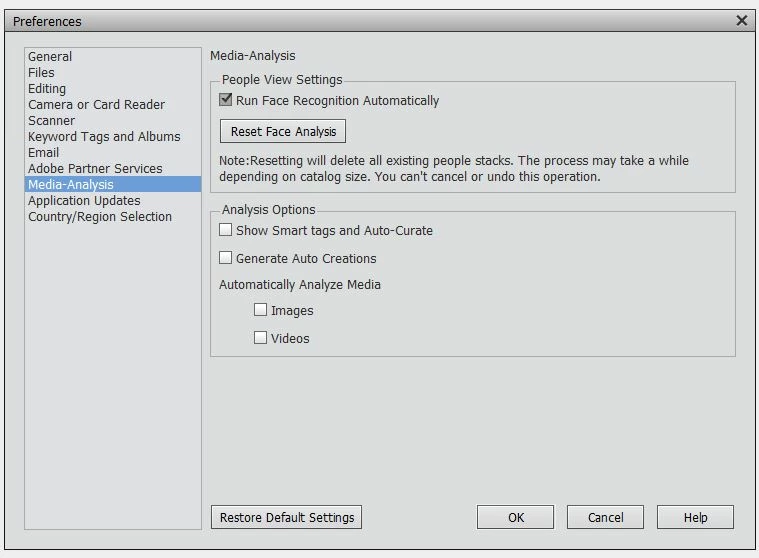
I reviewed the documentation on smart tags and understand how to select and deselect in “Preferences/Media Analysis”. However, in the documentation I did see a
third option “Do not show Smart Tags and Auto Create”, but I couldn’t find that option in my preferences.
Message was edited by: Harry Hughes You might want to see my related post https://forums.adobe.com/message/10743604#10743604
 AdChoices