Inspiring
September 5, 2025
Answered

How do I keep PSE2019 when switching computers?

  • September 5, 2025
  • 1 reply
  • 182 views

Hi. The Windows changeover from Windows 10 to Windows 11 is forcing me to get a new computer. How can I keep my Photoshop Elements 2019 in the process of switching computers? Thanks.

Correct answer Glenn 8675309

1.  Sign out is in the help menu, at the bottom.
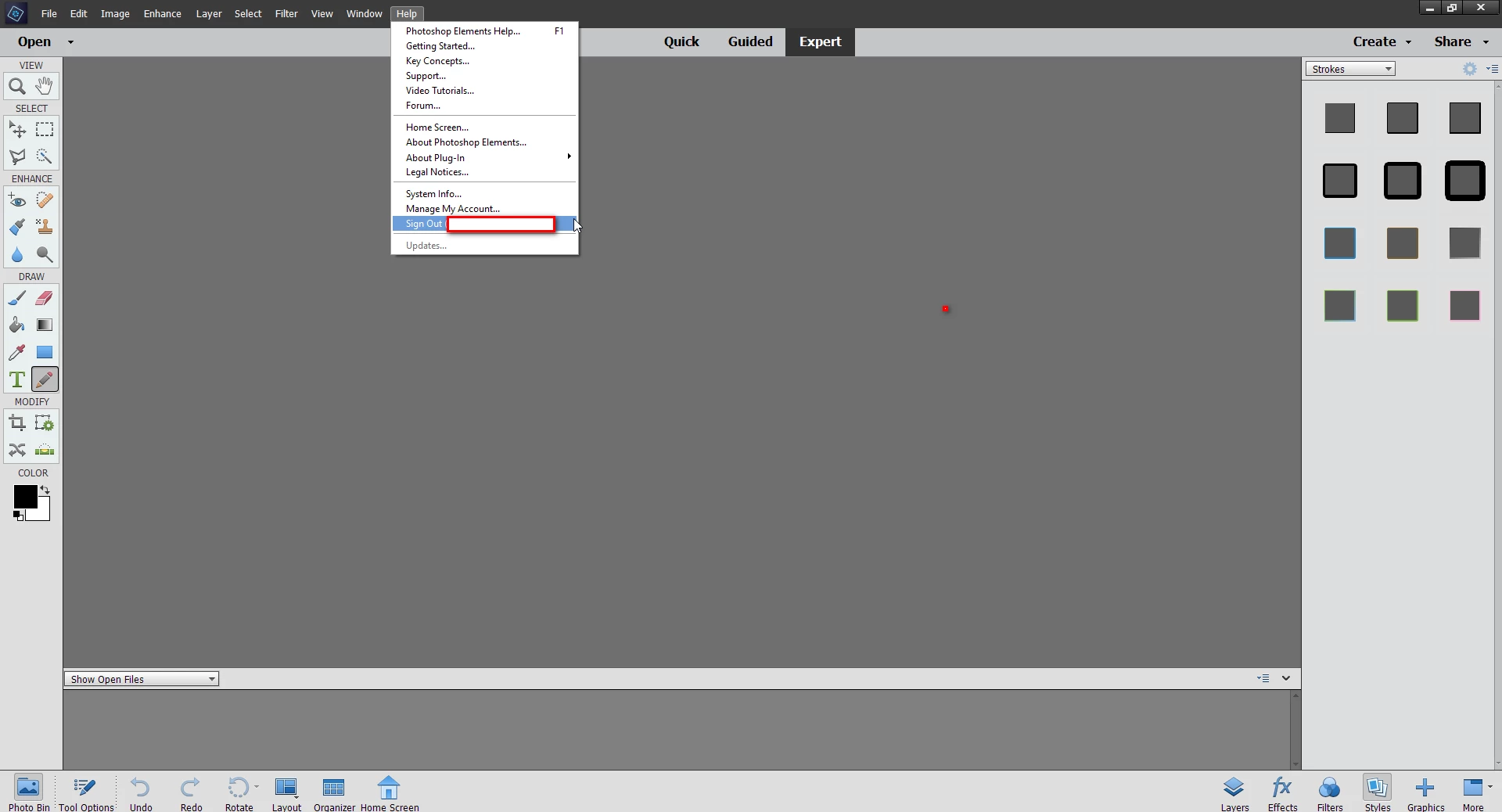
2.  Your serial # is in your products listing in your adobe account. Just click on your image in the upper right corner of this page.

MANAGE ACCOUNT>PLANS AND PAYMENTS>PRODUCTS

1 reply

Glenn 8675309
Legend
September 5, 2025

1.  Start the editor, the log out of it.
2. One new computer: sign into your adobe account and redownload 2019 from there. the download will be under the products tab.

BadStarAuthor
Inspiring
September 7, 2025

Thanks a lot, Glenn, but I have a couple of questions. 1. I opened the PSE2019 editor but saw no way to log out of it. I can X out of it in the top right corner or go to File at the top left and in the dropdown choose "exit," but that's all I could find. 2. When I go to the main adobe.com site and log in I do not see a "products" tab.


I do have my order # and serial # if  that would help. In other words, I'm not sure Adobe has my information on file.


Glenn 8675309
Glenn 8675309Correct answer
Legend
September 7, 2025

1.  Sign out is in the help menu, at the bottom.

2.  Your serial # is in your products listing in your adobe account. Just click on your image in the upper right corner of this page.

MANAGE ACCOUNT>PLANS AND PAYMENTS>PRODUCTS