Known Participant
October 2, 2022
Answered

How do I show the shape tool in PE 2022?

  • October 2, 2022
  • 2 replies
  • 255 views

I've recently upgraded to PE 2022. I have a need to draw arrows to point to specific items on a photo. I believe these can be found in the shape tool suite. However, in Expert mode, the shape tool does not appear and after a fruitless 30mins of trawling through the help manual I can't find how to make it show in the DRAW tools. There doesn't seem to be a menu option to edit the Tool bar, either. Do I need to edit an *.ini file to make this happen?


I'd appreciate some help with this as I'm getting rather frustrated. I've had to go to Corel PhotoPaint to do what I want, but all my experience has been with PE up to now.


Thanks in advance. Paul.

This topic has been closed for replies.
Correct answer Jeff Arola

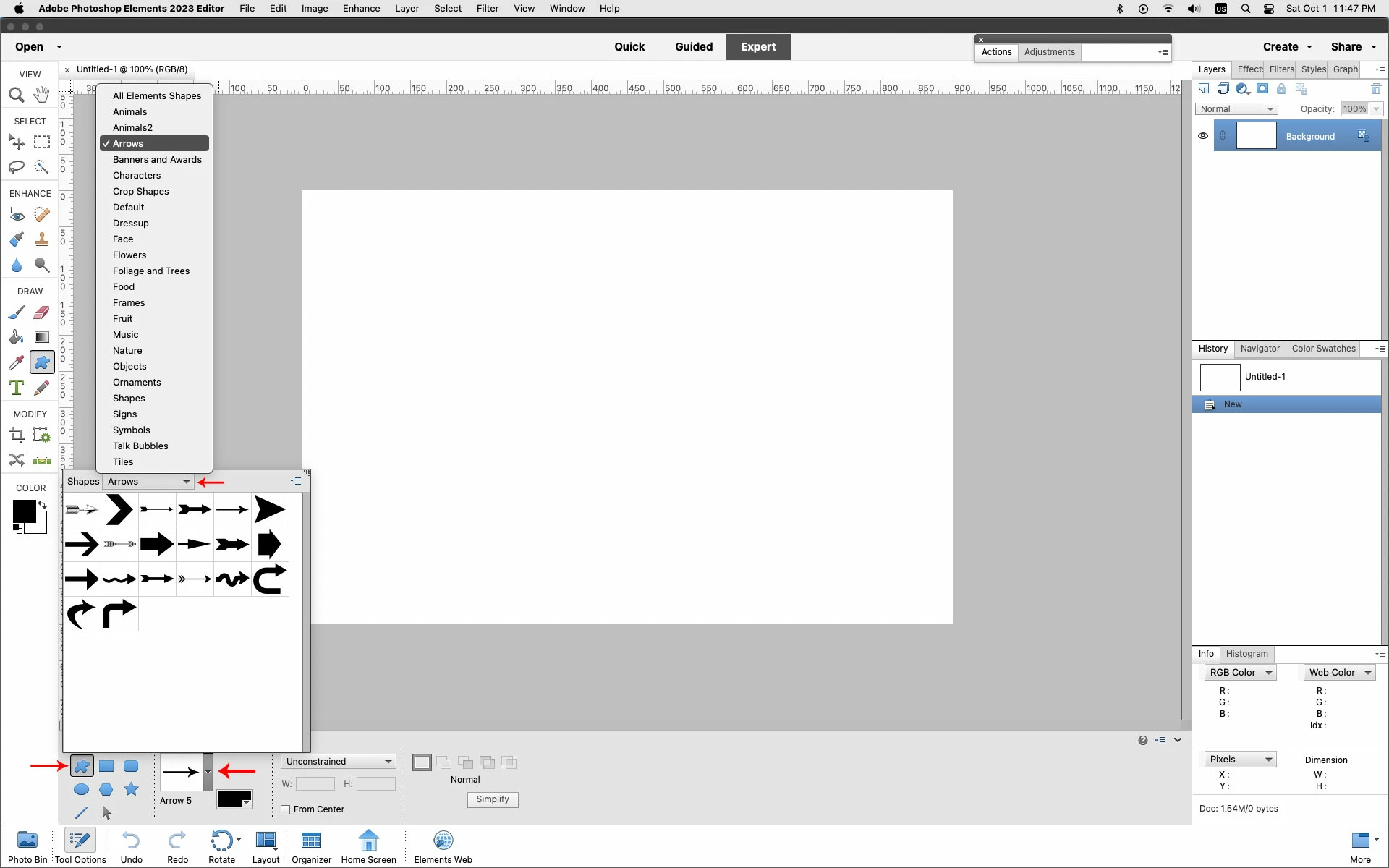
The Custom Shape does have some Arrow presets.


2 replies

Jeff Arola
Community Expert
Jeff ArolaCommunity ExpertCorrect answer
Community Expert
October 2, 2022

The Custom Shape does have some Arrow presets.


cplloyd42Author
Known Participant
October 2, 2022

Thanks, Jeff. I didn't think of selecting the Custom Shapes tool. I'll keep it in mind for the future, but the standard arrowhead that comes with the line tool is quite suitable for my needs at the moment. It appears that you really do need to dig around in this application.


Paul.

cplloyd42Author
Known Participant
October 2, 2022

OK, I think I have found it. The Rectangle tool that was showing in the DRAW tools has a number of different tools available once it is selected. One of these is the Line tool, and this can be configured to have arrowheads. Well, that was buried deep! I can understand that the workspace needs to be kept tidy, but a Line tool is more associated with the Pencil tool to my mind - a "shape" implies to me something with 2 or 3 dimensions, while a line has 1 dimension with a thickness - you draw it in only 1 direction/dimension afterall. Perhaps it should be included under the Pencil tool as well as the Shape/Rectangle tool.


I'm sorry to waste your time if you are looking at this, but it might help someone else in the future.


Paul.