Participating Frequently
January 7, 2017
Answered

How I can download and install Elements 9 ?

  • January 7, 2017
  • 4 replies
  • 12375 views

I purchased Photoshop Elements 9 on 4 June 2013 and I used it on my computer until I reinstall the computer  . Now I tried to download elements  again  from my adobe account but is not possible . I can see my product and its serial number  but there is no option download . I tried also inside my account via the link "my orders" but the system says that I have no orders !  I find it strange because in the past I could easy download the product . What I have to do ?

    This topic has been closed for replies.
    Correct answer Jeff Arola

    Photoshop Elements 9  is included in Creative Suite  , I was mistaken ...

    I followed the instructions you gave me and when I drag the Unix executable to the Terminal I get the message : 

    Install can't be opened , you should eject this disc , very strange


    Technically your right that pse 9 isn't part of the creative suite, but since pse 9 is based on the photoshop cs4 code the directions should work for installing pse 9.

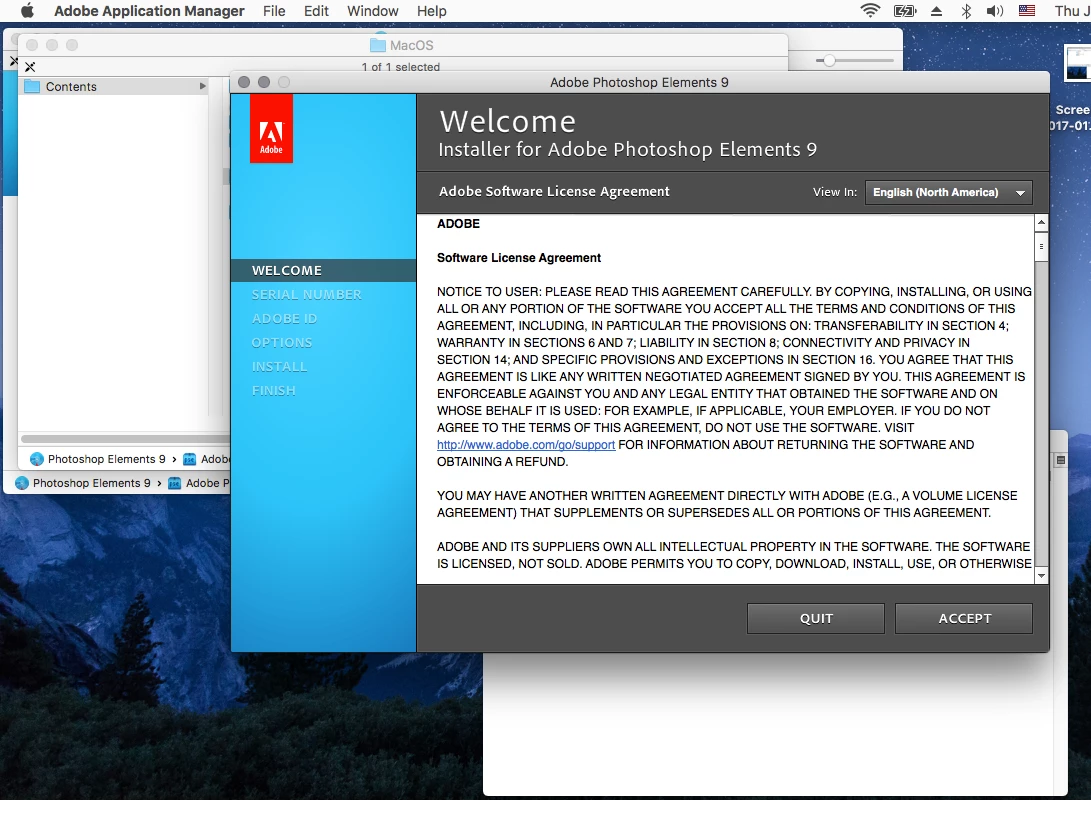
    Anyway, here are the steps i did to get the pse 9 installer to work on macOS Sierra.

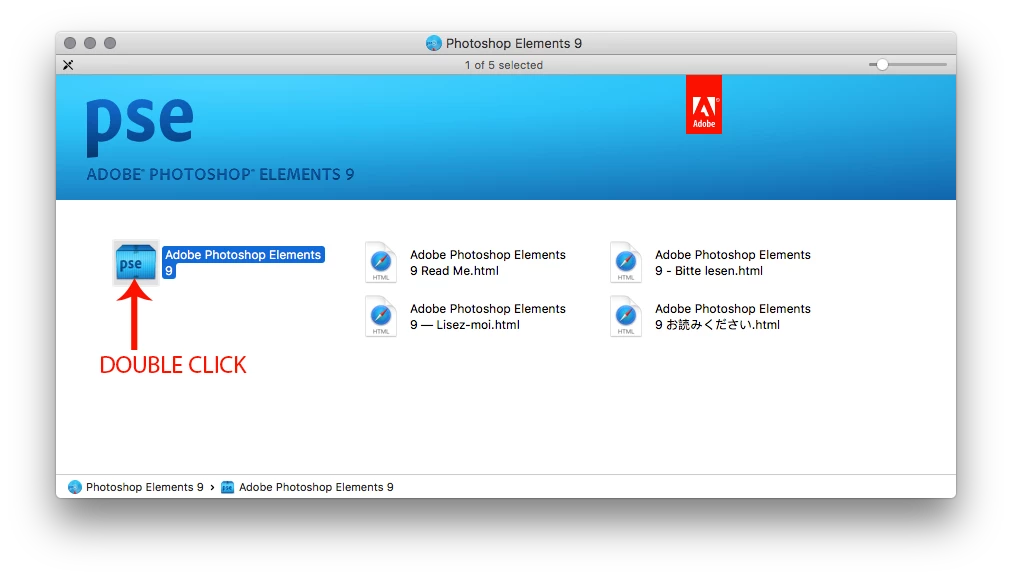
    1. Double click on the downloaded PhotoshopElements_9_LS15.dmg to mount it.

    2. Double click on the Adobe Photoshop Elements icon in the window that appears

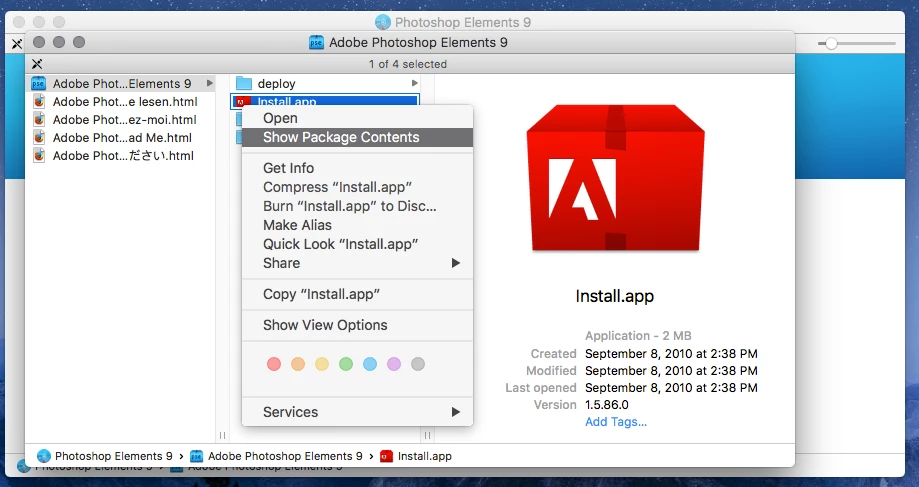
    3. Right click on the Install.app and click on Show Package Contents

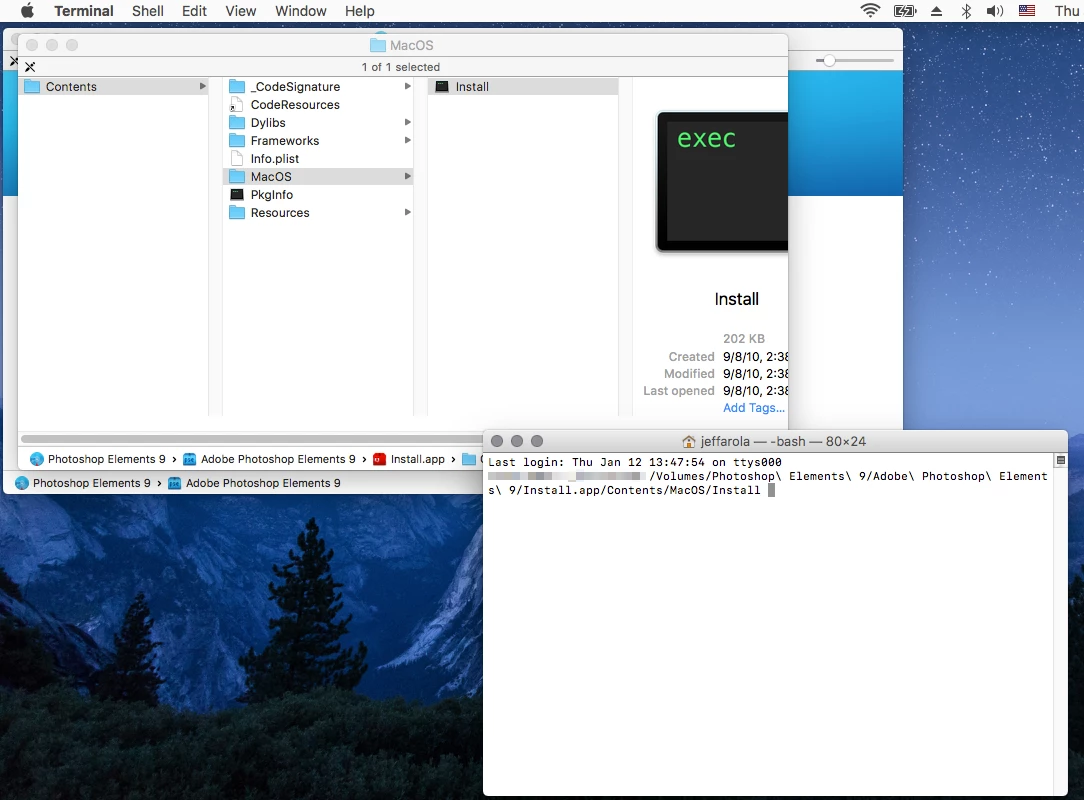
    4. Open Terminal by going to Applications>Utilities>Terminal

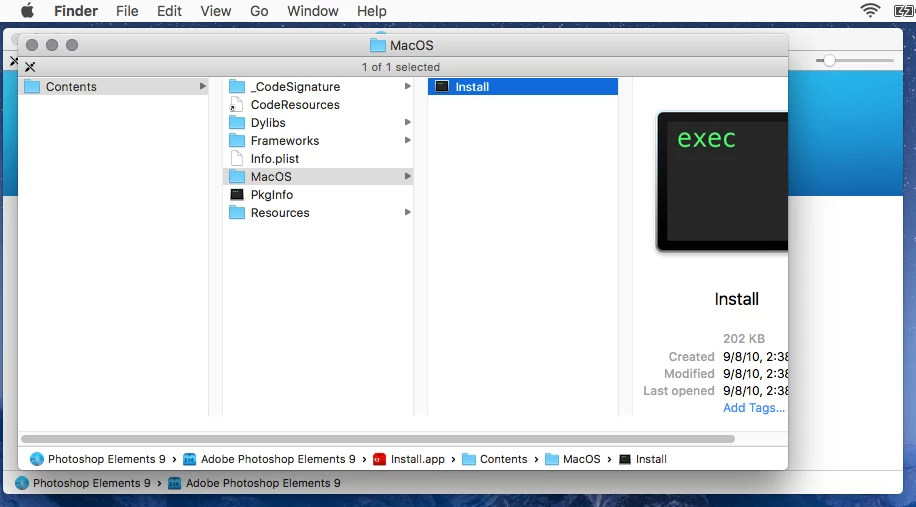
    5. Go to the MacOS folder

    6. Drag the Install into the Terminal window and press Return

    4 replies

    Participant
    July 18, 2018

    After trying many times to install on a new Mac, i finally found this answer. Worked first time. And to think all this trouble to reload Elem 10 on the new Mac so I can just turnaround and update to 18.

    jeanp13704047
    Participant
    March 24, 2018

    Thank you. It worked for me.

    Participating Frequently
    January 10, 2017

    Hi there and thnx

    I have Mac os x Siéra

    Is it stil possible ?

    Jeff Arola
    Community Expert
    Community Expert
    January 10, 2017

    Follow the instructions on this page under where it says

    Creative Suite 5.5, 5, and 4

    https://helpx.adobe.com/creative-cloud/kb/install-creative-suite-mac-os-sierra.html

    Participating Frequently
    January 12, 2017

    No succes , Photoshop Elements 9 app is not included in Creative Suite

    When I try to install the app I get this message :

    The app’s authorization has been revoked

    There may be a problem with this app. Although the app was signed by an identified developer, the certificate for the app has been revoked, and it cannot be opened.

    Check with the Mac App Store or the software developer to see whether there is an updated version of this app.

    Peru Bob
    Community Expert
    Community Expert
    January 7, 2017
    Participating Frequently
    January 7, 2017

    Hi there and thnx ,

    I've download Elements on my mac as you said , but when I try to install it , my mac says that 'install' cannot not be opened , move the disc to trash !  Do u have any idea why?

    Peru Bob
    Community Expert
    Community Expert
    January 9, 2017

    Did you download the Mac version?