Answered
How to copy info from file info
How do I copy the information to the clipboard when using; "Edit/File info/GPS Data" (OS W10)

How do I copy the information to the clipboard when using; "Edit/File info/GPS Data" (OS W10)
Hello Richard,
You can use the Export function in the menu at the bottom of the File Info window.
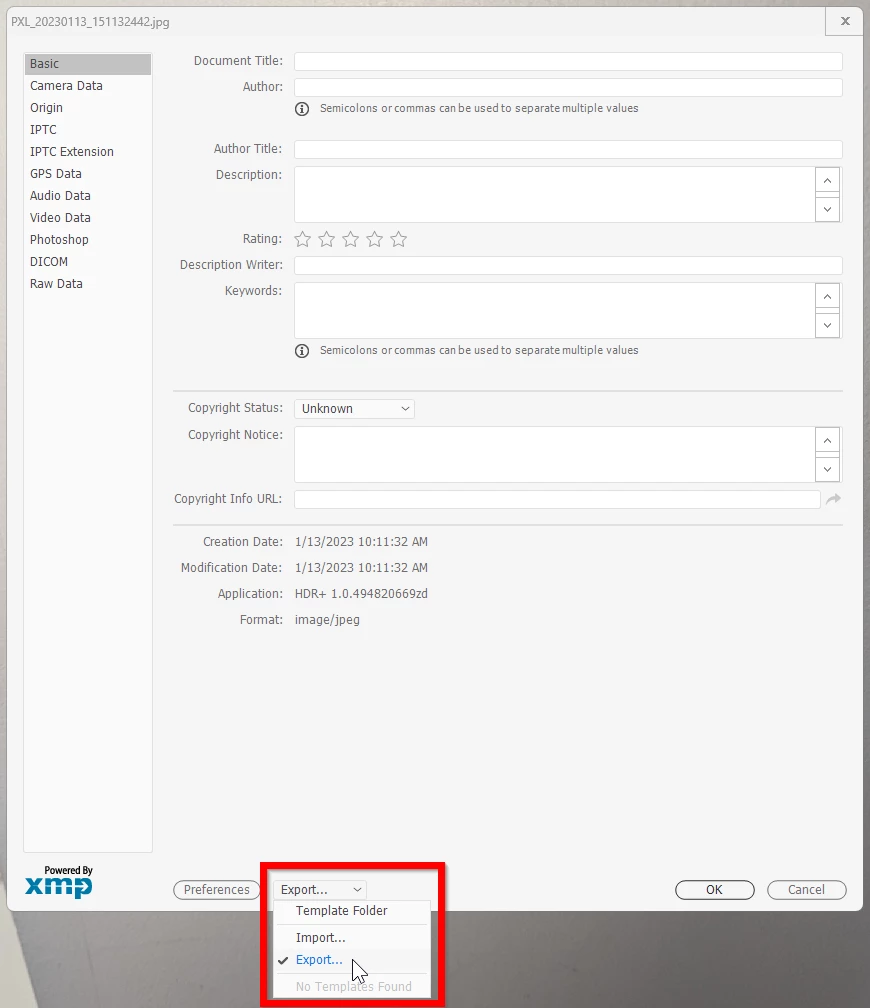
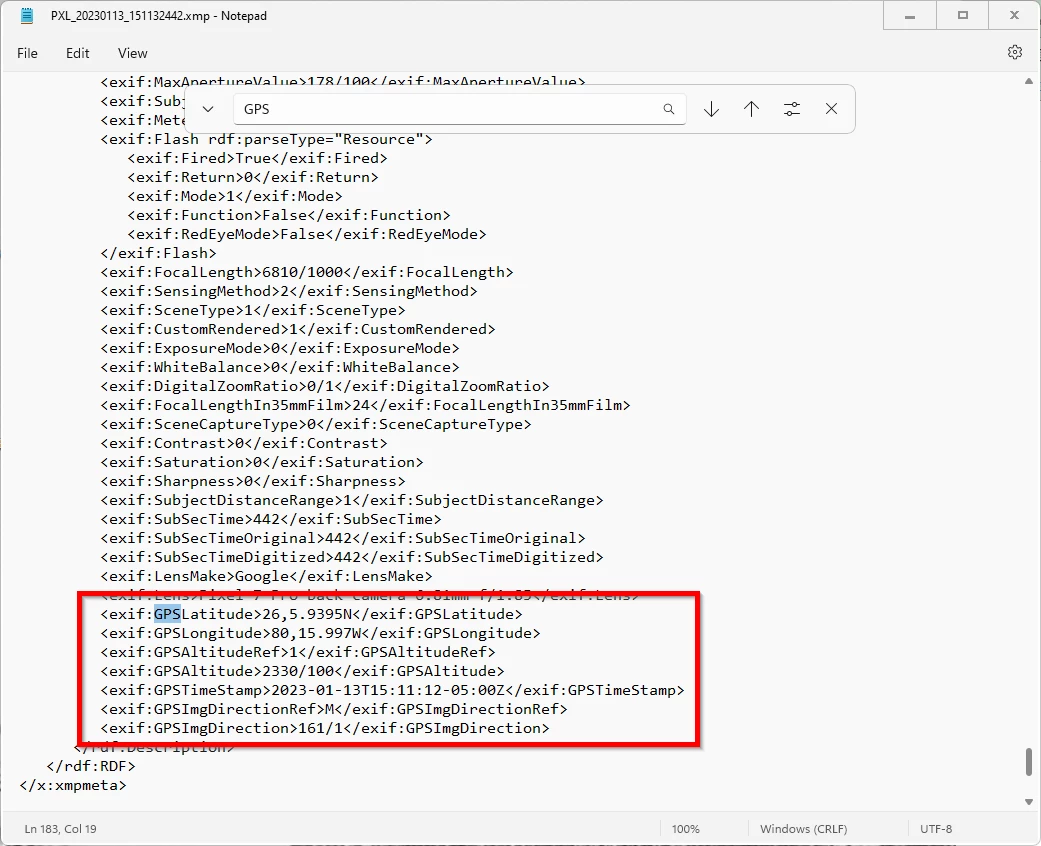
Then, open the exported file with Windows Notepad. Use the Find function to search for "GPS". It's near the bottom of the file. And finally, Copy the info you need to the clipboard.
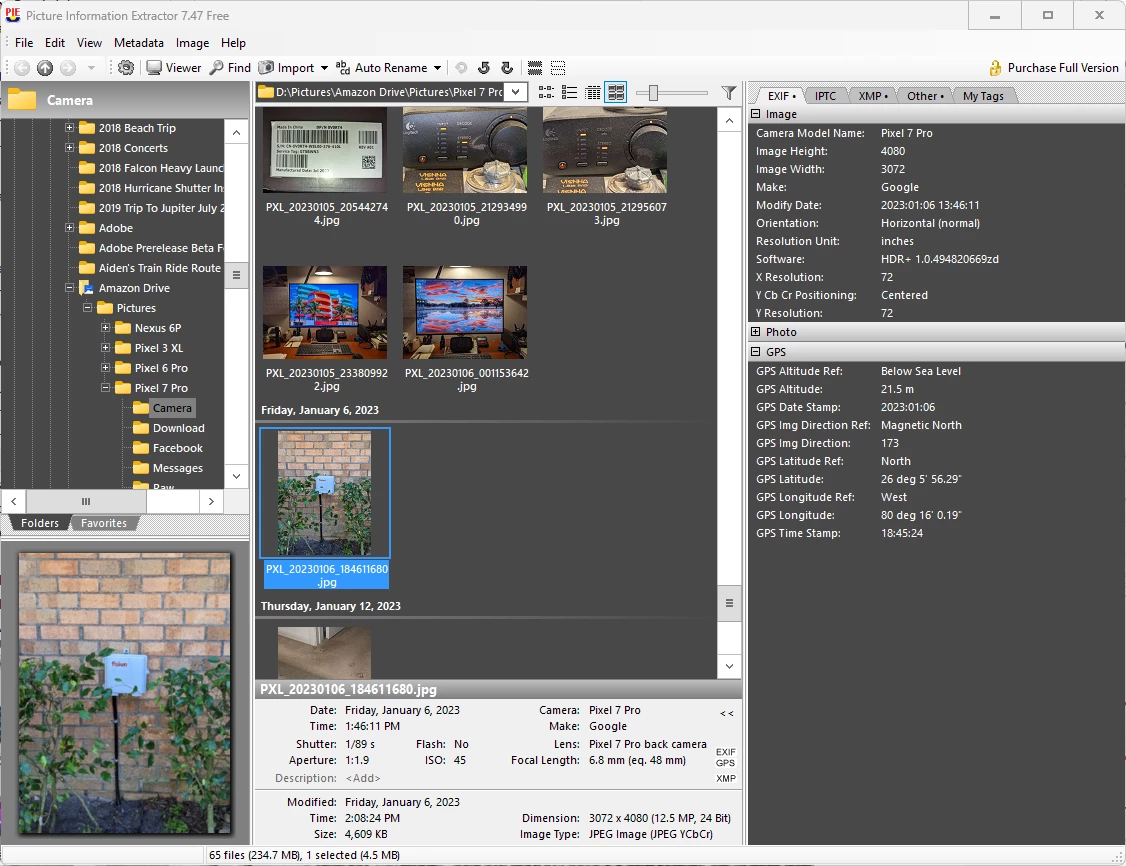
Or, You could open the photo in a free app called Picture Information Extractor. It displays all of the Exif data.
Already have an account? Login
Enter your E-mail address. We'll send you an e-mail with instructions to reset your password.


 AdChoices