
Ikrananka
Known Participant
July 27, 2017
Question

How to Create Growing Coloured Shapes

  • July 27, 2017
  • 1 reply
  • 269 views

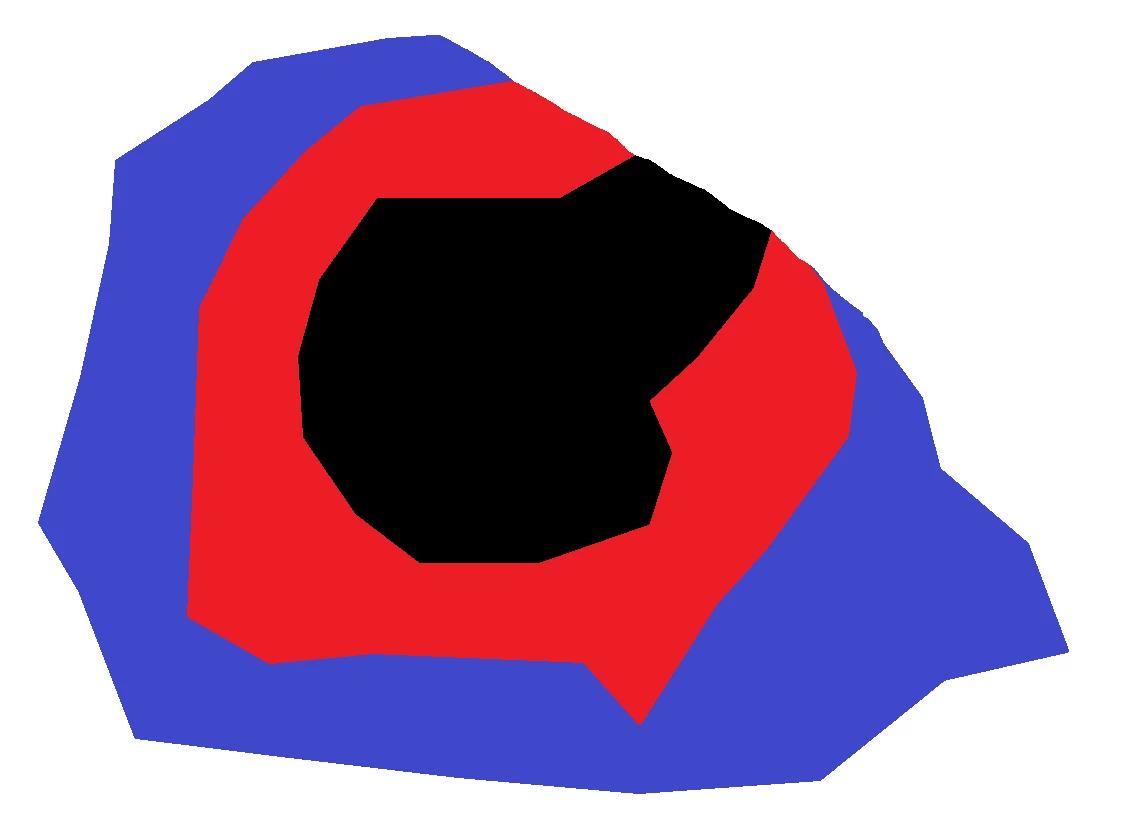
I would like to create an effect where I draw an irregular non-enclosed shape and fill it with a translucent colour.  Then I want to be able to draw a larger irregular non-enclosed shape outside of the first and fill the difference between the two with a different translucent colour and so on and so on.  Ideally I would like to have each separate differently coloured "growth" on it's own layer.  I'm at a loss how to (1) fill a non-enclosed shape, (2) fill only the difference between a larger and smaller shape.

The effect I'm trying to create is illustrated below.  This shows opaque colours but I'll be making mine translucent which I know how to do.

Any help gratefully received.
    This topic has been closed for replies.

    1 reply

    hatstead
    Inspiring
    July 27, 2017

    Ikrananka  wrote

    Ideally I would like to have each separate differently coloured "growth" on it's own layer.

    1. Open a blank, new file from the File menu
    2. Activate the polygonal lasso tool (keyboard shortcut L), and "draw" the irregular shape to suit.
    3. Set your foreground color chip to the desired color
    4. Go to Edit menu>Fill selection - with foreground color
    5. Press CTRL+D to get rid of the marching ants
    6. Open a blank layer above this
    7. "Draw" another shape above this
    8. Change color to a contrasting color, and fill selection
    9. Repeat this process.
    10. This should place all shapes on separate layers.