
Participant
December 10, 2018
Answered

How to delete a person tag from drop down.

  • December 10, 2018
  • 1 reply
  • 720 views

Hi!

I am new to Photoshop elements organizer and having some trouble with removing a wrongly created person tag.

By accident I created a new person tag "Lizanne":
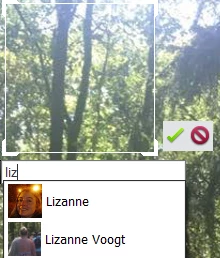
But I only want to use "Lizanne Voogt"

When I go to people I can drag-and-drop "Lizanne" onto "Lizanne Voogt" and the person tags will be merged.

But when I tag another picture and start typing "Lizanne" is still shown in the drop down list:
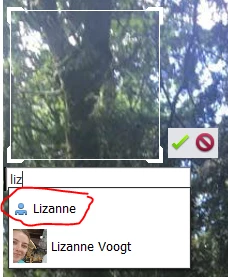
How do I make sure "Lizanne" doesn't appear in the drop down menu when I create a new person tag?

Thanks for your help!
    This topic has been closed for replies.
    Correct answer SaurabhGupta1

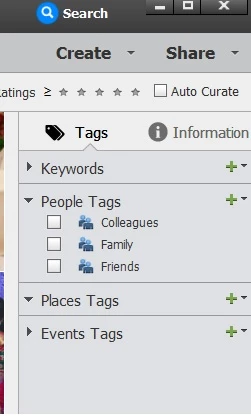
    All People tags are displayed on right hand panel in Elements Organizer :

    You can delete/add people tags under "People Tags" section.

    Regards,

    Saurabh

    1 reply

    SaurabhGupta1Correct answer
    Adobe Employee
    December 11, 2018

    All People tags are displayed on right hand panel in Elements Organizer :

    You can delete/add people tags under "People Tags" section.

    Regards,

    Saurabh

    Participant
    December 11, 2018

    Thank you, Saurabh.

    This is exactly what I was looking for!