Chrisn N
Inspiring
June 16, 2024
Answered

How To Justify text - Photoshop Elements 2024

  • June 16, 2024
  • 3 replies
  • 2061 views

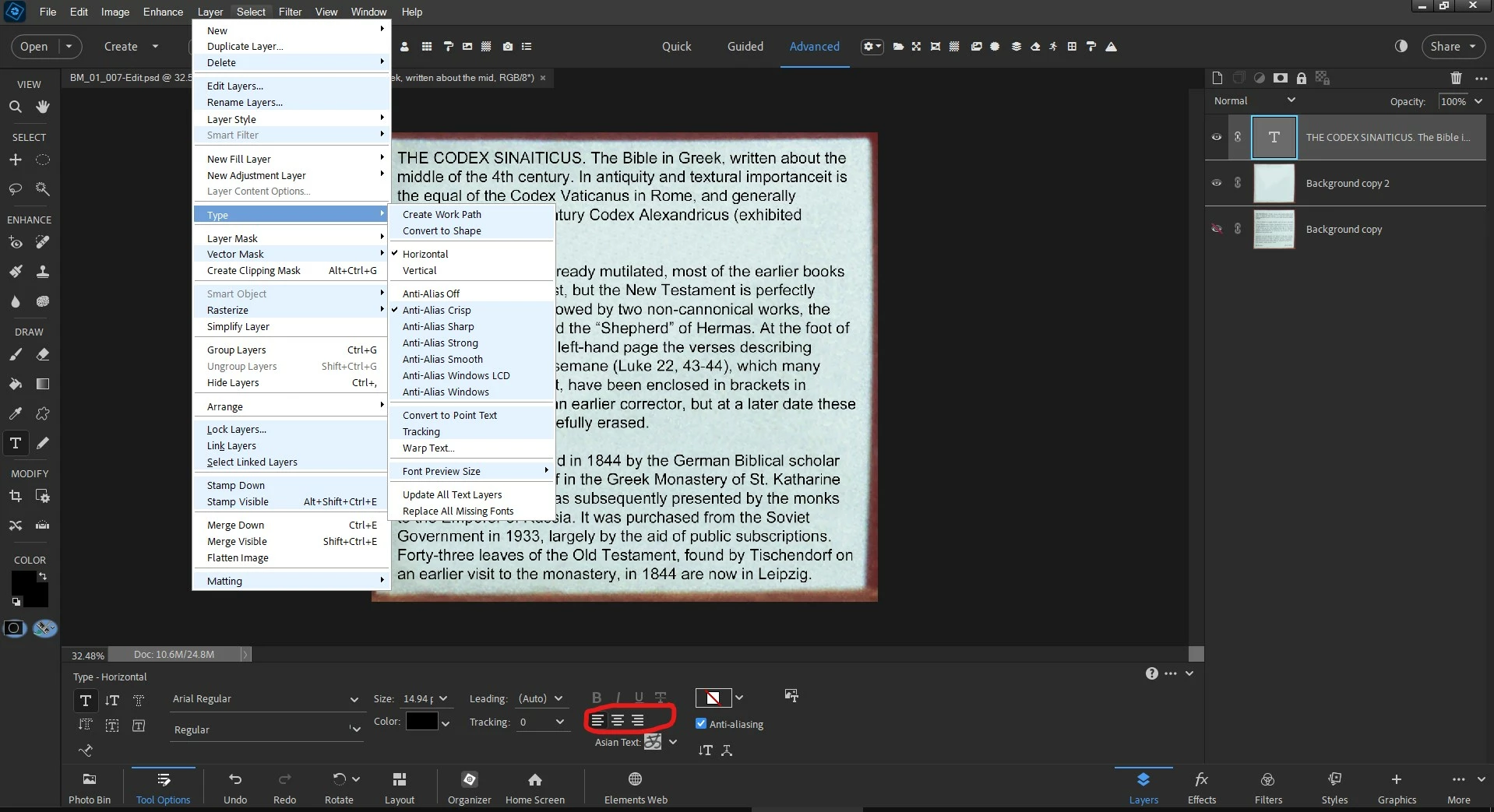
Please can someone explain how to justify text in PS Elements 2024. After the text is selected, I can see align left, centre and right, but not justify. Is it hidden somewhere?


Kind regards

Chris.


Correct answer Jeff Arola

The keyboard shortcuts that work with the default install of Photoshop Elements.


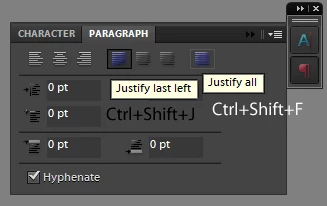
Justify Last Left is Command + Shift + J (Mac) | Control  + Shift + J (Win) will justify the paragraph except the last line.

Justify All is Command + Shift + F (Mac) | Control  + Shift + F (Win) will justify the paragraph AND justify the last line.


If you had a paragraph panel in elements (like photoshop) then these are the buttons that those shortcuts correspond to:

(unfortunately the other two justify options don't have any default keyboard shortcuts in elements nor photoshop, as far as i know)



3 replies

Jeff Arola
Community Expert
Community Expert
June 17, 2024

Looks like your using ElementsXXL?


Look under Edit>Preferences > ElementsXXL>Key Shortcuts where you can change or remove the Edit>Fade  (Control  + Shift + F) shortcut.


Chrisn N
Chrisn NAuthor
Inspiring
June 17, 2024

Thanks Jeff. Yes, I am using Elements XXL. I guess that explains why the Control+Shift+F shortcut works differently!


Kind regards

Chris 

Jeff Arola
Community Expert
Jeff ArolaCommunity ExpertCorrect answer
Community Expert
June 16, 2024

The keyboard shortcuts that work with the default install of Photoshop Elements.


Justify Last Left is Command + Shift + J (Mac) | Control  + Shift + J (Win) will justify the paragraph except the last line.

Justify All is Command + Shift + F (Mac) | Control  + Shift + F (Win) will justify the paragraph AND justify the last line.


If you had a paragraph panel in elements (like photoshop) then these are the buttons that those shortcuts correspond to:

(unfortunately the other two justify options don't have any default keyboard shortcuts in elements nor photoshop, as far as i know)


Chrisn N
Chrisn NAuthor
Inspiring
June 17, 2024

Thank you Glenn and Jeff.

Control+Shift+J works fine.

However, Control+Shift+F brings up a transparency/opacity options box in PSE 2024.


I really don't understand why the developers didn't put a standard justify button in the user interface. That would have been the most logical solution.


Kind regards

Chris


Glenn 8675309
Legend
June 16, 2024

Select all yout text.

Then do this: 

Booyah!