
Participant
April 1, 2017
Question

How to modify shape dynamics, spacing and fade in Elements 10

  • April 1, 2017
  • 1 reply
  • 660 views

Hello,

I have Adobe Photoshop and I am trying to create a pixie/fairy dust effect with the brush tools. I have already created a custom brush for it and I have it saved. However, I am trying to follow this link < How To Draw A Pixie Dust Effect In Photoshop

I don't know how to pull up the Brush engine for photoshop elements 10 because the f5 key does not work and there is no brush option under the windows tab. I want to alter the shape dynamics and more. I want it to be altered so it looks like a swipe of fairy/pixie dust that fades out realistically, but I am unable to do this at the moment.

I want to turn this custom brush I made
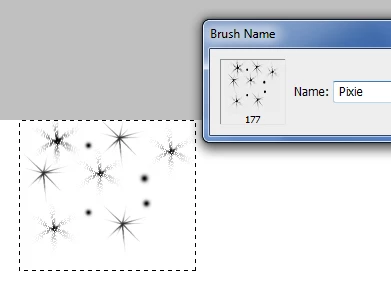
...into this version of the brush, fading out like so
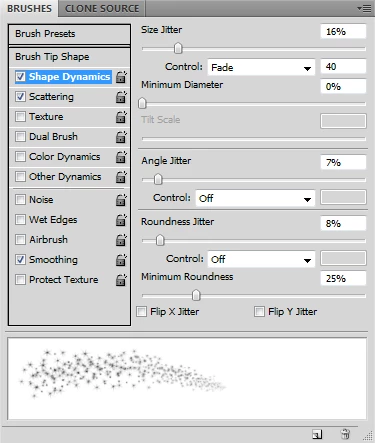
the screenshot above are the options I can't find.

This topic has been closed for replies.

1 reply

Barb Binder
Community Expert
Community Expert
April 1, 2017

I have Adobe Photoshop

I don't know how to pull up the Brush engine for photoshop elements 10

Which program are you using? Photoshop or Elements—there are two different programs. You posted in the Photoshop forum. If it's Elements, we'll need to move you to that forum so that you can get answer.

~Barb at Rocky Mountain Training
sdsophiaAuthor
Participant
April 1, 2017

okay thank you! I posted it in the Elements forum.

99jon
Legend
April 1, 2017

There are some basic sliders in PSE15 under Brush Settings – see image below - but not as sophisticated as in Photoshop CC. I don’t think these options are available in PSE10 which is now quite old software.

You could download PSE15 and use it as a 30 day free trial to see if it meets your requirements.

Download Photoshop Elements | 15, 14, 13, 12, 11, 10