
Question
How to "Remove Style"?
Before I took this screenshot, the line style was No Style.
Then I selected a pattern.
After that, I can't find a way to remove the style. I select that option as seen here, but it does not remove the style. Thanks!
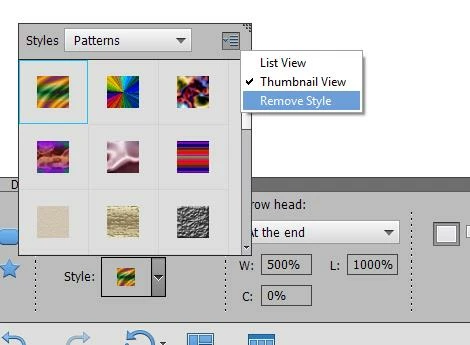

Before I took this screenshot, the line style was No Style.
Then I selected a pattern.
After that, I can't find a way to remove the style. I select that option as seen here, but it does not remove the style. Thanks!
Already have an account? Login
Enter your E-mail address. We'll send you an e-mail with instructions to reset your password.
 AdChoices