
fotografffic
Known Participant
December 7, 2017
Answered

How to transfer adjustment layer from one photo to another?

  • December 7, 2017
  • 1 reply
  • 526 views

When I used Photoshop I was able to transfer adjustment layers (eg. levels, photo filter) from one photo to another when having both images open. Is it possible to do this in PSE2018?
This topic has been closed for replies.
Correct answer Jeff Arola

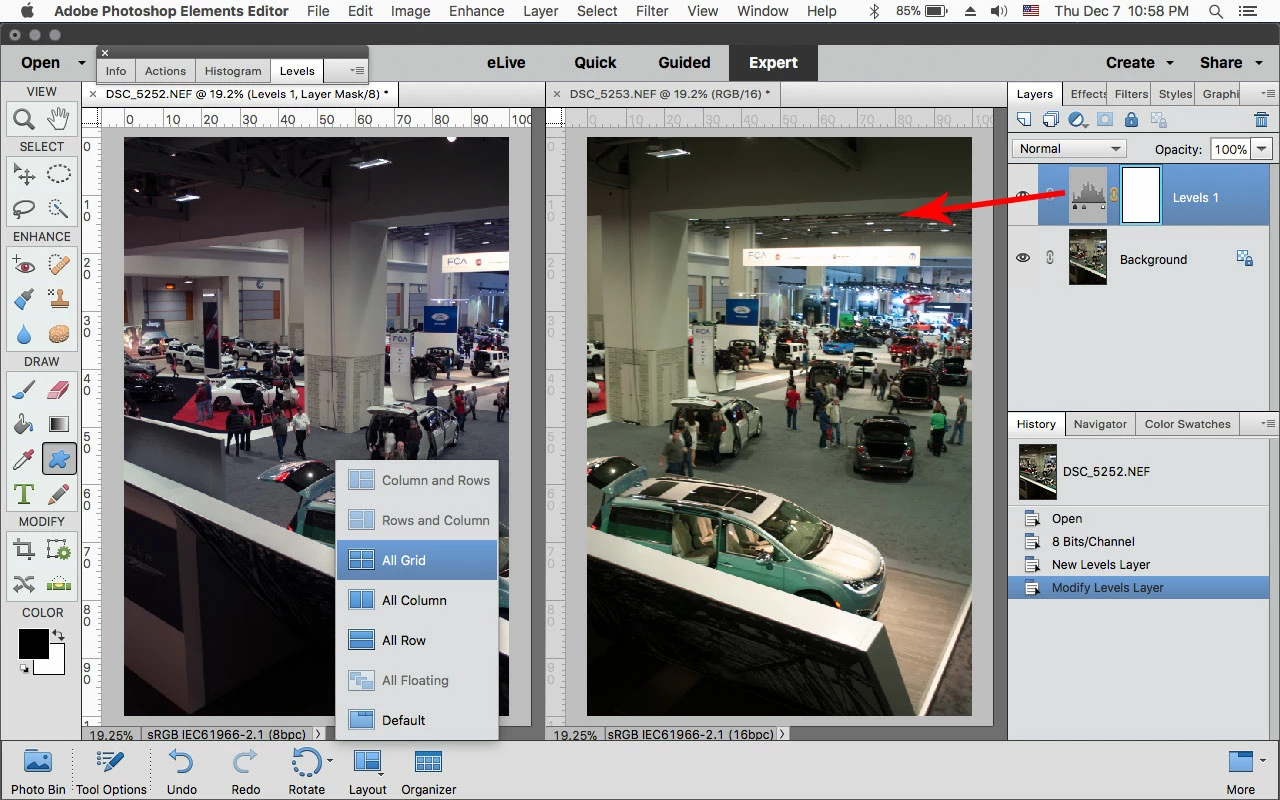
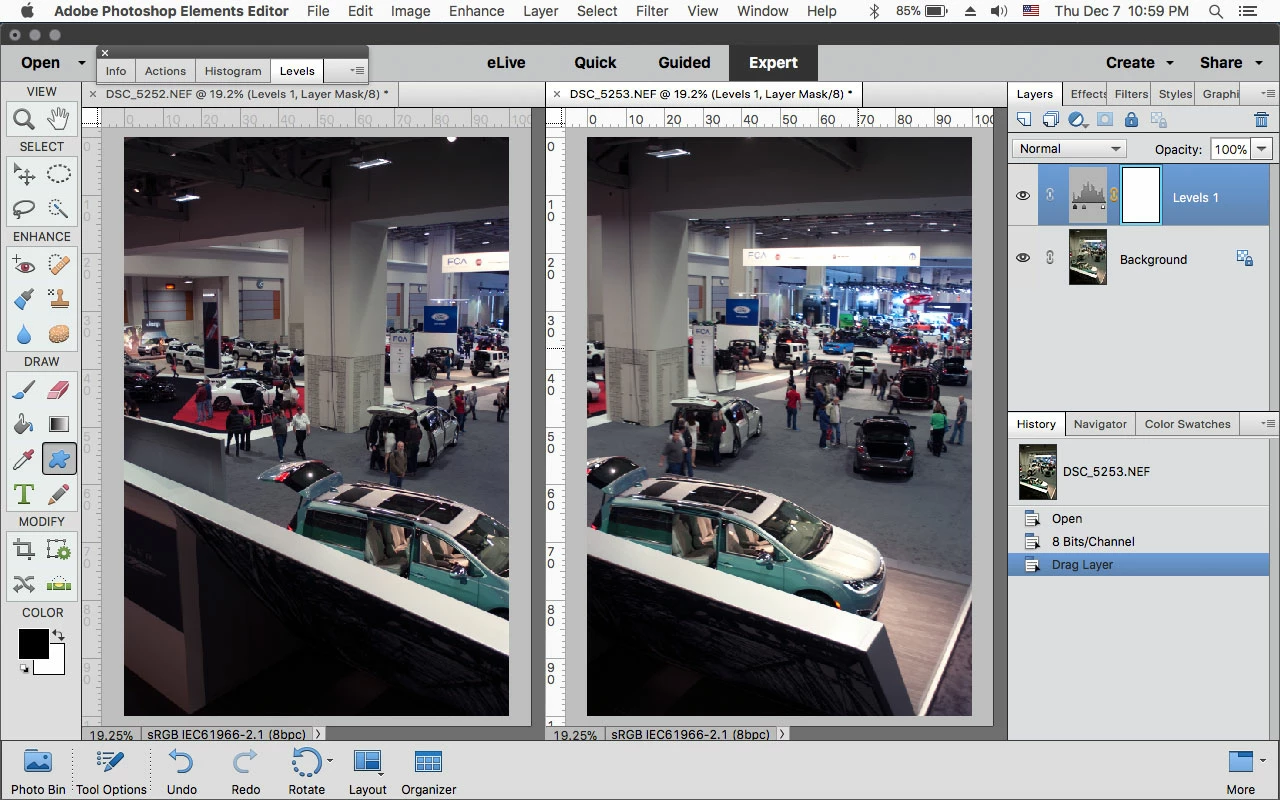
With both photos open go to the bottom under Layout to arrange the photos side by side, the drag the adjustment layer from the layers panel to the other photo.

1 reply

Jeff Arola
Community Expert
Jeff ArolaCommunity ExpertCorrect answer
Community Expert
December 8, 2017

With both photos open go to the bottom under Layout to arrange the photos side by side, the drag the adjustment layer from the layers panel to the other photo.

fotografffic
Known Participant
December 8, 2017

Thank you so much. I've clicked on the layout icon before but never when I had two photos open. I'm embarrassed that I didn't figure it out.