
How to Transfer PSE 2020 to new computer, current computer has photo files on OneDrive
I recently purchased the Adobe Photoshop Elements 2020 bundle which includes, video editor.
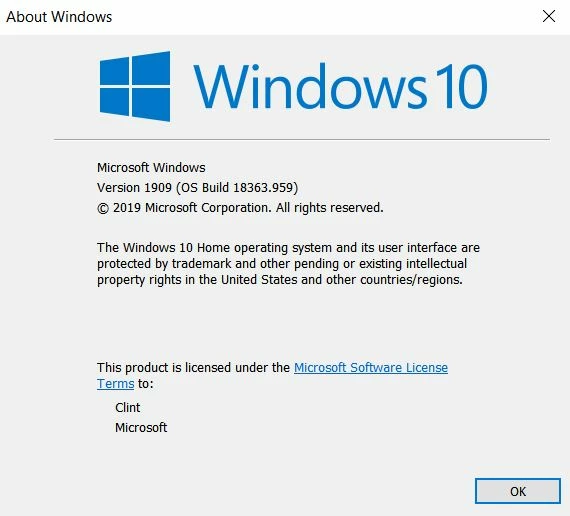
I use Windows 10 (version info below)
I have purchased a new robust Dell Desktop computer which will be my main computer and where the organizer catalogue will be kept.
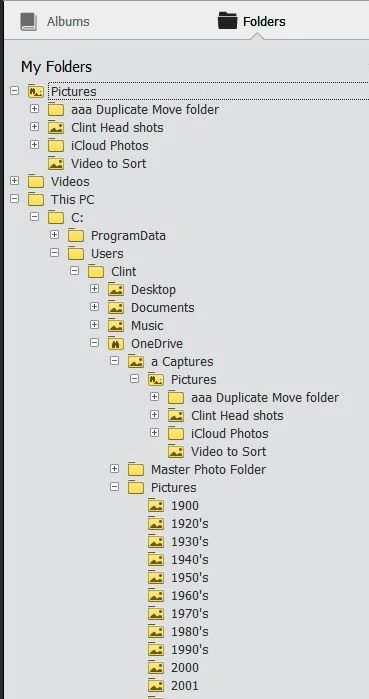
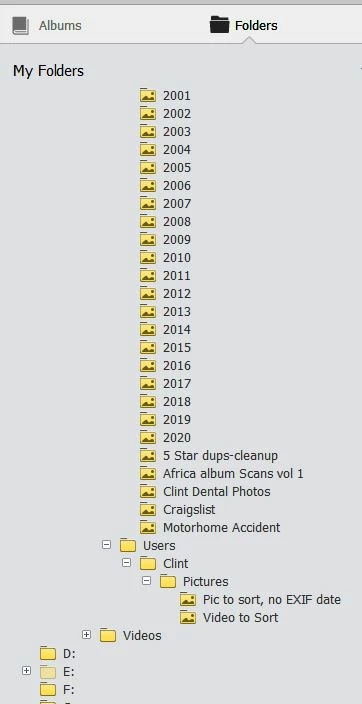
My current computer has my photo folders mostly organized by year and in a path that includes OneDrive, however I have settings set so that most of the photo files remain resident on my computer. ( I admit, this has gotten a little confusing in the past since windows 10 apparently want to keep it's own picture folder intact)
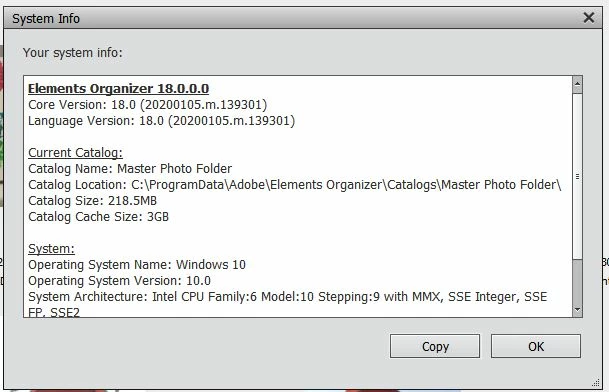
I am attaching a photo capture (two photos) of my PSE folder Structure plus a capture of my system info.
I know I can't sync the catalogue on OneDrive with the idea of using it on multiple devices. My desire is to keep my old computer at a different location. Still having access to PSE 2020 and photos when needed and OneDrive, but not relying on that older computer and catalogue to by my primary catalogue for Active changes.
QUESTION is, how do I download PSE 2020 to the new computer and how do I move my current catalogue and photos to that new computer.
I know I can backup on the old computer and restore that backup to the new computer BUT would I do that as Original Location or New Location??
ALSO, I am concerned that since I believe the PSE Restore includes the photo files that are in the OneDrive path will I end up with duplicate photos in my files since the OneDrive settings will be telling the software to keep a copy resident on my computer, or will it recognize a copy is already there, put there by the restore??
I guess what I am asking here is should I Manually move all of my photo files and other files using (My PC > OS(C:) > user > Clint >......) to the new computer by just copying to external drive and then pasting to the new computer and AFTER THAT (once PSE 2020 program is installed on new computer) Restore my PSE backup from the old computer to the new computer using Original Location?
AND, all of my photos and certainly many videos are not in a OneDrive path. Does the Restore Folder contain ALL of the photos and videos on my computer or just some part of them? I take it the PSE Organizer Folder structure picks up ALL photo and video folders even if I am not typically looking at them through PSE organizer. In this restore scenario, what of the total photo/video on my computer are transferred during the restore and what files do I need to transfer to my new computer manually because they are not included in the Restore?
Sorry this question is a bit convoluted because I'm not sure exactly how the catalogue works. I'm open to any suggestions!
FURTHER CLARIFICATION, My OS is Windows 10, I use Microsoft File History backup on my current computer and I also alternate Acronis Clone image backup between two external drives. I think I could copy the Acronis Clone to the new computer and probably be done with it. BUT, I really want to do a 'clean' install on this new computer if at all possible. I have the external drive capacity to make a backup of the entire path, This PC > OS (C:) > user > Clint >....... files, from the older computer and paste to my new computer if that is what should be done (it would include OneDrive files). If this makes sense, are there any other files I should consider moving?? (From what I have read I should not use File History to restore/move files from one computer to the other?)
Sorry to be redundant but, as I mentioed eariler, after I moved all of the user files I would then restore my PSE backup from the old computer if this makes sense.
OneDrive: my reason for using it and having my main photo folder on that path is two-fold. First, it does create an additional cloud backup of those important photos and Secondly, I like to have all of my primary photo files (by year) available to immediately access from my other devices such as iPhone and iPad.
Any help out there from someone who also uses OneDrive with be appreciated. I'm looking for the cleanest file structure while still automatically saving any changes up to my OneDrive files.


 AdChoices