Participant
February 22, 2023
Answered

How2: Enable Expert mode in PSE10 Mac

  • February 22, 2023
  • 3 replies
  • 819 views

i want to go "windows->actions" but actions is not avail, so im advised to switch on 'expert" mode.

problem is i can only find a panel that says "full, guided, quick" (modes) is this waht im looking for?

then: i select 'full'

and still when i go "windows->" ...'actions' is still non avail! see image below:
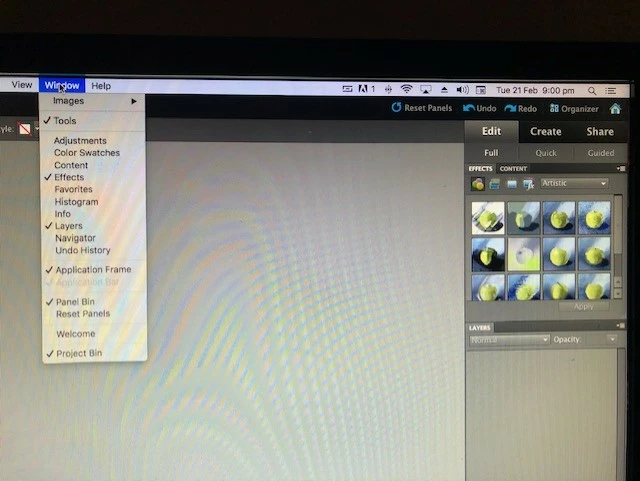
 please enlighten me as to where i might be going wrong with all this.


many thanx
This topic has been closed for replies.
Correct answer Jeff Arola

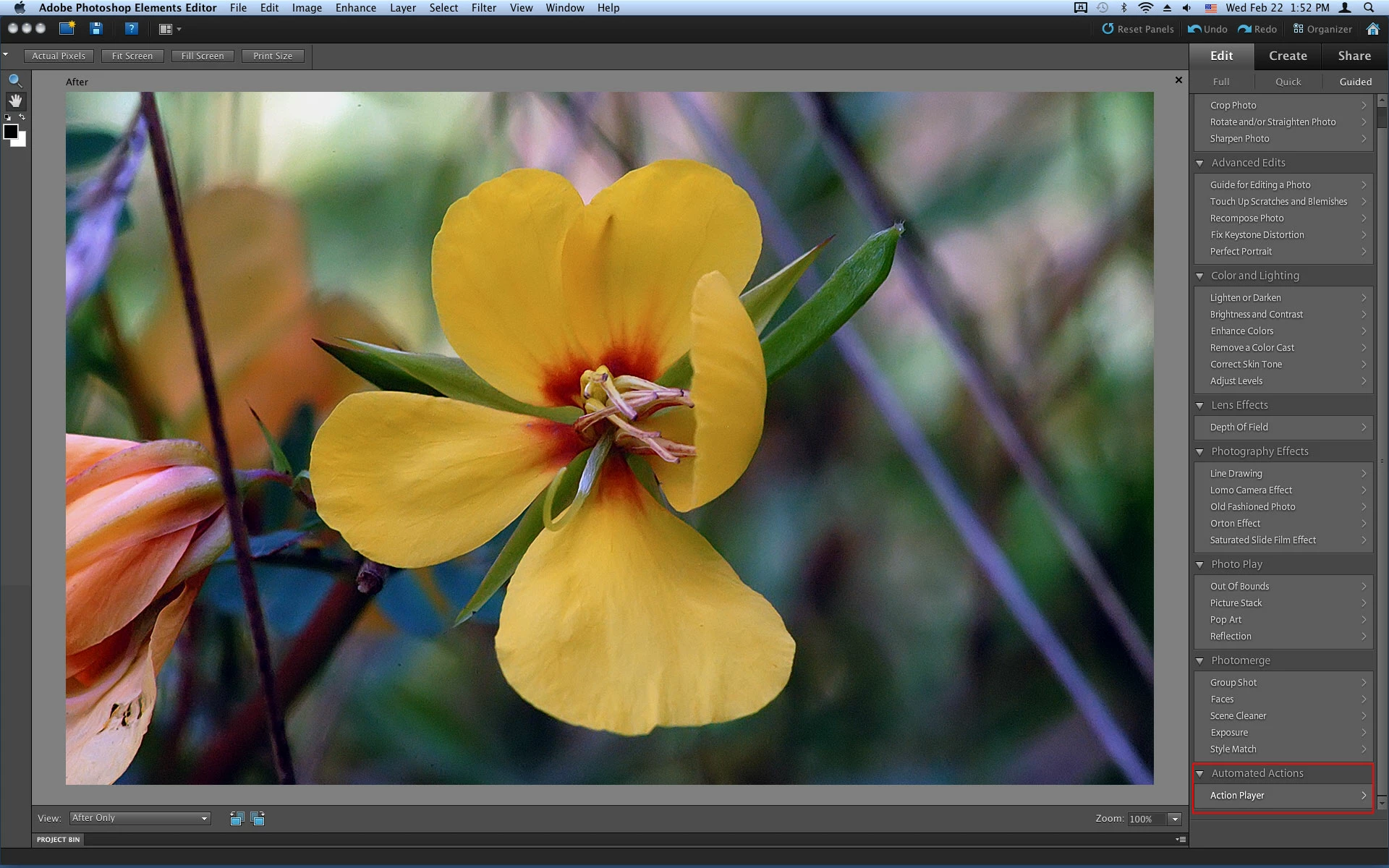
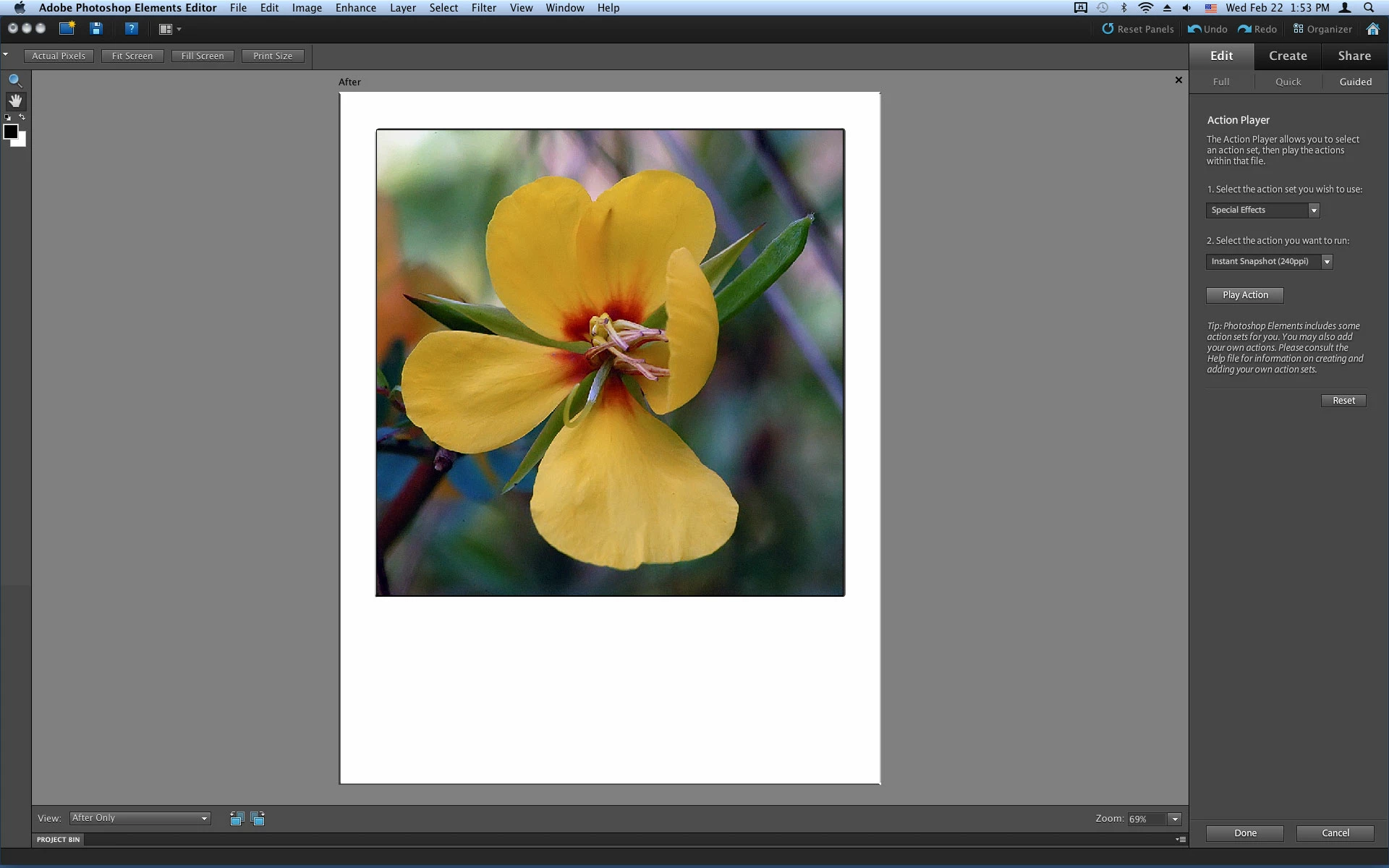
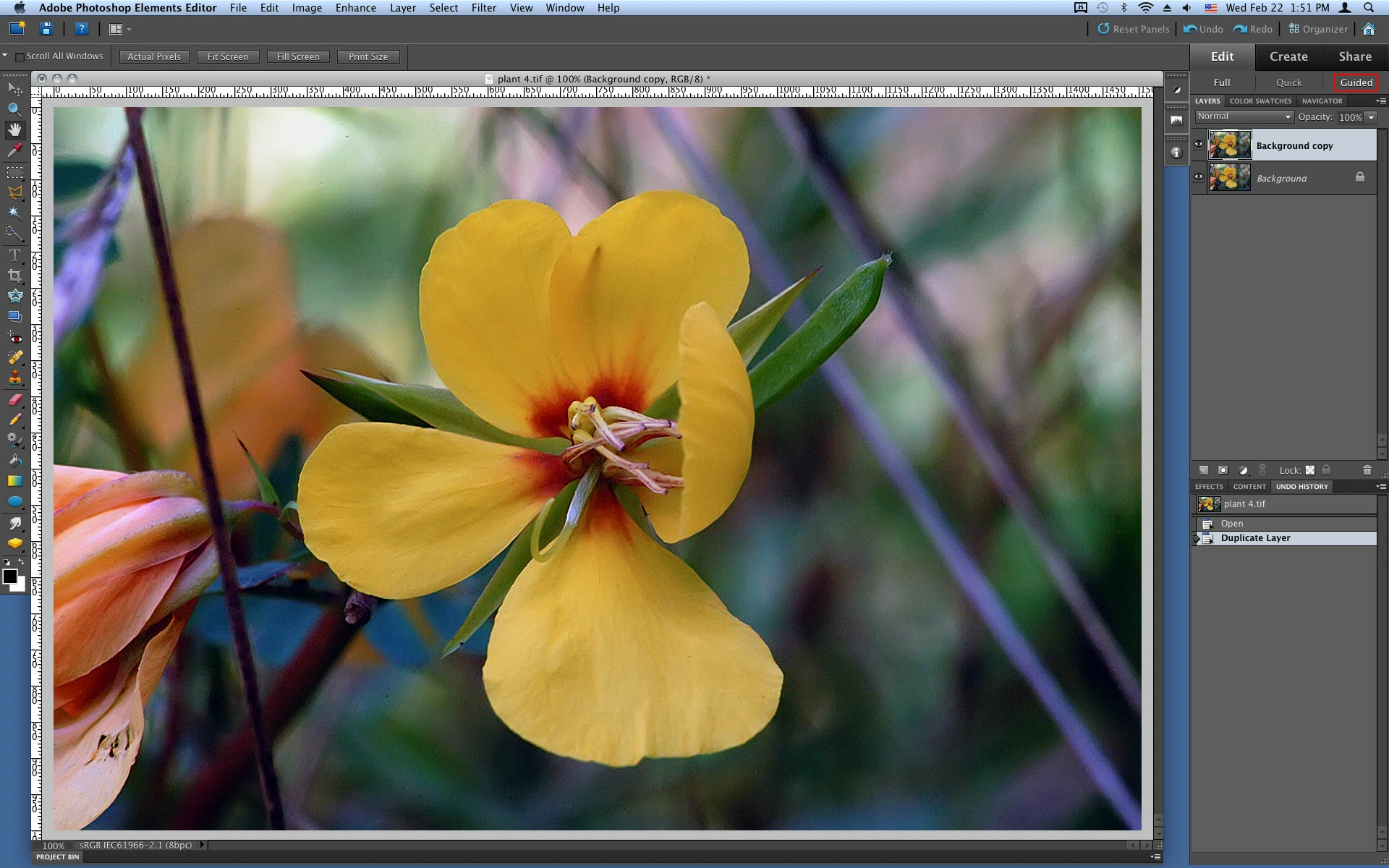
Click on Guided then Automated Actions


If you have any actions you want to load put them in

Macintosh HD//Library/Application Support/Adobe/Photoshop Elements/10.0/Locale/en_US/Workflow Panels/actions


It wasn't until pse 11 that the Window>Actions was introduced.


3 replies

Jeff Arola
Community Expert
Community Expert
February 24, 2023

Panos FX does have a Vectorize action, however, it appears that pse 15 is the oldest version it's compatible with.

https://www.panosfx.com/photoshop-actions/vector-paintings


Don't know how it compares to using an actual vector application like Adobe Illustrator to convert an image to vector.

Jeff Arola
Community Expert
Jeff ArolaCommunity ExpertCorrect answer
Community Expert
February 22, 2023

Click on Guided then Automated Actions


If you have any actions you want to load put them in

Macintosh HD//Library/Application Support/Adobe/Photoshop Elements/10.0/Locale/en_US/Workflow Panels/actions


It wasn't until pse 11 that the Window>Actions was introduced.


Participant
February 23, 2023

Thank you Sir,

Could you kindly suggest any PSE action that will enable me to vectorize any image in PSE 10?


hatstead
Inspiring
February 23, 2023

1. You can play actions in PSE

2. You can not write actions in PSE

3. Actions can be written in full Photoshop and played in PSE,provided the  commands & functionality  are available in PSE 

4. Third party, commercial actions can be installed in PSE, e.g. Panos as referenced above.


hatstead
Inspiring
February 22, 2023

Beneath " Edit Full' you should see "Edit Guided". Click on this to reach the action player. Note that you can not write actions in PSE, but you can play some actions that are suitable for the software. Panos is a big time action developer:

New Actions by Panos | Photoshop Elements & More (photoshopelementsandmore.com)

Participant
February 23, 2023

Thank you Sir,

Now I understand, I cant use PS actions with PSE.

I didnt know that because I've had no problems using PS styles in PSE before.

Could you kindly help me further? --------------------------------------------------------------

Do you know of any PSE action that will enable me to vectorize any image in PSE 10?

I ask because when I searched for 'vectorise' in panos I get nothing -> https://www.panosfx.com/component/finder/search?q=vectorise&Itemid=101&5f73381678a492e8eaa782da74bb0945=1677157051