Answered
I
Using Elements 2026. I would like to take just the face shown in photo 1 and use it to replace the face in Photo 2. I’m pretty good at selecting and enhancing, but I’ve never swapped things between two photos.



Using Elements 2026. I would like to take just the face shown in photo 1 and use it to replace the face in Photo 2. I’m pretty good at selecting and enhancing, but I’ve never swapped things between two photos.
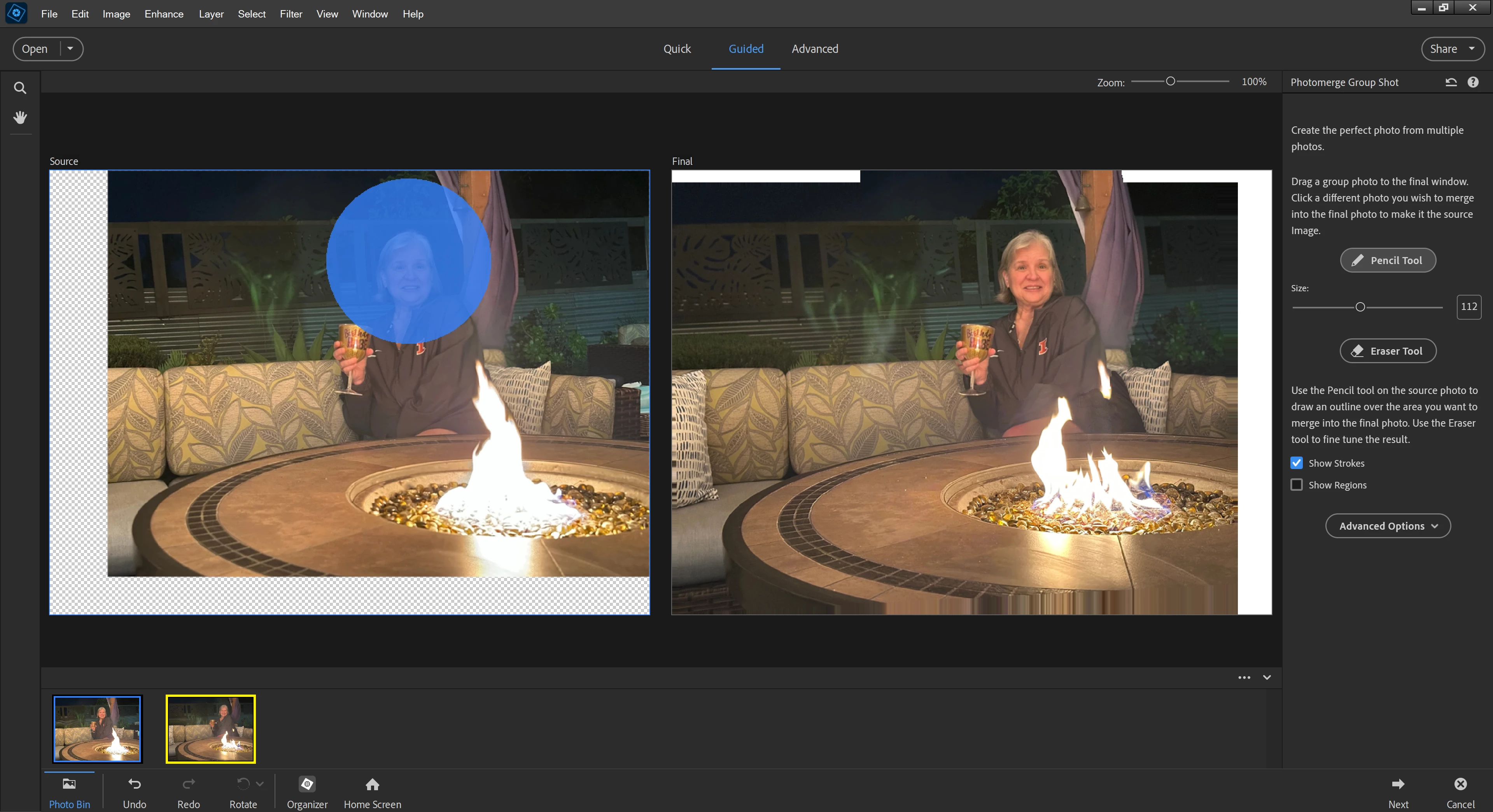
There is an automatic feature in the Guided mode called Photomerge Group Shot. It's really designed to correct group photos where one or more people have closed eyes or are looking the wrong way. But it can be used for a single head.
Open both of your photos in the Editor and go to:
Guided > Combine > Photomerge Group Shot
The pencil tool lets you paint roughly over the best face and it will be blended with the other image - see screenshot below.
Already have an account? Login
No account yet? Create an account
Enter your E-mail address. We'll send you an e-mail with instructions to reset your password.


 AdChoices