
Inspiring
May 20, 2024
Answered

I can't get the color I want when tinting or colorizing (PSE2019)

  • May 20, 2024
  • 2 replies
  • 857 views

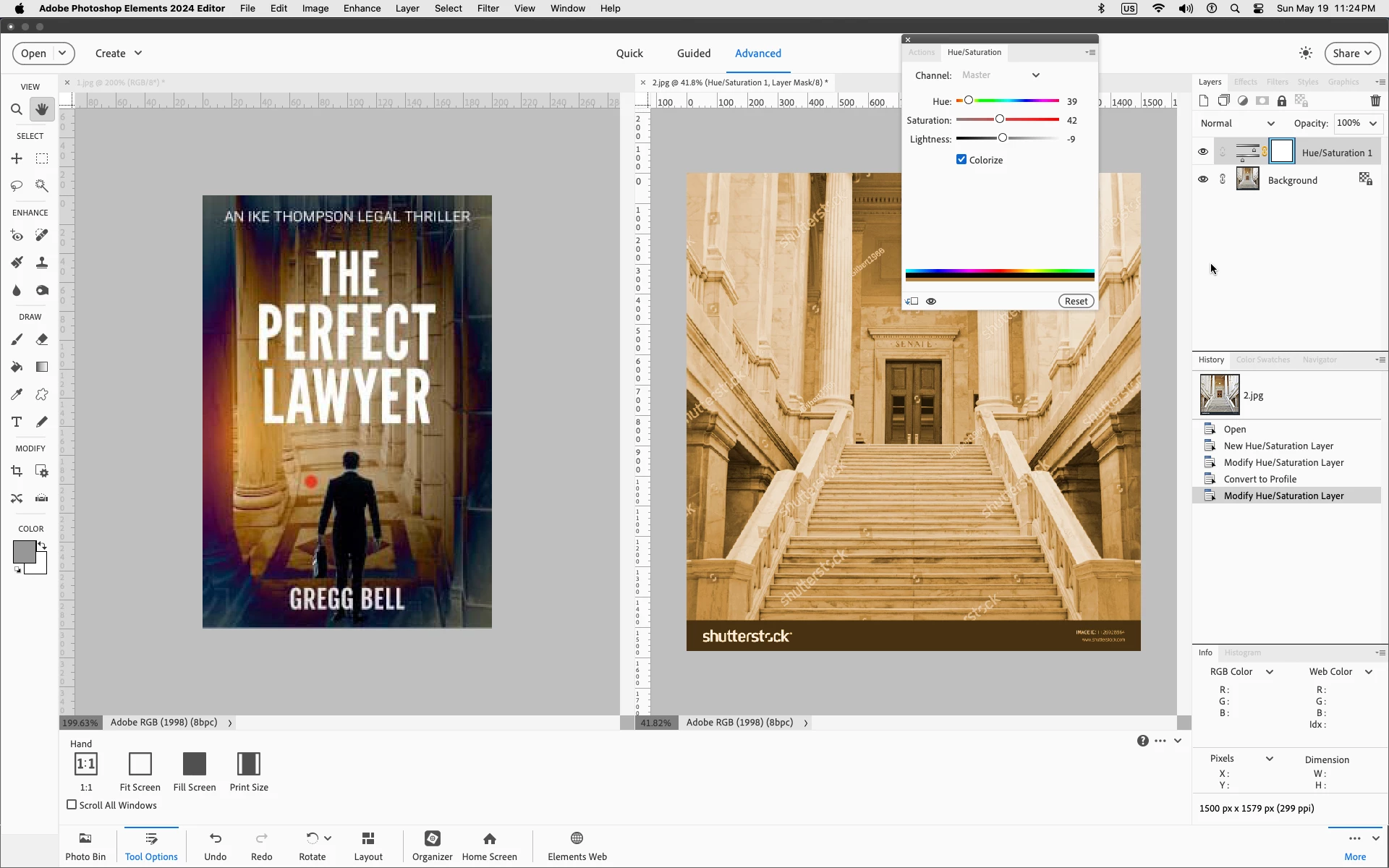
I'm an indie author trying to do my own ebook cover for a sequel to my first legal thriller titled The Perfect Lawyer.  I'm trying to get the cover to have the same basic color scheme (soft brown toward the center, darker brown, perhaps with the vignette tool, toward the edges) as the first cover in order to get a branding effect from Book One (The Perfect Lawyer) to Book Two (The Perfect Prosecutor). And I cannot replicate the color in Book Two because I used one of the "Smart brush"  "special effects" butons in Book One, and it did not do the same coloring on the new image. 


I did a Sepia tint and it's better than nothing, but it could still be so much better. The color I'm looking for is where the red dot is in the image of The Perfect Lawyer. (hex code c1a073) I've done The Enhance>Adjust color>New Adjustment Layer>Hue saturation and then checked the "colorize" box with c1a073 and it it's just like a really weak lazy beige. Playing with the hue sliders mostly makes for a goofy orange color. I just can't seem to get the soft brown I'm looking for. I'll attach the image I'm trying to colorize too. Any suggestions? Thanks.
This topic has been closed for replies.
Correct answer Jeff Arola

The Hue/Saturation numbers don't correspond to hex code colors.


Try adjusting all three sliders; Hue,Saturation and Lightness.


2 replies

Greg_S.
Community Expert
Community Expert
May 20, 2024

There is a newer feature in Elements 2024 that allows you to match colors between images.  Here is the potential result:


I don't have an artistic bone in my body and I didn't spend a long time adjusting the HSL controls that are available.  It might also have had a better result if the original photo had better resolution.


You can read about the Color Match feature here.

BadStarAuthor
Inspiring
May 21, 2024

Thanks Greg. I don't have the 2024 upgrade because my computer can't handle it. (only 4 GB) But I will be getting it when I get a new computer, or add 4 GB. And hey, don't sell yourself short on the artistic bones. You've got talent.

Jeff Arola
Community Expert
Jeff ArolaCommunity ExpertCorrect answer
Community Expert
May 20, 2024

The Hue/Saturation numbers don't correspond to hex code colors.


Try adjusting all three sliders; Hue,Saturation and Lightness.


BadStarAuthor
Inspiring
May 21, 2024

Thanks a lot, Jeff. And thanks for leaving your slider numbers up there. (I used them.) I've got the coloring I want but it just looks bland. But it's a lot closer branding-wise. I think if I leave the doors their natural color it might provide a little balance and relief. Also I can clean up what's behind the title. And play with a darker vignette color. It's progress anyway. 🙂