Participating Frequently
November 17, 2022
Answered

I cant find how to change format PSE to JPEG.

  • November 17, 2022
  • 3 replies
  • 969 views

Hi. I want to change formate PSE to JPEG. how do I do it ?

 

This topic has been closed for replies.
Correct answer Greg_S.

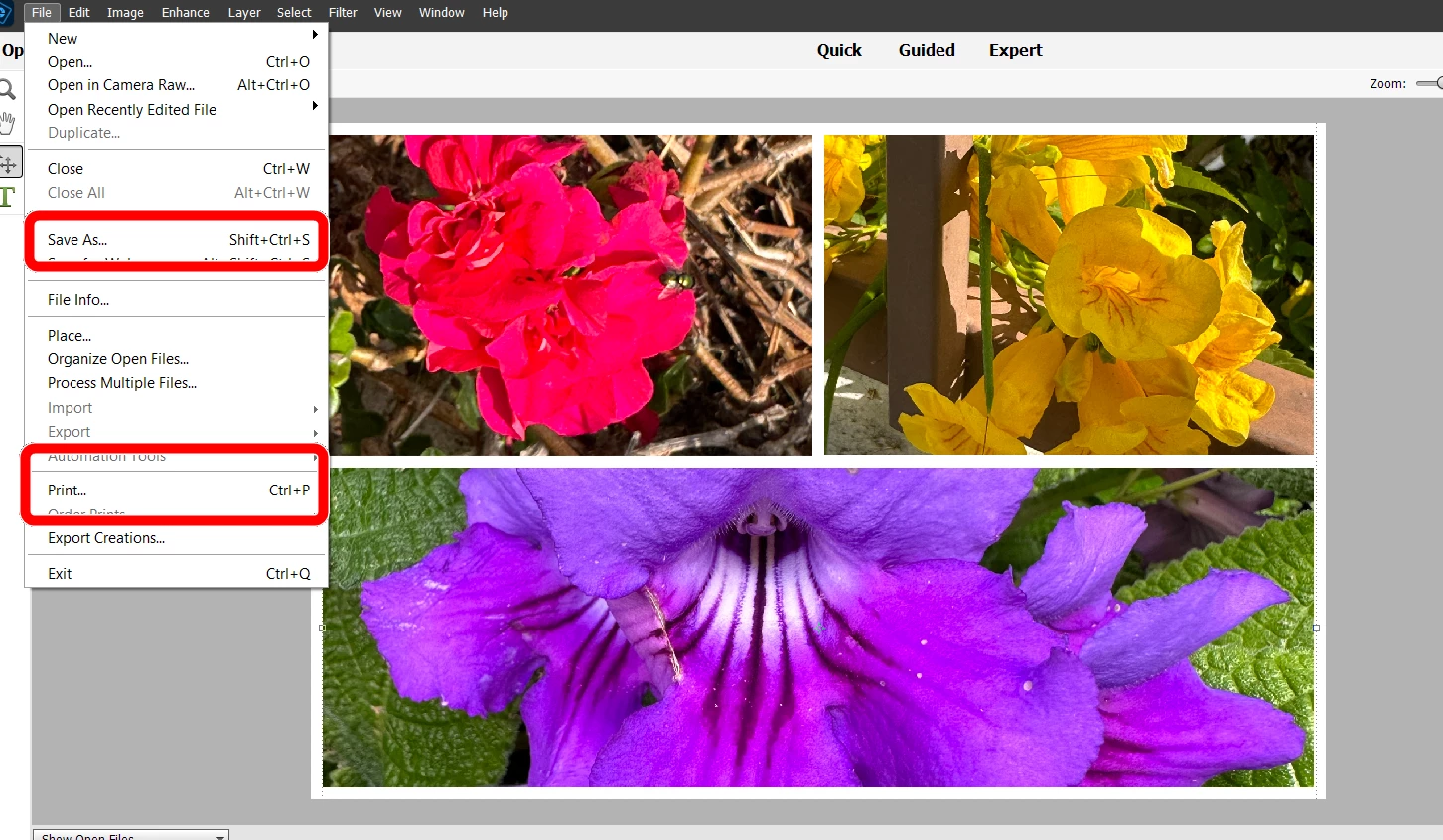
While you have the .pse file open in the Collage Editor, you can use File>Print.

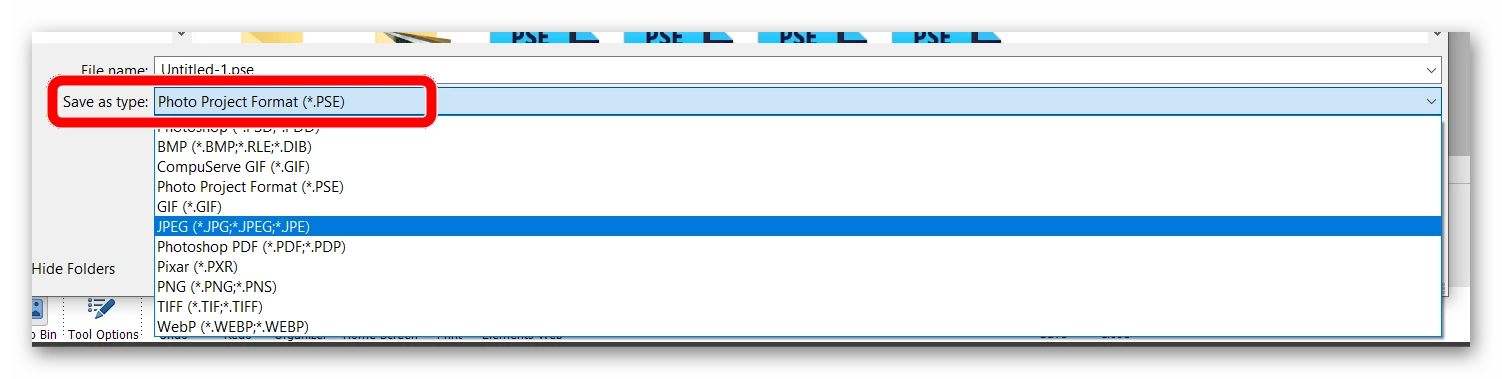
And to answer your original question, when you go to the File>Save As dialog from the Collage Editor, you need to change the Save as type (from the default Photo Project Format) to JPEG.


The .pse file that has been saved from the collage can be opened and edited again in the Collage Editor.


3 replies

Greg_S.
Community Expert
Greg_S.Community ExpertCorrect answer
Community Expert
November 18, 2022

While you have the .pse file open in the Collage Editor, you can use File>Print.

And to answer your original question, when you go to the File>Save As dialog from the Collage Editor, you need to change the Save as type (from the default Photo Project Format) to JPEG.


The .pse file that has been saved from the collage can be opened and edited again in the Collage Editor.


Participating Frequently
December 8, 2022

thanks to all. I solved my problem.

Yigal

Greg_S.
Community Expert
Community Expert
November 17, 2022

If you mean a .PSD file, then follow Walter's advice. 

A .PSE file is only used by Photoshop Elements to save certain kinds of projects.  They generally can't be converted to a .jpeg file. 

Participating Frequently
November 18, 2022
Thanks for your response !
How can I get a printed picture of the collage I did with the Adobe Element
?
Walter_H
Legend
November 17, 2022

Have you tried File > Save As?

--Walter in Davie, FL