


Participant
Sep 25, 2022 7:15 PM UTC
Answered

I have Adobe Elements 6 and 2022 Enhance drop down menu

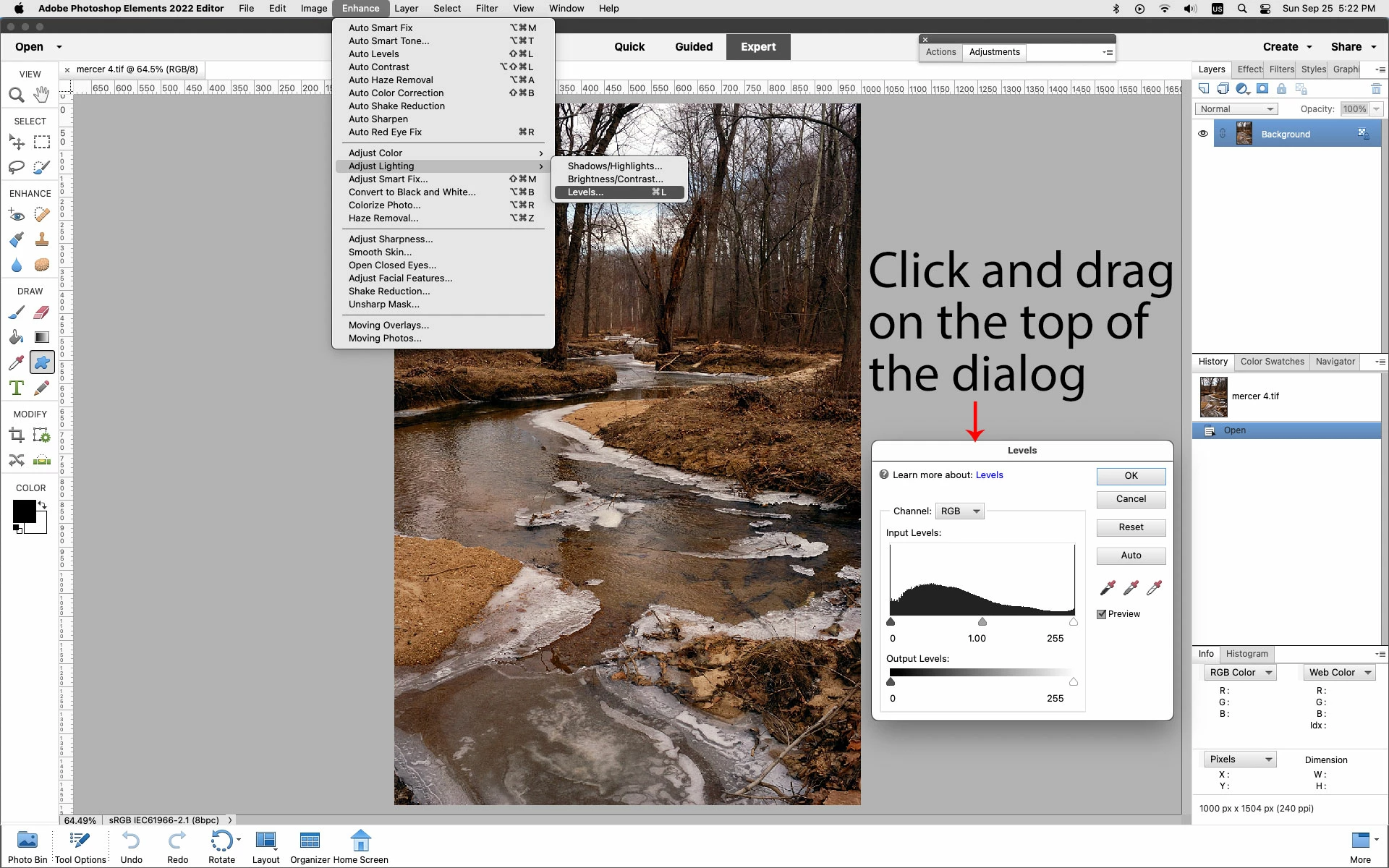
Say I have a picture I want to change the brightness on just one spot. I select that area then go to the Enchance drop down menu and select "Adjust Lighting" and the a selection boix with sliders appears in the center of the image usually cover up the part I selected. I can figure no way to move the box out of the way of the image, and the problem still exists in 2022 and I know it has been a bug in the program since version 6.0.. many moons ago. It's hard to adjust an image you can't see because a dialogue box is blocking it.

Is this a design flaw or is there a work around, there is plenty of space on the sides or bottom to put the dialogue box.

This topic is closed to new replies. Start a new post to keep the conversation going.
Jeff Arola
Jeff ArolaCorrect answer
Community Expert
Sep 25, 2022 9:26 PM UTC

What operating system are you using?

What item are you selecting from Enhance>Adjust Lighting menu?


If you place your mouse cursor at the top of the dialog and click and drag, does the dialog move?


Can you post a screenshot of what your seeing?


2 replies

Jeff Arola
Community Expert
Jeff ArolaCommunity ExpertCorrect answer
Community Expert
Sep 25, 2022 9:26 PM UTC

What operating system are you using?

What item are you selecting from Enhance>Adjust Lighting menu?


If you place your mouse cursor at the top of the dialog and click and drag, does the dialog move?


Can you post a screenshot of what your seeing?


Translate
Participant
Sep 25, 2022 9:37 PM UTC
If you place your mouse cursor at the top of the dialog and click and drag,
does the dialog move?


Yes it does. I swear I tried clicking on all parts of the dialogue box but
must not have tried the top.

That is a big help.

Thanks
Translate