


Participant
March 17, 2021
Question

I keep reinstalling photoshop elements 2021 on Mac

  • March 17, 2021
  • 1 reply
  • 252 views

The installation of photoshop elements 2021 on my Imac Pro 2020 doesn't seem to stay. The installation seems to go well. I enter my key no problem. I then run the update, no problem. The program runs and I can use it no problems.

I quit photo element, no problems. When I try to use it again, the Icon in the Application folder is grey out. When I double click on it the photoshop elements 2021 icon shows up in photoshop elements 20

21 folder. I double click that icon and finder opens a folder with the install app on it and three other folders. (see att.)
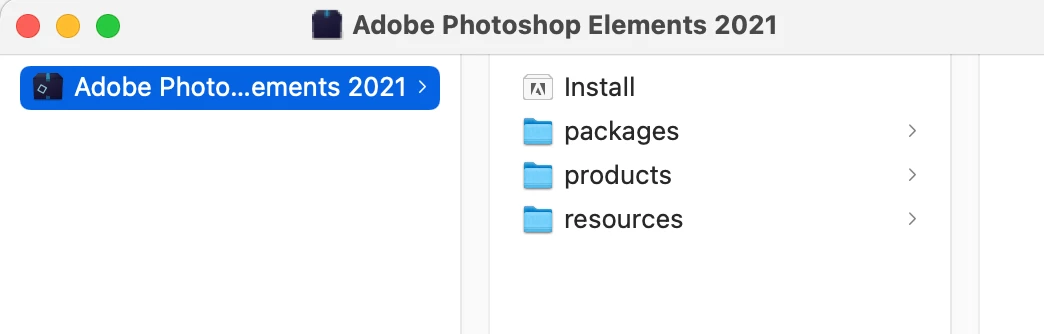
I de-installed and reinstalled a bunch of time with the same result.

Can anyone help?

This topic has been closed for replies.

1 reply

Hajoshi
Adobe Employee
Adobe Employee
April 6, 2021

Dear User,


The snip of the folder you have attached is of volume mounted to your mac for installating the product.


Kindly follow the below steps to launch Photoshop Elements Editor.


If the product is installed in deafult location go to:

/Applications/Adobe Photoshop Elements 2021/Support Files/Adobe Photoshop Elements Editor.app


If the product is installed in custom location go to:

/<CustomLocation>/Adobe Photoshop Elements 2021/Support Files/Adobe Photoshop Elements Editor.app


In case you still face any issue, please attach the error screenshot.


Regards,

Harshita