
Answered
I want to stop the pop-up ad for Photoshop Elements 2024.
How to stop the pop-up ad for Photoshop Elements 2024. I have had the 2023 version for 2 months and resent seeing this pop-up. Judy

How to stop the pop-up ad for Photoshop Elements 2024. I have had the 2023 version for 2 months and resent seeing this pop-up. Judy
Try going to Edit>Preferences>Adobe Partner Services and unchecking the boxes there.
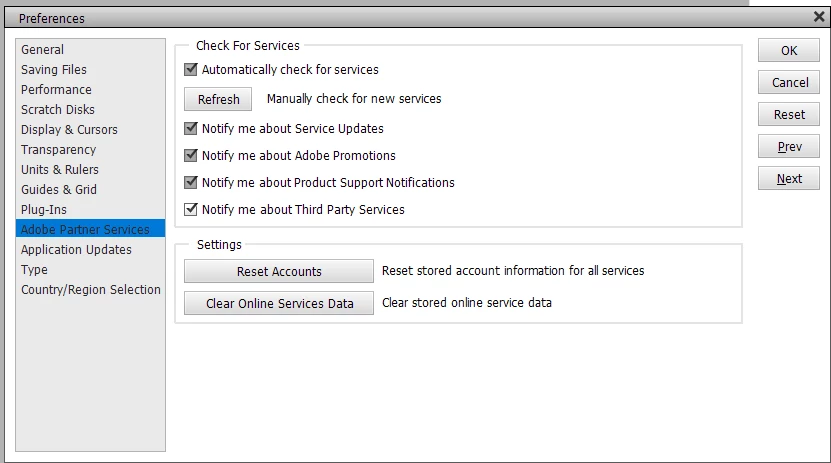
You might also try clicking on the Explore button (on the popup) and going to the website just once. I don't know if this will turn the notification off forever, but it may.
Already have an account? Login
Enter your E-mail address. We'll send you an e-mail with instructions to reset your password.


 AdChoices