


Known Participant
August 1, 2026
Question

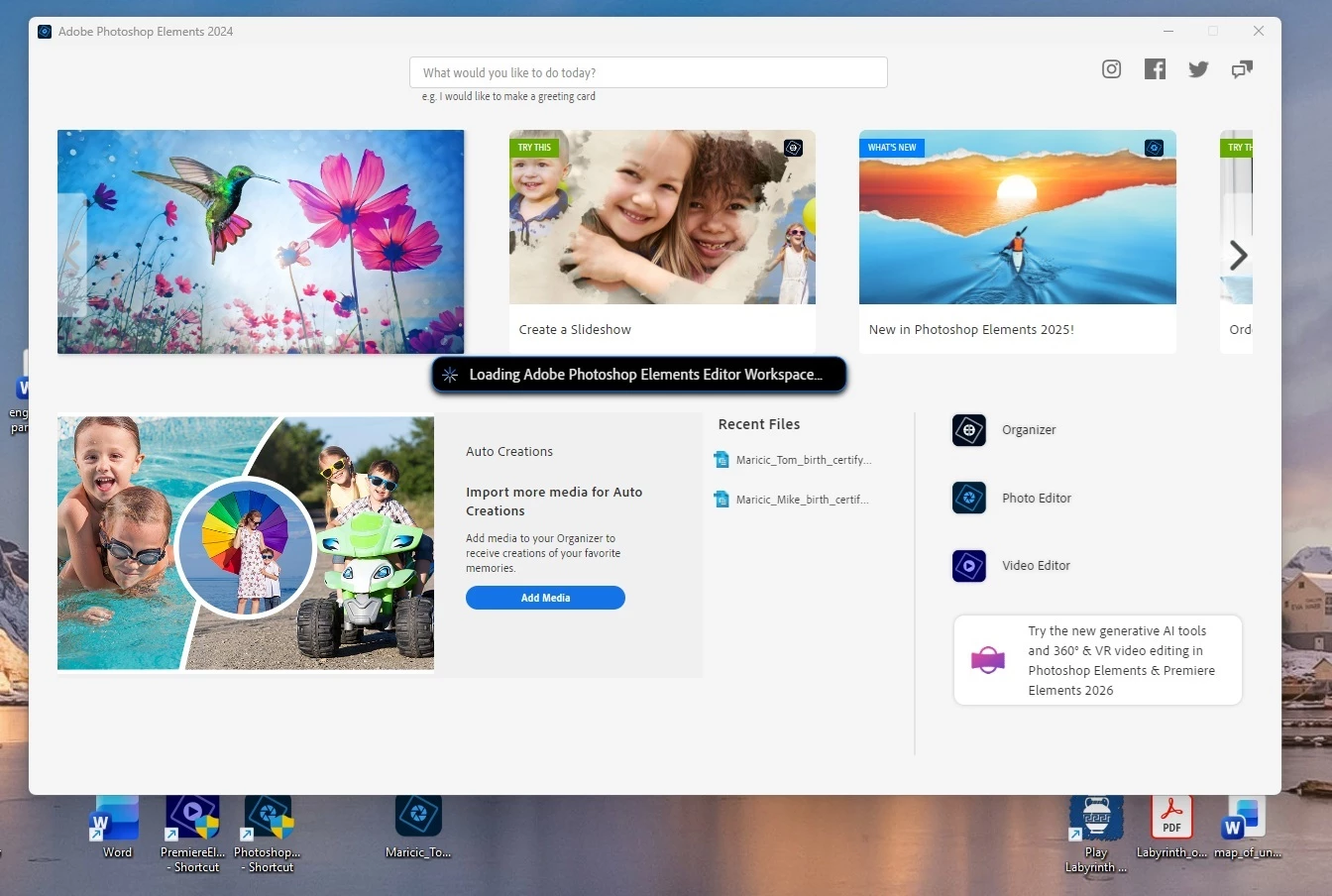
If I click on a PDD file or a BMP file, I can't get past the opening screen in Adobe Photoshop Elements 2024, running Windows 11 on a Dell xps8940. JPG files seem to work
  • August 1, 2026
  • 6 replies
  • 66 views

The program used to work.  I haven’t tried it on this computer in a while.  I clicked on a PDD file and it hung up on the opening screen.  When I clicked on the shortcut I had placed on my desktop, I got the same thing.  I followed some online instructions to make a new shortcut, and that opened up the editor.  But I could not drag my PDD file into that editor.

I’m wasting my life here.  And it is not fun.  Why is this happening?  Who is going to fix it for me?


    6 replies

    Jeff Arola
    Community Expert
    Community Expert
    August 5, 2026

    Adobe PhotopDeluxe is where .pdd files can be created and Photoshop Elements does support them.(.pdd is the native file format of PhotoDeluxe like .psd is the native file format in Photoshop elements)


    smaricic,


    Once you have the Photoshop Elements 2024 Editor open are you able to go to File>Open and open .pdd and .bmp files?


    The only way i could get files to open by drag and dropping on a PSE 2024 shortcut was to create a shortcut of the PhotoshopElementsEditor.exe in C:\Program Files\Adobe\Photoshop Elements 2024 by right clicking on the  PhotoshopElementsEditor.exe and using Send to> Desktop (create shortcut)

    On Windows 11 after right clicking on the PhotoshopElementsEditor.exe click Show more options to see the Send to> Desktop (create shortcut).


    Glenn 8675309
    Legend
    August 4, 2026

    You are going to fix it for you.   This is a user to user forum, with a little bit of help you will fix the issue for yourself.

    When you drag and drop a photo  onto the shortcut for the editor it just goes to the pretty start screen- for me at least. 

    About your PDD file:  If it actually is a PDD file, and not a PDF file: you’re simply out of luck- PSE does not work with PDD files.

    smaricicAuthor
    Known Participant
    August 4, 2026

    Thanks, Glenn,

         I have a second computer, our “upstairs” computer -- it’s a Dell XPS 8950, running Windows 11..  Photoshop Elements 2024 works just fine on that one.

        if I click on a PDD file (and, by the way, the computer tells me it IS a PDD file) that file opens up in the Photo Editor.  Same with JPG and BMP files.

         Or, if I click on the Photoshop Elements 2024 shortcut on that computer, and click on the Photo Editor Icon on the right side of the Intro screen, the Photo Editor opens up.  Then, if I drag any of those file types onto the Photo Editor, they open up.

        But our “downstairs” computer, the Dell XPS 8940, running Windows 11, has a problem with PSE 2024.


    Phinny
    Legend
    August 4, 2026

    To future proof your .PDD files, you be wise to open them and save them as .TIF’s.  

    Ged_Traynor
    Community Expert
    Community Expert
    August 2, 2026

    @smaricic you’d be better off reporting the issue on the Photoshop Elements forum

    smaricicAuthor
    Known Participant
    August 3, 2026

    Thank you for your advice.  I’m a little confused.  I thought I was on the Photoshop Elements forum.

    I’ll give it another try.