Participant
June 27, 2017
Answered

Invoeren tekst

  • June 27, 2017
  • 2 replies
  • 606 views

Bij invoeren van tekst bijvoorbeeld Grand Haven zoals in de les voor invoeren tekst krijg ik zoals in afbeelding.
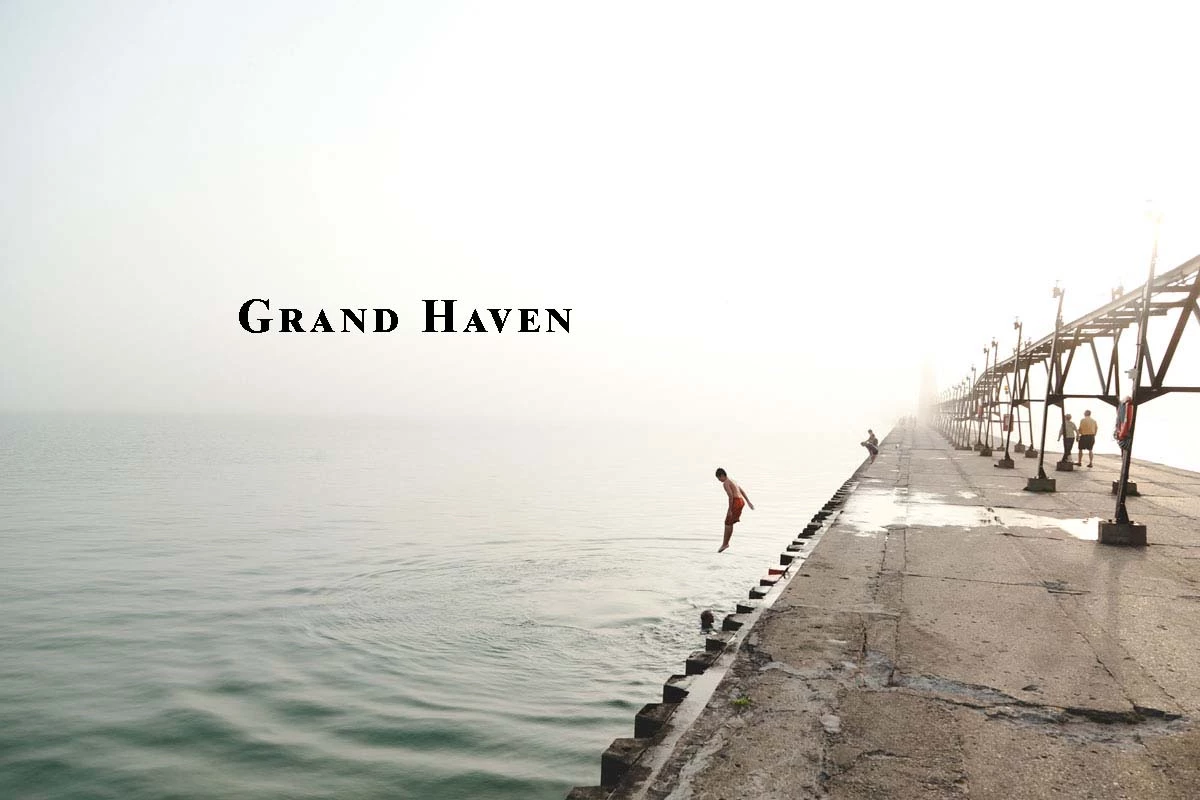
"Grand Haven" is een kopie van de ingevoerde tekst.

De kleine letters zijn juist een verkleining van de hoofdletters. Waar kan ik dit in elements 15 dit aanpassen ( in elements 11 heb ik het zelfde probleem).
This topic has been closed for replies.
Correct answer 99jon

Het probleem is met alle lettertype,  heb het met verschillende types geprobeerd.


I am not seeing this in PSE15. If the problem continues try a tool reset. A simple reset will often do the trick. Go to this link and select the T tool:

Fix Tool

2 replies

Community Manager
June 28, 2017

Hi Paul,

In case you are stuck with typing only uppercase letters irrespective of your Caps Key on/off, requesting you to please follow the instructions mentioned in the article Type tool stuck in Caps Lock position

Let us know if you need further assistance.

Thanks,

Anwesha

Participant
June 29, 2017

Beste,

Heb jullie reacties gevolgd maar zonder resultaat, dus mij vraag blijft.

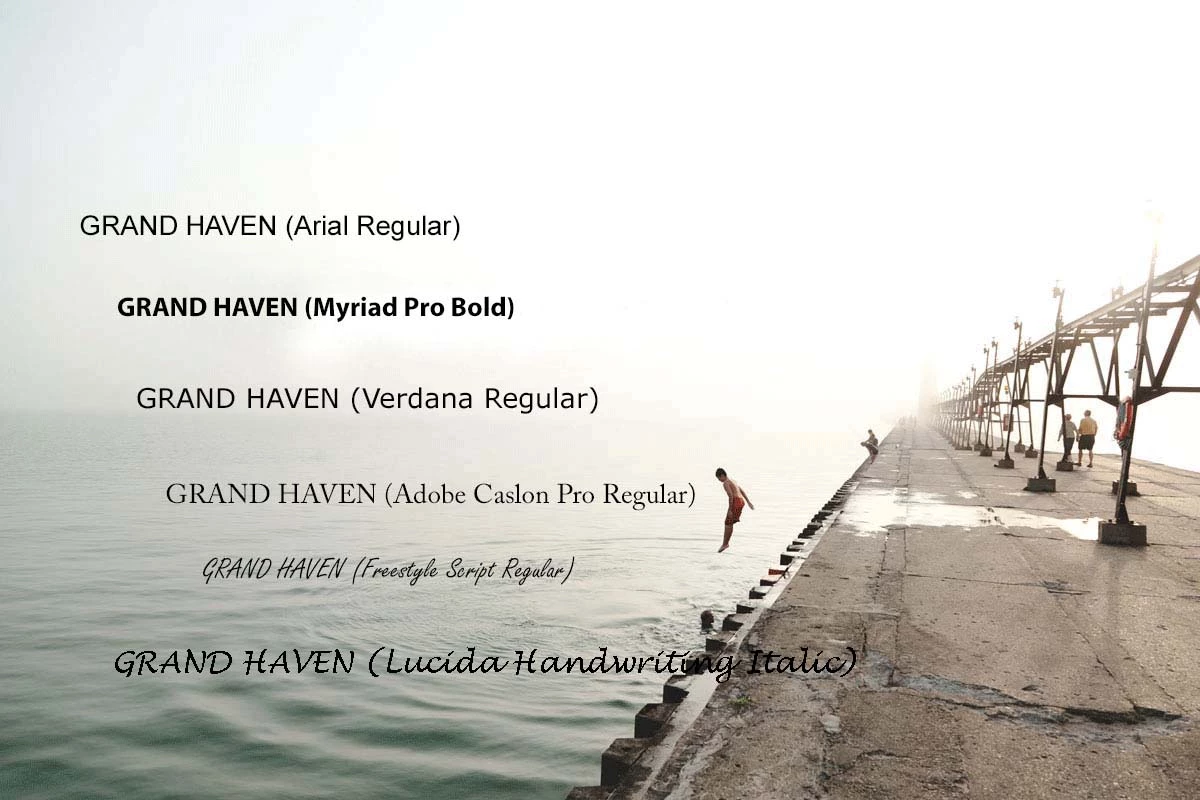
Hoe krijg ik de kleine hoofdletters in kleine letters van het zelfde lettertype? Als ik tekst van uit een ander programma invoer (copy/past)

veranderende kleine letters naar kleine hoofdletters wat niet mijn bedoeling is, zelf met letters met de zelfde lettertype.

Bijvoorbeeld:

Lucida Handwriting

Hierbij worden alle kleine letters kleine hoofdletters

Wat me wel lukt met PAINT (windows)

Hopelijk kunnen jullie me verder helpen.

Paul.

Adobe Employee
June 29, 2017

HI Paul,

Can you please specify the name of the font with which you are facing issue. I would have it checked it at my end.

Thanks,

Arshla

Adobe Employee
June 28, 2017

Hi Paul,

Thanks for reaching out to us.

As per my understanding, you wish to have smaller letters in lower case or have them all of same height. Please correct me in case it's otherwise.

This is no bug/error. The font you are using is designed this way i.e. the lower case letters come in capitals but with reduced x-height.

Either you can use some other font to have smaller letters in lowercase or select only the smaller letters and increase their font size to match the first (capital) letter. Check this Edit text in Photoshop Elements .

Thanks,

Arshla