Known Participant
Jan 23, 2024 3:32 AM UTC
Answered

Issue with opening files from Bridge in PSE

I am trying to add PSE 2021 to Bridge 2023 so that I can open photo files by right-clicking on them. PSE isn't listed, so I go to the C drive, click on the Adobe file, and choose PSE. Then I double click. That is opening another file, and I am not sure what to click on within that file. There are things in it like the desktop shortcut, the exe, plugins. 


Can someone please tell me how to do this? 

I do realize I could use PSE Organizer but I prefer to use Bridge. Thank you! 

This topic is closed to new replies. Start a new post to keep the conversation going.
Jeff Arola
Jeff ArolaCorrect answer
Community Expert
Jan 23, 2024 6:50 AM UTC

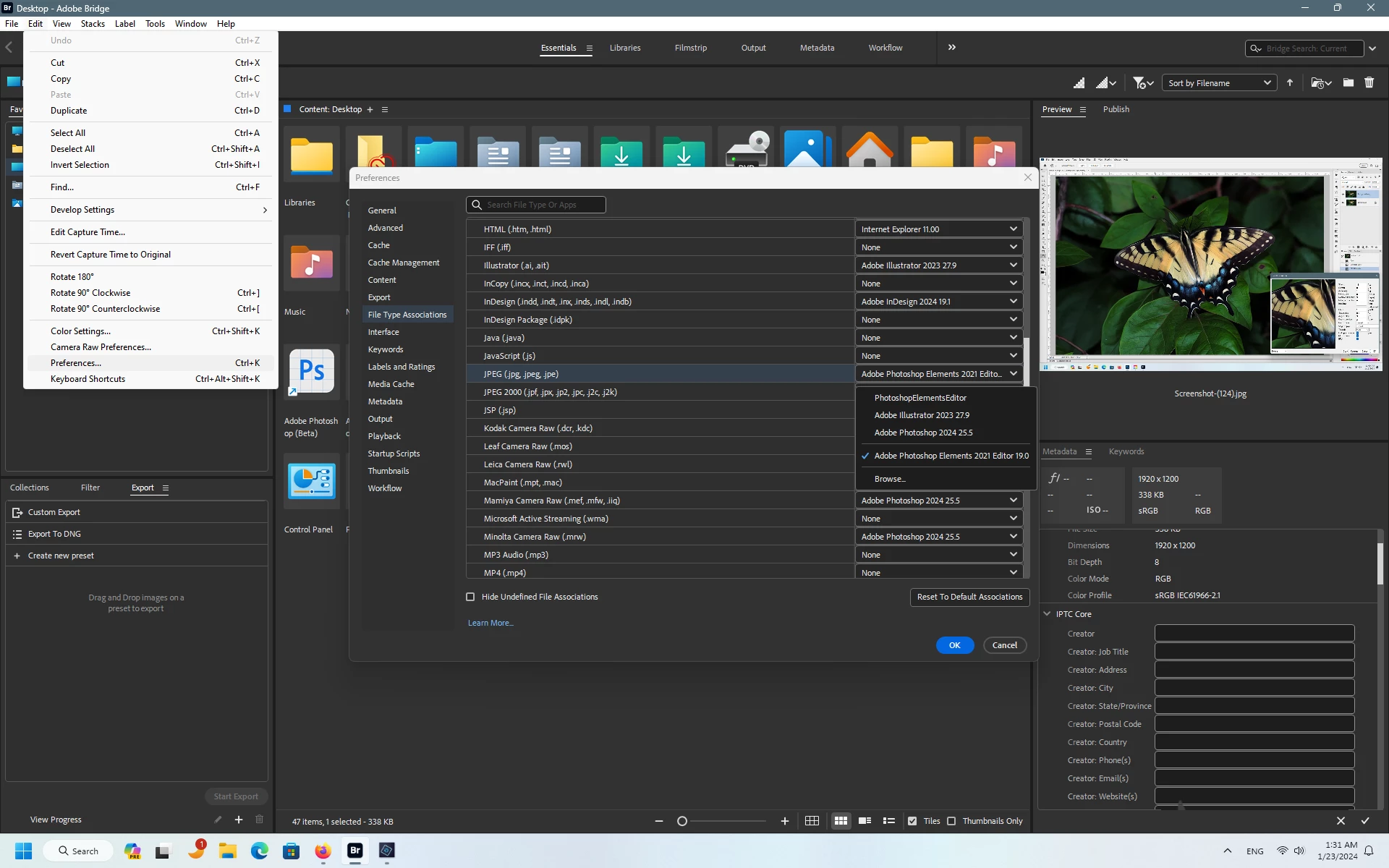
In Bridge go to Edit>Preferences>File Type Associations


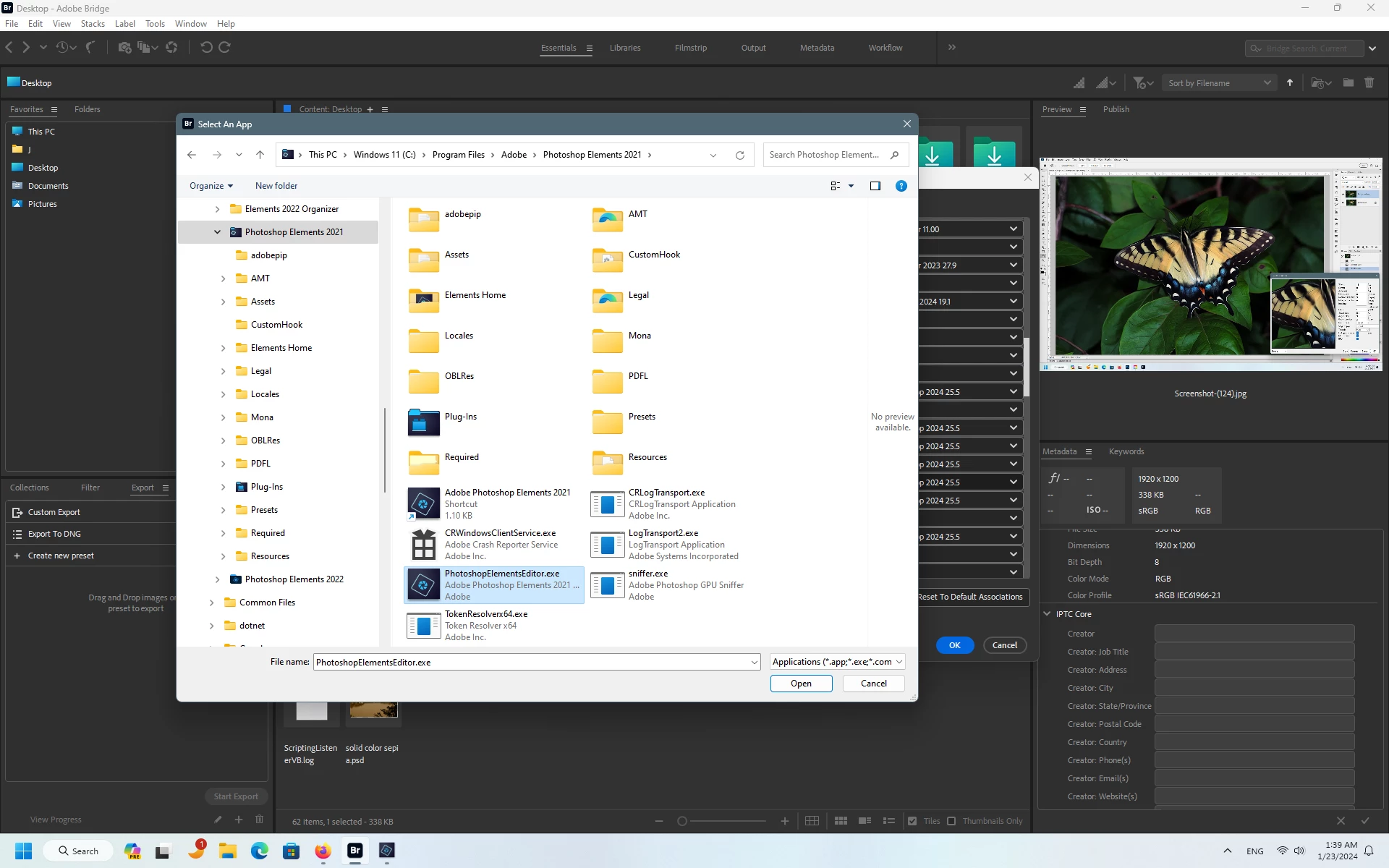
Pick a file type, for example, JPEG, click the dropdown menu, click Browse then navigate to

C:\Program Files\Adobe\Photoshop Elements 2021

and click on the PhotoshopElementsEditor.exe and click Open


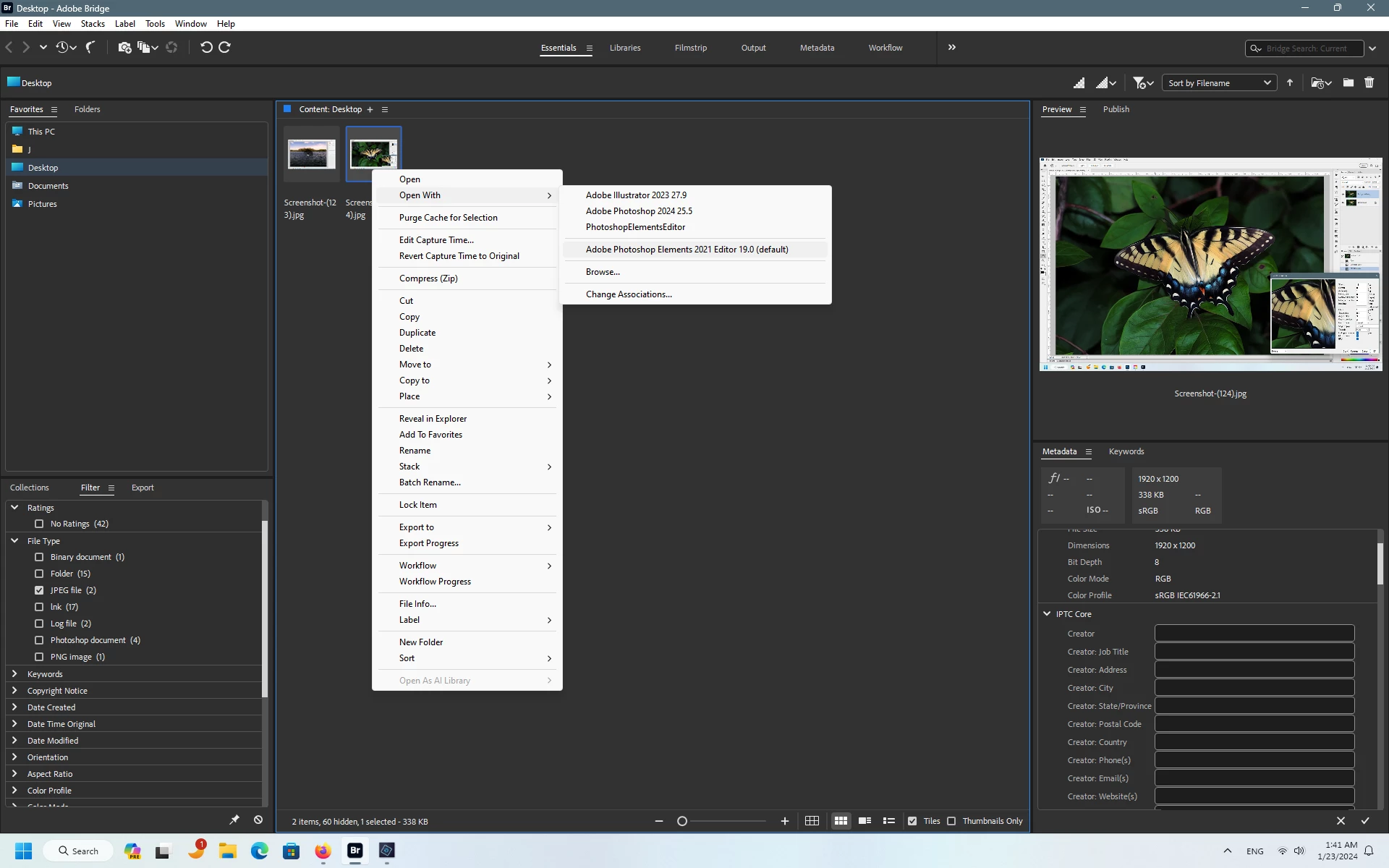
Then right clicking on a JPEG in Bridge, then Open With should show the Adobe Photoshop Elements 2021 Editor 19.0


2 replies

Jeff Arola
Community Expert
Jeff ArolaCommunity ExpertCorrect answer
Community Expert
Jan 23, 2024 6:50 AM UTC

In Bridge go to Edit>Preferences>File Type Associations


Pick a file type, for example, JPEG, click the dropdown menu, click Browse then navigate to

C:\Program Files\Adobe\Photoshop Elements 2021

and click on the PhotoshopElementsEditor.exe and click Open


Then right clicking on a JPEG in Bridge, then Open With should show the Adobe Photoshop Elements 2021 Editor 19.0


Translate
Known Participant
Jan 23, 2024 9:34 PM UTC

Thank you very much! It worked perfectly. 


Translate