
Participant
December 18, 2022
Question

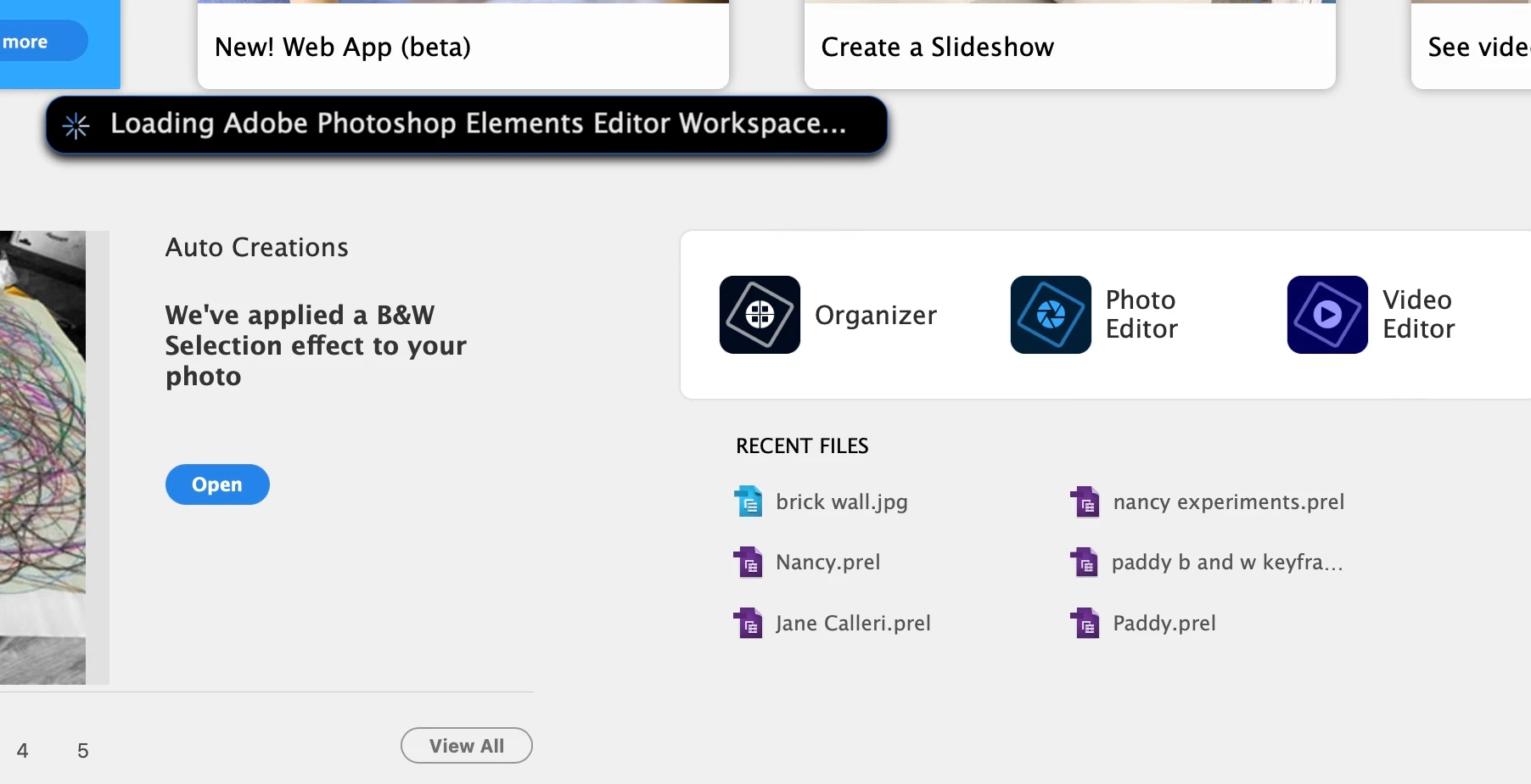
issue with photoshop elements 2023 on a mac [Stuck on Loading Editor Workspace]

  • December 18, 2022
  • 1 reply
  • 1525 views

it will not load even though I've re-installed it and closed my computer several times! it says it trying, see screeshot below, but then it times out. My 2023 premiere elements works fine. I had trouble with 2023 organizer, but when I got that working, photoshop elements stopped working and  refused to load. anyone tell me what's happening and how I can fix it? thanks so much!
This topic has been closed for replies.

1 reply

Glenn 8675309
Legend
December 18, 2022

Do you have any plug ins installed?

Participant
December 18, 2022

thank you for responding! I don't think so. the puzzle is everything was
working fine until I opened organizer after which photoshop elements
wouldn't load, although it looked like it was trying! I also have the 2022
version on my computer, and wonder if I should uninstall it and try
again...or uninstall everything and try again...

H. Fay Wilkinson
The Creative Cocoon
Registered Expressive Arts Practitioner
Storycatcher

Glenn 8675309
Legend
December 18, 2022

Hold down your left command key, then click on the icon that you use to start the editor. 

Annswer yesr when given the choice.