Katalog PSE9, Wechsel auf PSE2019, Bilder und Katalog auf NAS, Bilder werden nicht mehr gezeigt und langsame Programmreaktion
Ich hatte auf meinem alten PC PSE9 im Einsatz. Die Bilder (ca. 20.000) und der Katalog liegen auf einer NAS (Synology DS216j), das lief problemlos.
Habe mir jetzt einen neuen PC gekauft und PSE2019 installiert. Nach der Verbindung mit dem Katalog (den ich auch schon konvertiert, repariert und optimiert habe) zeigt PSE2019 die Bilder nicht als Miniaturen, sondern nur als graue Fläche mit einem weißen Fragezeichen und in der oberen linken Ecke einen Button (der aber nichts bewirkt). Das sieht folgendermaßen aus:
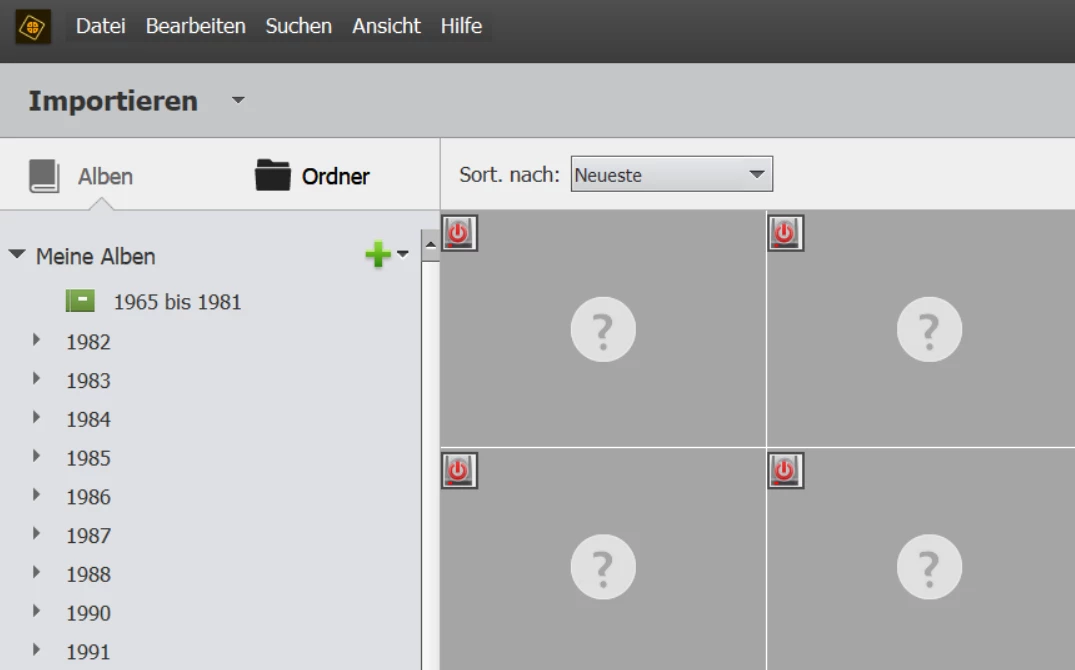
PSE2019 braucht ewig zum Hochfahren und jeder Klick bewirkt eine mehrminütige "Denkpause" des Systems. Ich habe testweise auch nochmal PSE9 auf dem neuen PC installiert und mit dem Katalog verbunden, das Ergebnis war leider das gleiche.
Der Adobe-Support wollte / konnte keine Hilfe geben. Einerseits war die Aussage ich hätte zu viele Versionen übersprungen und man könne in diesem Fall nicht garantieren, dass der Zugriff der neuen Version auf den alten Katalog funktionieren würde. Außerdem würde man NAS-Systeme nicht unterstützen.
Ich hoffe, das jemand in der Community evtl. diesen Fehler auch hatte und wäre für eine Hilfe sehr dankbar!
 AdChoices