


Participating Frequently
November 27, 2021
Question

Keyboard Shortcut

  • November 27, 2021
  • 2 replies
  • 470 views

Hello, I've been lurking and reading posts on this forum for a few years. This is my first post.


Is there a keyboard shortcut to open the Adobe Color Picker dialog window in PSE. The window I'm referring to is this:
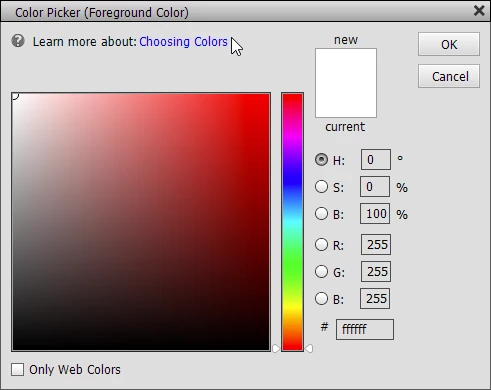
Thanks,


This topic has been closed for replies.

2 replies

KR ShipAuthor
Participating Frequently
December 1, 2021

@Glenn 8675309, Thanks for your reply. I'm aware of the D & X shortcuts. I was hoping to find a shortcut I was not aware of to open the color picker dialog shown in my original post.


KR - A retired dude trying to learn PS 2022, PSE 2022, and Affinity Designer
hatstead
Inspiring
November 27, 2021

The only shortcuts that I am aware of are:

D for default (Black - -  foreground color, white - - background color}

X toggles between them.

You may find the user guide helpful. There are a host of shortcuts referenced in this document.

Welcome to the Photoshop Elements User Guide (adobe.com)

KR ShipAuthor
Participating Frequently
November 28, 2021

Thanks for your rreply @hatstead. I'm aware of the D & X shortcuts. I was hoping there was a shortcut I was not aware of to open the color picker dialog.


KR - A retired dude trying to learn PS 2022, PSE 2022, and Affinity Designer
hatstead
Inspiring
December 1, 2021

You're welcome. Glad to help.