
Inspiring
February 1, 2021
Answered

Keyword Tags in 2020 Organizer and not showing anywhere else

  • February 1, 2021
  • 2 replies
  • 740 views

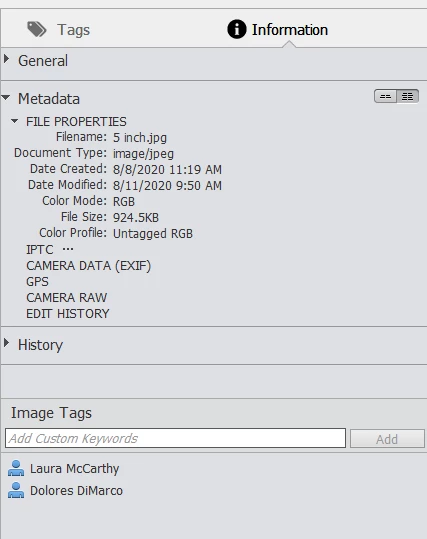
I am new to Tagging. I bought Elements 2020 or 21 and I like the organizer. But what I tag a photo then open it up in Bridge or Photoshop there is no Tag Info. I know I can Tag in Bridge and PS but the Elements Organizer helps me in other ways.

What am I doing wrong or what do I need to do to Tag a photo and have it carry through to other software?

Dave
Correct answer Greg_S.

@TJM73 I think the only way to delete keyword tags from a file's metadata so that they don't show up in Windows File Explorer is to edit the tags in the File's Properties>Details tab (in File Explorer).

2 replies

Greg_S.
Community Expert
Greg_S.Community ExpertCorrect answer
Community Expert
April 14, 2025

@TJM73 I think the only way to delete keyword tags from a file's metadata so that they don't show up in Windows File Explorer is to edit the tags in the File's Properties>Details tab (in File Explorer).

Participating Frequently
April 14, 2025

Thanks @Greg_S.  That's what I thought.

MichelBParis
Legend
February 1, 2021

By default, your keywords are only stored in the catalog.

It's up to you to 'write metadata to files' (Shortcut Ctrl W).

Then they are available to Bridge, PS or LR or most other editing programs. You'll see in the IPTC section showing in your screenshot as well as in the properties in the Windows explorer.

Note that  Lightroom is able to 'convert' organizer catalogs to its own format, recovering the keywords even if they are not 'written to files'.

Participating Frequently
April 13, 2025

I have a follow up question in relation to savaing meta data to the file. I'm newbie and testing this now. Adding new keywords is working fine and they are showing in Win file explorer immediately.


However I did notice that in PSE Organizer deleted keywords don't get deleted in File Explorer and keep showing in F. Explorer even after new metafile saving in PSE. Could you help me with this 

 @MichelBParis

Participating Frequently
April 13, 2025

And a important detail that I'm using PSE Organizer 2024.