Participant
February 9, 2023
Answered

lagenpallet
  • February 9, 2023
  • 3 replies
  • 499 views

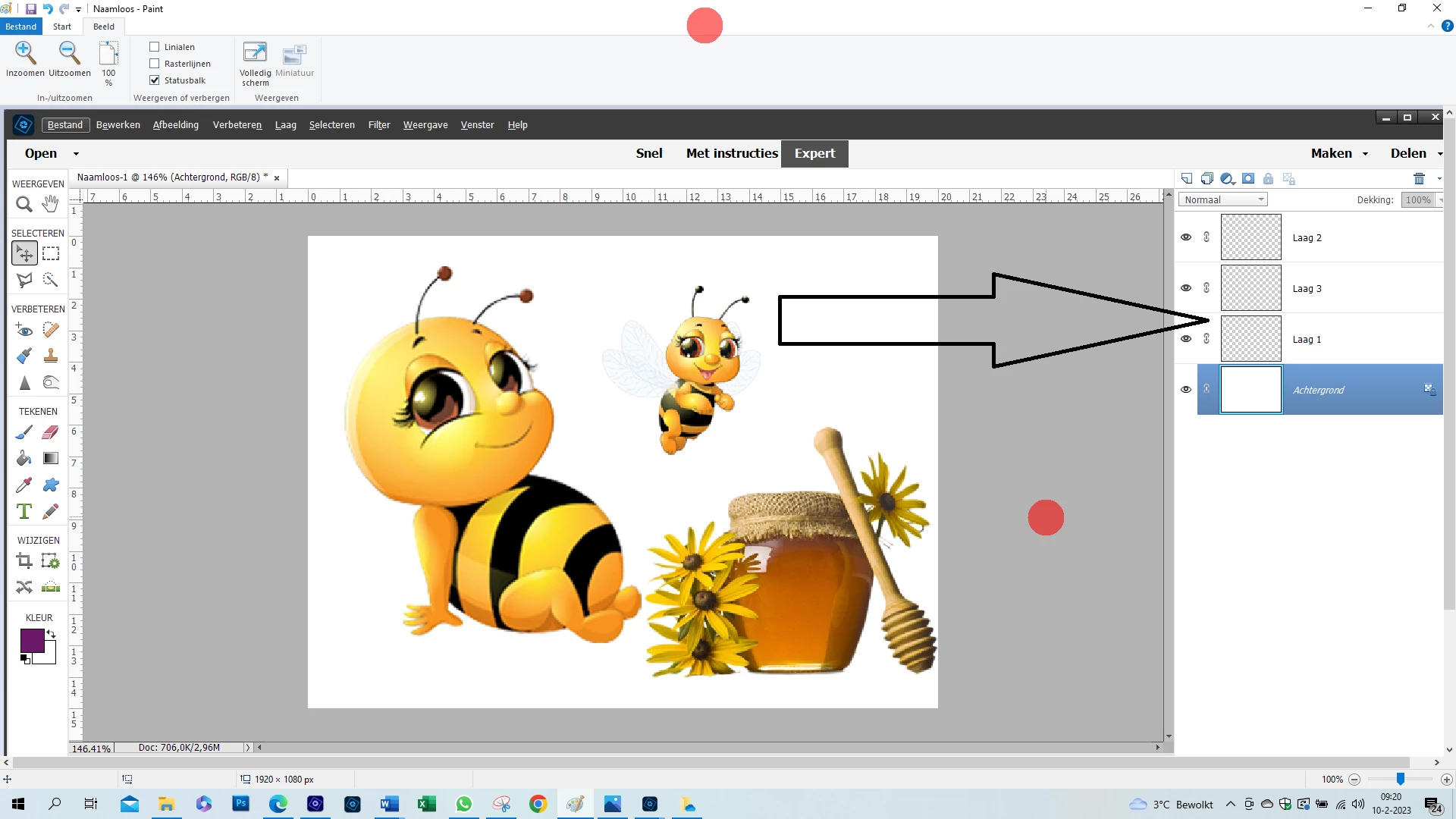
In het lagenpallet zijn de lagen niet zichtbaar is hier een oplossing voor?

Zie mail 9 februari
Mariette

This topic has been closed for replies.
Correct answer hatstead

Go to Edit menu>general and click on Reset preferences on next launch. Then, close PSE and restart the program. That may fix it. 

3 replies

Greg_S.
Community Expert
Community Expert
February 10, 2023

@mariette228447579wx7, please let us know if hatstead's suggestions fix your problem.  We have recently seen another user with this issue and our proposed solutions did not work. 


Please tell us what version of Elements you are using and also give us the specifications of your computer, particularly the graphics card you are using.

Participant
February 18, 2023

Yes the problem is fixed thank you

hatstead
hatsteadCorrect answer
Inspiring
February 10, 2023

Go to Edit menu>general and click on Reset preferences on next launch. Then, close PSE and restart the program. That may fix it. 

Participant
February 9, 2023

de lagen in het lagenpallet zijn niet zichtbaar (transparant), je kunt niet zien wat zich op de laag bevindt in photoshop elements 2022

hatstead
Inspiring
February 9, 2023

Please provide a screen shot so that we may look at what you are seeing or not seeing.


Participant
February 10, 2023

[image: image.png]

--
Met vriendelijke groet,
Mariette Maas

[Personal information removed by moderator.]