Participating Frequently
March 14, 2024
Answered

Laser copy rasster removal

  • March 14, 2024
  • 2 replies
  • 492 views

I have a fairly old laser copy of a photo. How can I reduce the raster pattern? I have Photoshop Elements 12.

Thanks

This topic has been closed for replies.
Correct answer davescm

This is just a small part of the photo. It needs a lot more than just the laser scanning lines removed but if I could remove them decently I would spend time on the rest. I also have other laser scanned images so learning to doit would be appreciated.

It was probably scanned 25 years ago.

Regards


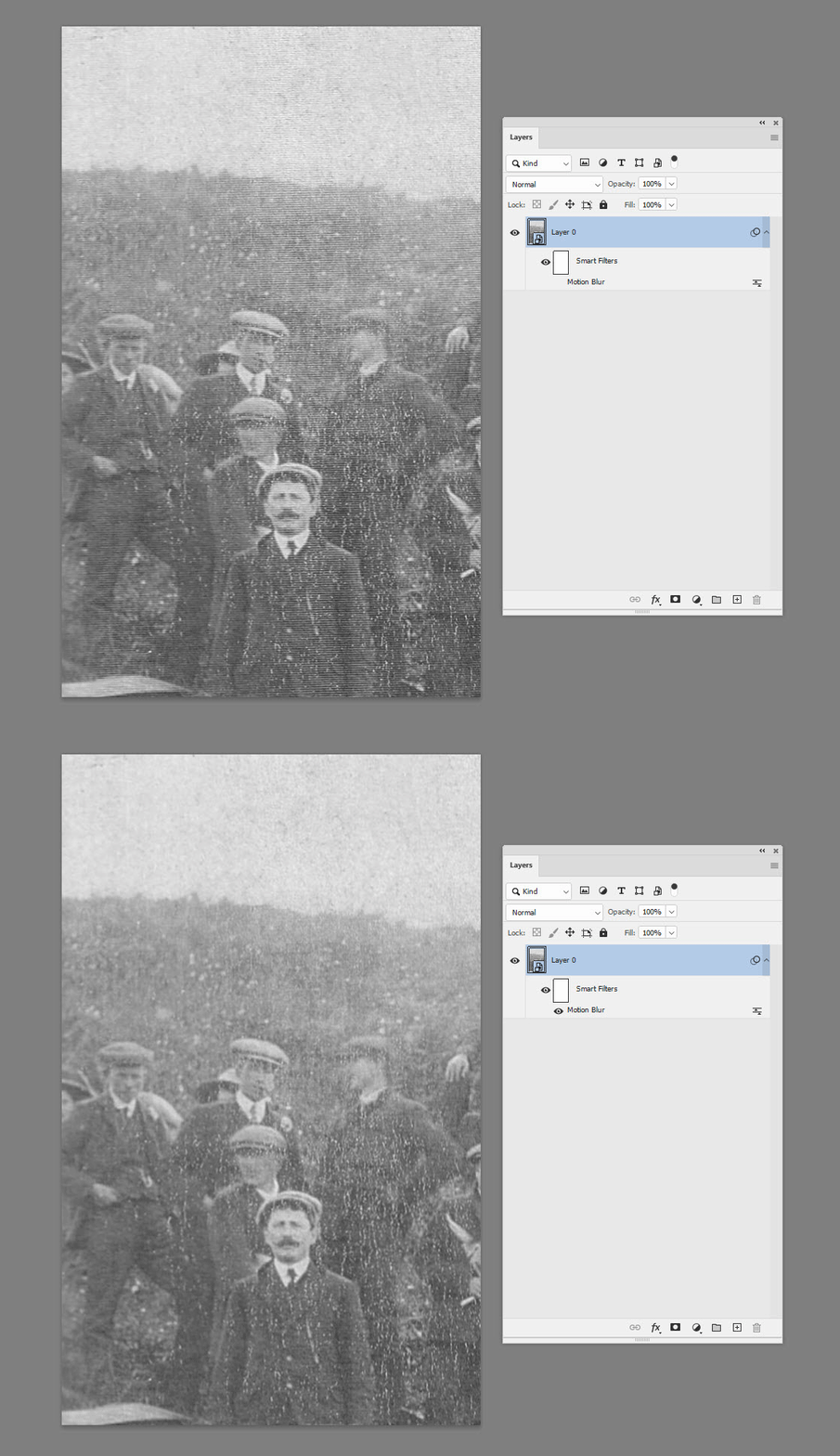
I don't use Elements but the quickest way to start would be motion blur in a vertical direction which I believe is available in Elements.

This screenshot is Photoshop using 5px vertical motion blur
 

Dave

2 replies

Glenn 8675309
Legend
March 14, 2024

Undedr the noise filter I chose "despeckle" a couple of times and adjusted the brightness and contrast-- a proof of concept sorta deeal with not much effort.   Sorry about the balck dot.

Playing with it in photoshop using some of the nerual filters (which are available in PSE). 


Here I spent about 10 min "edititng it in PS.

I think a couple of the guys were moving when the photo was taken.     

Participating Frequently
March 15, 2024

Thanks

Participating Frequently
March 14, 2024

Raster mas be the wrong term It is the scan lines of the laser that are visible.

Regards


davescm
Community Expert
Community Expert
March 14, 2024

Can you post a section as an example.

(I will move your thread to the Photoshop Elements forum)


Dave

Participating Frequently
March 14, 2024

This is just a small part of the photo. It needs a lot more than just the laser scanning lines removed but if I could remove them decently I would spend time on the rest. I also have other laser scanned images so learning to doit would be appreciated.

It was probably scanned 25 years ago.

Regards