
Participating Frequently
August 26, 2024
Answered

Layer problem can't click to work on

  • August 26, 2024
  • 1 reply
  • 204 views

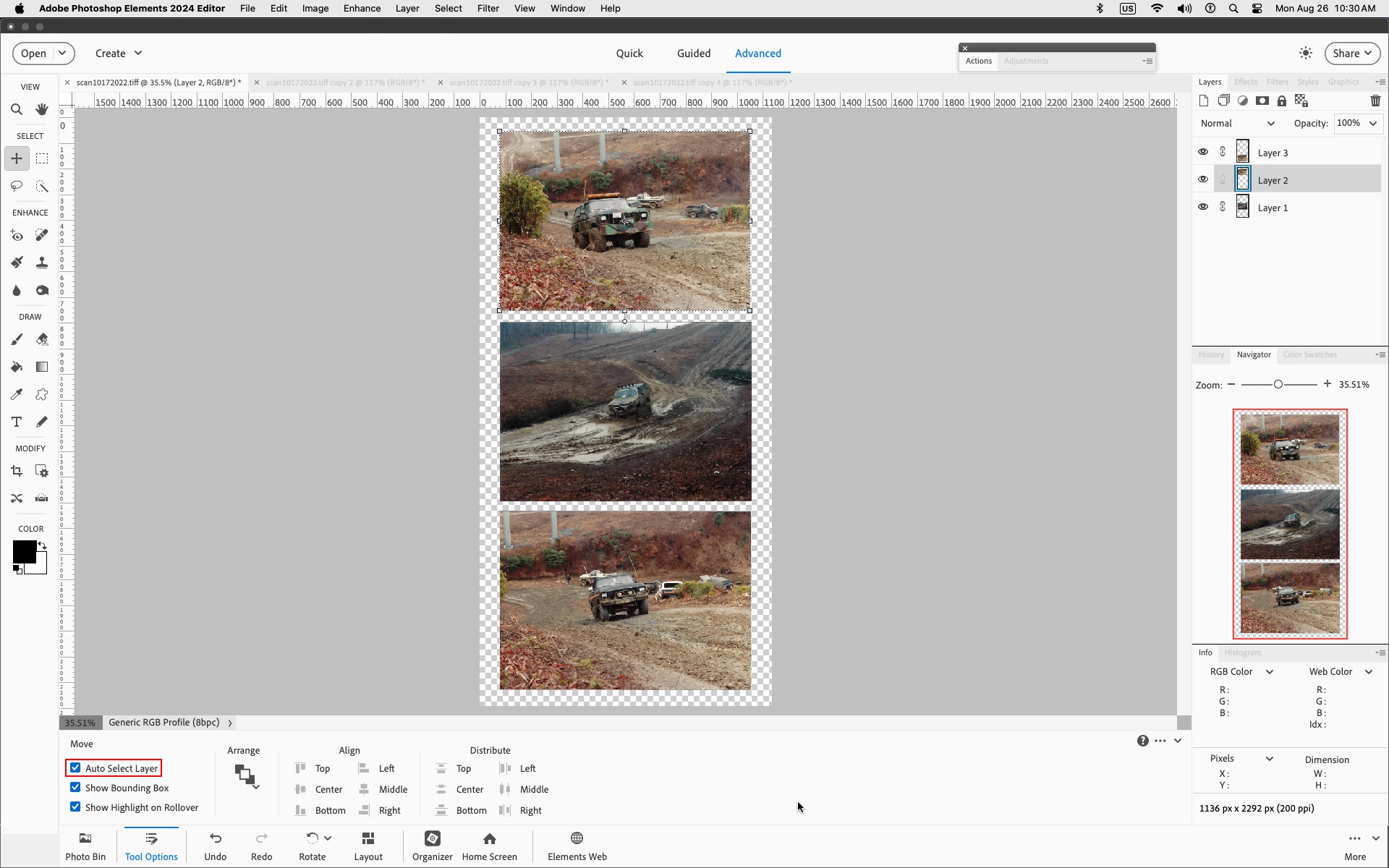
Layer problem can't click to work on. Normally I just click on wording or images on item I working on. IE clicking on a word in the working image it shows up blue in panel, but now doesn't work I have to search through layers trying to find it. Any suggestions please 
This topic has been closed for replies.
Correct answer Jeff Arola

What version of Photoshop Elements and operating system are you using?


With the Move Tool selected do you have Auto Select Layer checked in the Tool Options?


1 reply

Jeff Arola
Community Expert
Jeff ArolaCommunity ExpertCorrect answer
Community Expert
August 26, 2024

What version of Photoshop Elements and operating system are you using?


With the Move Tool selected do you have Auto Select Layer checked in the Tool Options?


Participating Frequently
August 26, 2024

2022 I'll look at move tool thanks