Amber B1982
Known Participant
June 23, 2024
Question

Layer Thumbnails disappearing PSE 2024

  • June 23, 2024
  • 3 replies
  • 543 views

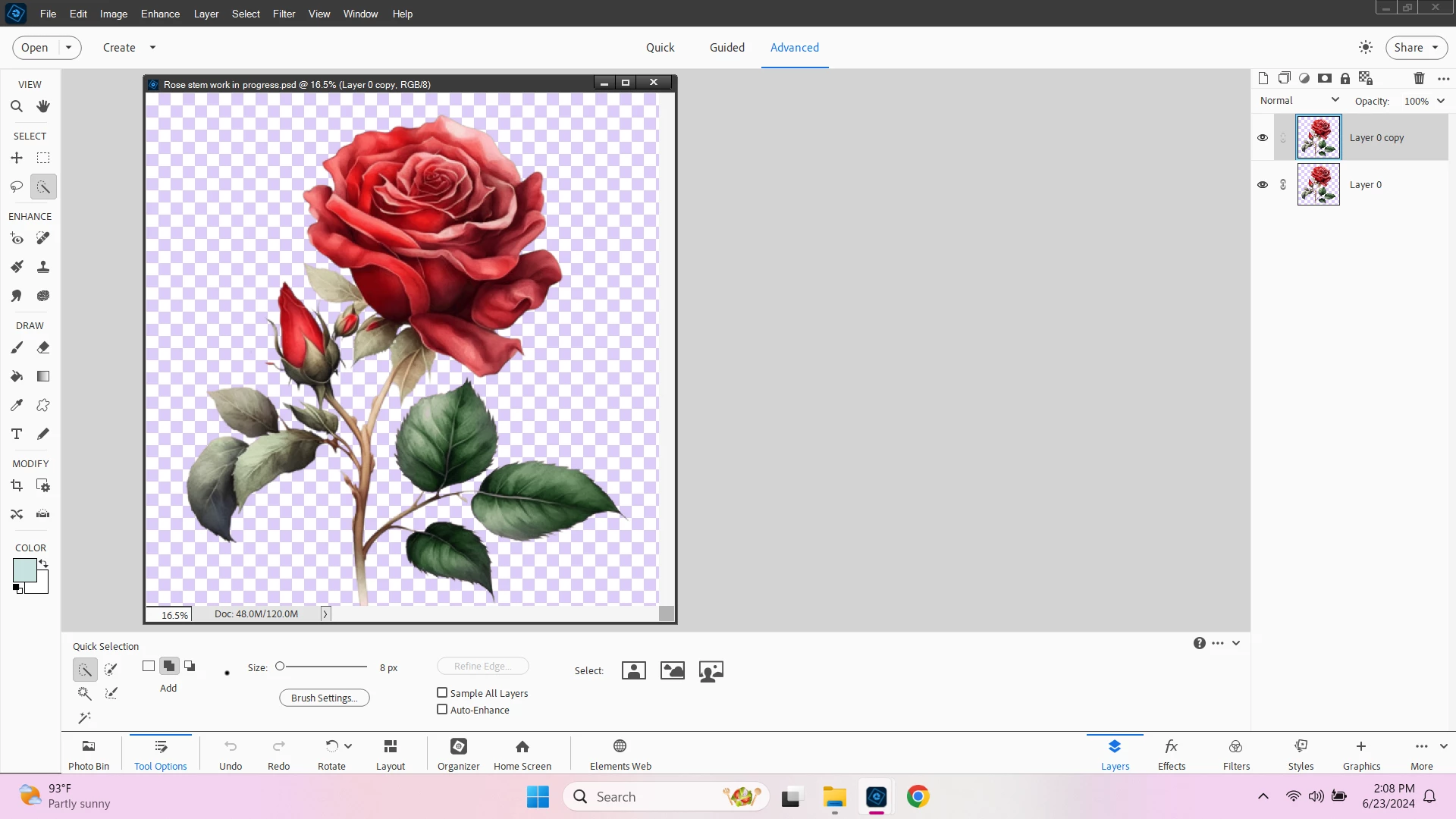
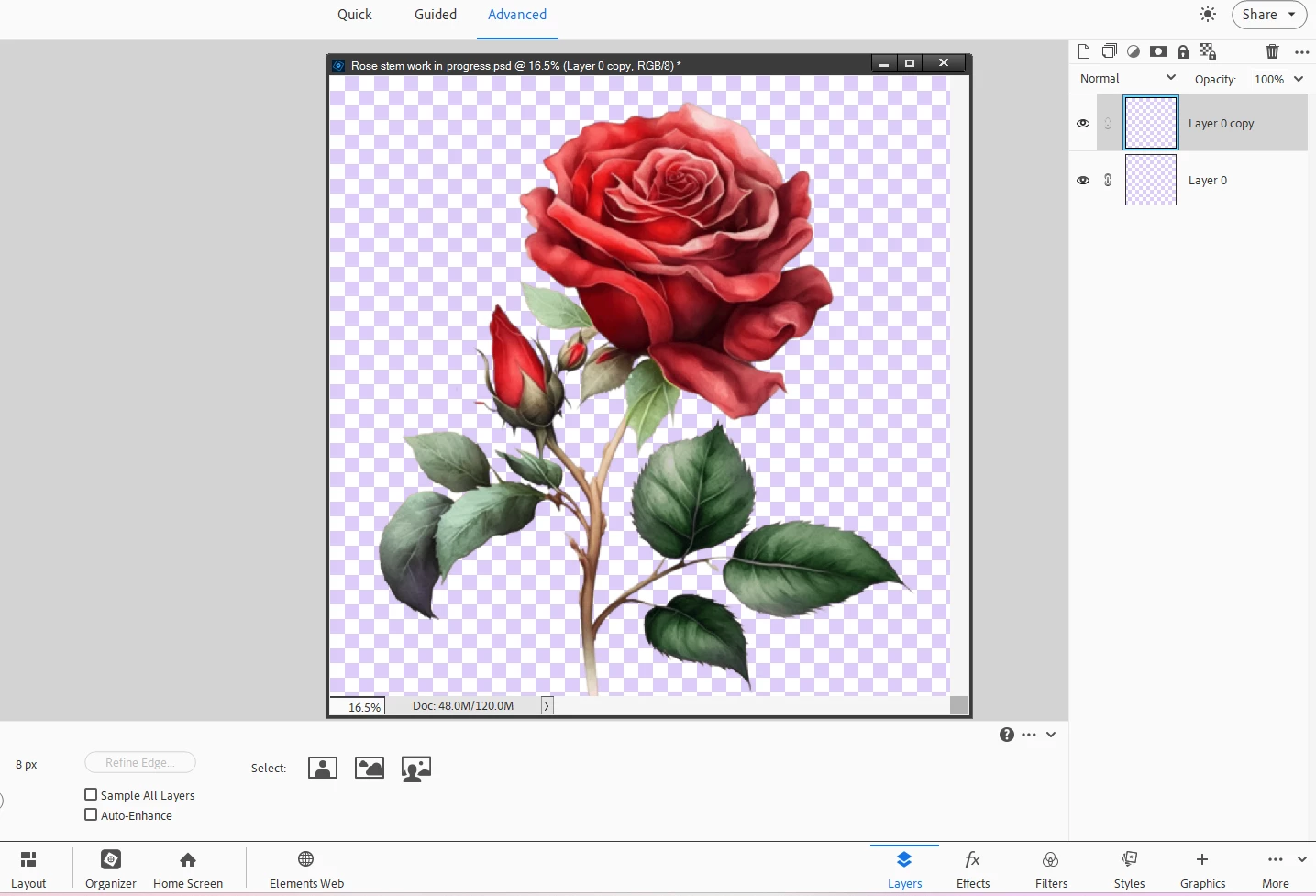
I suspect this is probably an error on my part but I can't figure out what I am doing wrong so I am hoping someone here can help me. My layer thumbnails keep disappearing. It doesn't seem to be tied to any particular action. Sometimes they poof after I have added layer masks, sometimes it is after I have made a selection and other times they poof after I add another layer.

I'm attaching some screenshots - the thumbnails images are visible and then they just disappear.  The only thing I did was click on the layer that I copied, as soon as I did that, poof! So I didn't actually use any tools. If I close the program and reopen it, the thumbnail images will show up again. Sometimes they will remain and other times they will disappear again. It doesn't happen all the time so I have no clue what is causing it.

I assumed it was happening because my previous laptop barely met the system requirements and the program just didn't run great on it. I have since updated to a nicer laptop and the program runs like a dream on this thing (I had no idea RAM made such a difference!)  But these are my system specs:


Windows 11 Home

32GB Ram

2TB SSD 

AMD Ryzen 5 5500U with Radeon Graphics, 6 core

It's an HP laptop if that matters

It's not a huge deal, I just rename my layers but it would be more convenient to actually see them


Thank you for any suggestions! 
This topic has been closed for replies.

3 replies

Greg_S.
Community Expert
Community Expert
June 24, 2024

I'm glad you are happy with your new laptop!!

Greg_S.
Community Expert
Community Expert
June 24, 2024

Amber, this is a random problem that several users have reported.  I don't think I have seen any definitive cure.  You can try Glenn's suggestion to change the size of the Layer Panel thumbnails.  Please report back if it works (but I don't think it will). 


One other suggestion is to see if HP has an update to the graphics driver on your computer.  If that doesn't work and you are feeling adventurous, update the grahics driver from the AMD website.

Amber B1982
Known Participant
June 24, 2024

I may try that actually because I did get some weird pop up recently after a Windows update saying something about my AMD graphics driver being changed. It didn't seem to make a noticeable difference so I disregarded the pop up but that might be the issue. Thanks! If it doesn't fix it, it's not a big deal. I really can't complain much because it's a night and day difference since upgrading my laptop.

Glenn 8675309
Legend
June 23, 2024

Click on the kebob (the three dots) over in the layer panel and do the following. 

Amber B1982
Known Participant
June 24, 2024

I thought for sure this would do the trick because I sure hadn't messed with those preferences. Unfortunately, they are still disappearing. Your suggestion wasn't wasted though because I sure do appreciate the larger thumbnails now when they are visible! I thought I had found all of the features but somehow I missed this one!